
Color Gear: Color Wheel PC
appsvek
Download Color Gear: Color Wheel on PC With GameLoop Emulator
Color Gear: Color Wheel on PC
Color Gear: Color Wheel, coming from the developer appsvek, is running on Android systerm in the past.
Now, You can play Color Gear: Color Wheel on PC with GameLoop smoothly.
Download it in the GameLoop library or search results. No more eyeing the battery or frustrating calls at the wrong time any more.
Just enjoy Color Gear: Color Wheel PC on the large screen for free!
Color Gear: Color Wheel Introduction
Color Gear is a useful color tool that helps to create harmonious color palettes. To find the right color palette, designers and artists use color theory and the basis of it: color wheel and harmony. Color Gear is great for understanding color theory and daily creating palettes. Create harmonious palettes based on color theory with our color palette app!
📌 USE COLOR WHEEL THAT SUITS YOUR NEEDS
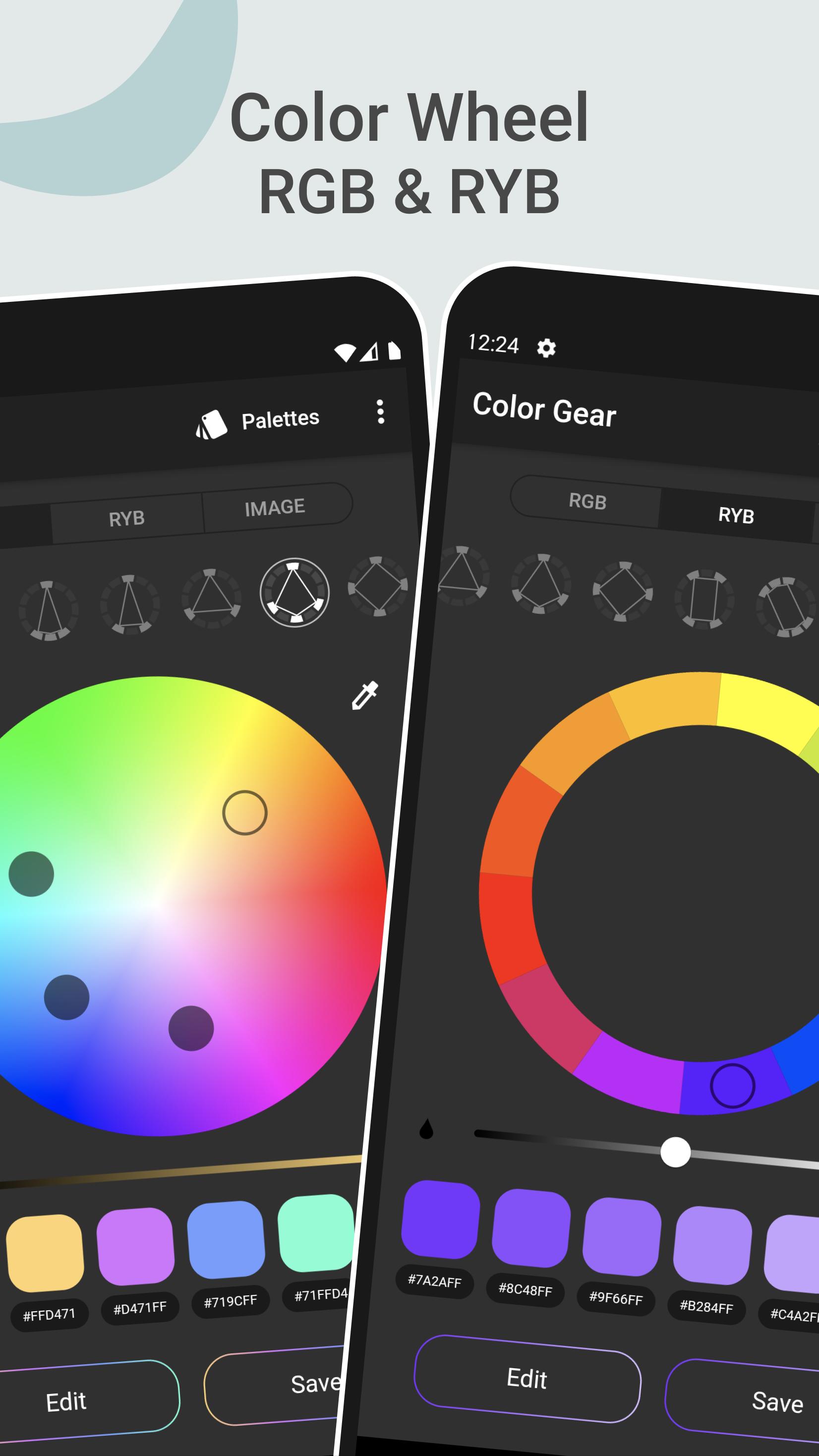
Our app supports two color models — RGB Color Wheel and Itten Color Wheel. RGB (Red, Green, Blue) is used to create colors in digital media. RYB color circle (Red, Yellow, Blue) relates specifically to color in the form of paint and pigment in art and design. For both RGB and RYB (Itten circle) Color wheel you can apply one of the 10 plus color schemes.
📌 BUILD COLOR PALETTE BASED ON THE ADDED HEX COLOR CODE
Just type in the color name (HEX or RGB color code) and discover different color harmonies matching this particular colour.
📌 EXTRACT COLORS FROM IMAGES: IMAGE PALETTE PICKER
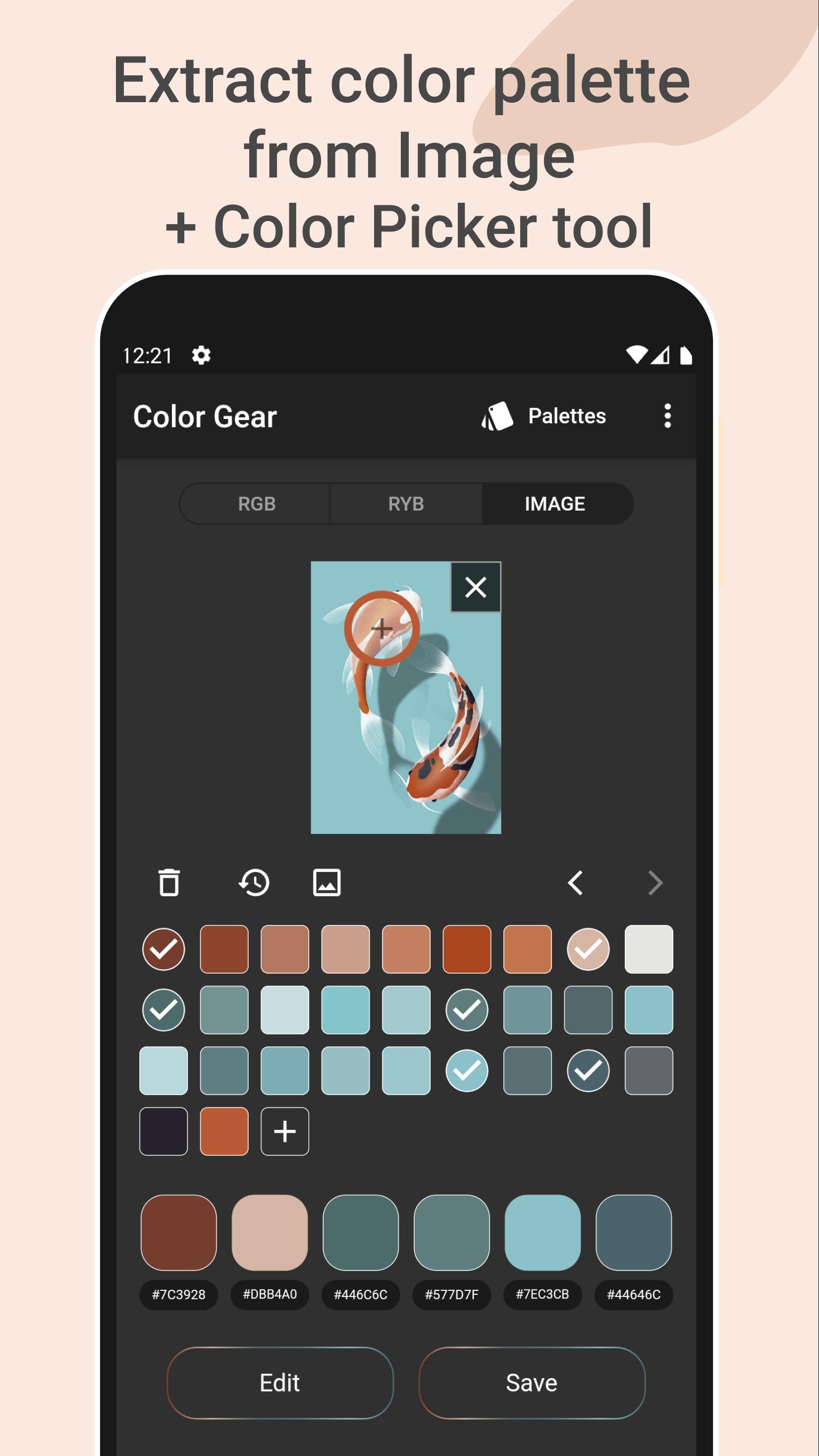
This feature will turn your photos into palettes! Find what colors are inside photos. Select the desired picture from your gallery and the application's algorithms will automatically obtain colors from the image. Also you can manually pick colors from the photo with the Color Picker (eyedropper). Copy a particular HEX color code under color swatch to the clipboard and Paste it in the first Tab – in this case you will discover different color harmonies matching your particular color from the image.
📌 SAVE THE PALETTE ALONG WITH THE IMAGE
Create a Collage with saved palette. Choose a layout, place the palette on the image and Share it with ease.
📌 ADVANCED COLOR EDITING
Edit color values (Hue, Saturation, Lightness) of palette or one of the color swatches of it with precision.
📌 EASILY MANAGE & SHARE COLOR PALETTES
You can always copy a HEX color code under color swatches to the clipboard. Six color formats available to share in palette info (RGB, HEX, LAB, HSV, HSL, CMYK).
Color wheel RGB and RYB, 10+ color harmony schemes, option to enter a color code (color name), ability to get a color palette from image or photo, Color Picker tool (color grab), color detector and an ability to save the palette along with the image. All these tools are always at hand in one application that works offline!
We are always glad to receive your feedback. If you have any questions or suggestions, please do not hesitate to contact us: appsvek@gmail.com.🤓
Preview
Tags
Art-&Information
Developer
appsvek
Latest Version
3.3.2-lite
Last Updated
2024-11-17
Category
Art-design
Available on
Google Play
Show More
How to play Color Gear: Color Wheel with GameLoop on PC
1. Download GameLoop from the official website, then run the exe file to install GameLoop
2. Open GameLoop and search for “Color Gear: Color Wheel” , find Color Gear: Color Wheel in the search results and click “Install”
3. Enjoy playing Color Gear: Color Wheel on GameLoop
Minimum requirements
OS
Windows 8.1 64-bit or Windows 10 64-bit
GPU
GTX 1050
CPU
i3-8300
Memory
8GB RAM
Storage
1GB available space
Recommended requirements
OS
Windows 8.1 64-bit or Windows 10 64-bit
GPU
GTX 1050
CPU
i3-9320
Memory
16GB RAM
Storage
1GB available space