
Upin Dash Run Subway 3D PC
gbt top store
Download Upin Dash Run Subway 3D on PC With GameLoop Emulator
Upin Dash Run Subway 3D on PC
Upin Dash Run Subway 3D, coming from the developer gbt top store, is running on Android systerm in the past.
Now, You can play Upin Dash Run Subway 3D on PC with GameLoop smoothly.
Download it in the GameLoop library or search results. No more eyeing the battery or frustrating calls at the wrong time any more.
Just enjoy Upin Dash Run Subway 3D PC on the large screen for free!
Upin Dash Run Subway 3D Introduction
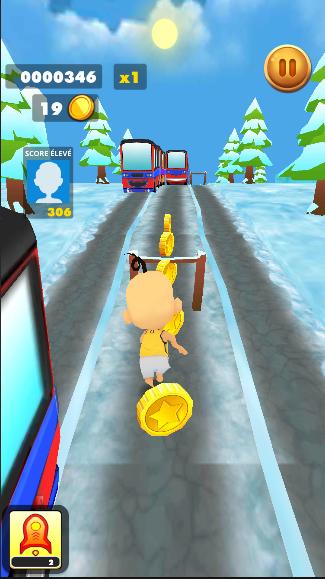
Subway Upin & Ipin Runner, also known as Motor Bus Runner or Jungle Dash, is an endless Kawan-Kawan running game that appeals to hundreds of thousands of players.
Run as fast as you can and dodge the trains or buses that are about to collide with you. Be careful of the rolling logs in the jungle! To dodge obstacles and collect coins, you need to take great reflexes to move, jump and slide.
Help your favorite saad to Upin escape from the policeman. Want to enjoy the fantastic hovering experience? Double tap the cellphone screen to enable your hoverboard! Stand out from the worldwide players and hit the leaderboard!
How to play Subway Upin & Ipin Runner:
1.Dodge the trains, buses, and all kinds of obstacles.
2.Scores rest with your avatar levels.
3.Gain the experience points to improve your levels.
4.Experience points come from tasks and chests.
5.Swipe deftly to run as far as you can.
6.Use boosters wisely. Upgrade boosters to extend its perseverance.
Subway Upin & Ipin Features:
1.Snow scene, city scene, forest scene.
2.Best Kawan running game.
3.Endless runner gaming.
4.Smooth control experience and gravity sensitivity.
5.Double tap hoverboard to do awesome Kawan surf stunts.
6.Compete with global players.
7.Play with your friends.
8.Delicate and High-definition game interface.
9.Thrilling soundtracks.
10.Promote boosters to get infinite power.
11.Collect as many gems as you can.
12.Upgrade your level by notching tasks.
Preview

Tags
AdventureInformation
Developer
gbt top store
Latest Version
1.3
Last Updated
2022-09-03
Category
Adventure
Available on
Google Play
Show More
How to play Upin Dash Run Subway 3D with GameLoop on PC
1. Download GameLoop from the official website, then run the exe file to install GameLoop
2. Open GameLoop and search for “Upin Dash Run Subway 3D” , find Upin Dash Run Subway 3D in the search results and click “Install”
3. Enjoy playing Upin Dash Run Subway 3D on GameLoop
Minimum requirements
OS
Windows 8.1 64-bit or Windows 10 64-bit
GPU
GTX 1050
CPU
i3-8300
Memory
8GB RAM
Storage
1GB available space
Recommended requirements
OS
Windows 8.1 64-bit or Windows 10 64-bit
GPU
GTX 1050
CPU
i3-9320
Memory
16GB RAM
Storage
1GB available space