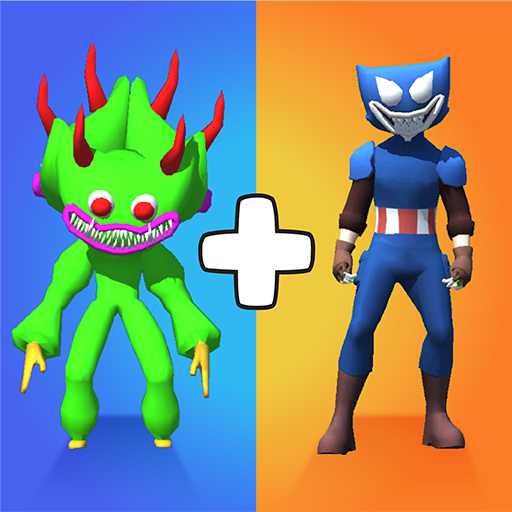
Merge Master: Save the Rainbow PC
WeMaster
Download Merge Master: Save the Rainbow on PC With GameLoop Emulator
Merge Master: Save the Rainbow on PC
Merge Master: Save the Rainbow, coming from the developer WeMaster, is running on Android systerm in the past.
Now, You can play Merge Master: Save the Rainbow on PC with GameLoop smoothly.
Download it in the GameLoop library or search results. No more eyeing the battery or frustrating calls at the wrong time any more.
Just enjoy Merge Master: Save the Rainbow PC on the large screen for free!
Merge Master: Save the Rainbow Introduction
⭐Big Update⭐
New Chapter: Save the Rainbow Rangers
Merge and create your monster army. Fight evil monsters emerging through the city. Conquer and purge through all challengesto rescue the Rainbow Friends
Join the 3D world of chaos, where monsters of all types rule the world, survival is difficult in the world full of vicious monster. Try out Merge Master: Save the Rainbow for free right now!
⚔️ How to play :
- Similar to the gameplays of your favorite merge games like Merge Monster, Poke Merge, Merge Evolution, Frog Merge, Master Merge, Fight and Merge. Merge Master: Monster Battle brings you a unique and creative cast of monsters, toys, and characters that you love and adore.
- Combine the same type of character to create a stronger, unique one.
- Be smart, think quickly, and react instantly because every monster is powerful in its own way.
- Tips: The monsters attack even more fierce and become more tanky when they are merged. Focus and kill the powerful enemies first.
⚔️ Game Features:
- The game is completely and forever FREE FOR EVERYONE
- Incredibly easy to play.
- Creative monsters combinations, inspired by your favorite characters
- Powerful and satisfying merge gameplay
- Challenging fights and experiences, and super addictive.
- Eye-catching color explosion in your device.
Are you ready for a journey into the mysterious yet fascinating world of Merge Master: Monster Battle? Try it out with your friends, Merge, Fight, and become the Victor in the history of this Monster Battle.
Preview


Tags
ActionInformation
Developer
WeMaster
Latest Version
1.3.1
Last Updated
2022-12-19
Category
Action
Show More
How to play Merge Master: Save the Rainbow with GameLoop on PC
1. Download GameLoop from the official website, then run the exe file to install GameLoop
2. Open GameLoop and search for “Merge Master: Save the Rainbow” , find Merge Master: Save the Rainbow in the search results and click “Install”
3. Enjoy playing Merge Master: Save the Rainbow on GameLoop
Minimum requirements
OS
Windows 8.1 64-bit or Windows 10 64-bit
GPU
GTX 1050
CPU
i3-8300
Memory
8GB RAM
Storage
1GB available space
Recommended requirements
OS
Windows 8.1 64-bit or Windows 10 64-bit
GPU
GTX 1050
CPU
i3-9320
Memory
16GB RAM
Storage
1GB available space