DISC LINK Pro PC
Hitachi-LG Data Storage, Inc.
Tải xuống DISC LINK Pro trên PC với Trình giả lập GameLoop
DISC LINK Pro trên PC
DISC LINK Pro, đến từ nhà phát triển Hitachi-LG Data Storage, Inc., đang chạy trên hệ điều hành Android trong quá khứ.
Giờ đây, bạn có thể chơi DISC LINK Pro trên PC với GameLoop một cách mượt mà.
Tải xuống nó trong thư viện GameLoop hoặc kết quả tìm kiếm. Không còn để ý đến pin hoặc các cuộc gọi bực bội vào sai thời điểm nữa.
Chỉ cần thưởng thức DISC LINK Pro PC trên màn hình lớn miễn phí!
DISC LINK Pro Giới thiệu
* Support Portable DVD Writer
- Model : KP95N*70 / GP95**70
* Support Device (Smartphone/Tablet)
- Android 4.4.2 or later and USB OTG support
- Test Device
1) LG : G2 / G3 / G4 / G5 / G6 /G Flex2 / V10 / V20 / G Pro / G Pro2 / G Pad(V495)
2) Samsung : S4 / S5 / S6 / S7 / S8 / Note2 / Note3 / Note4 / Note5
3) Others : Lenovo PHAB Plus / Lenovo TAB2
※ This app. might have some compatibility issues depending on devices.
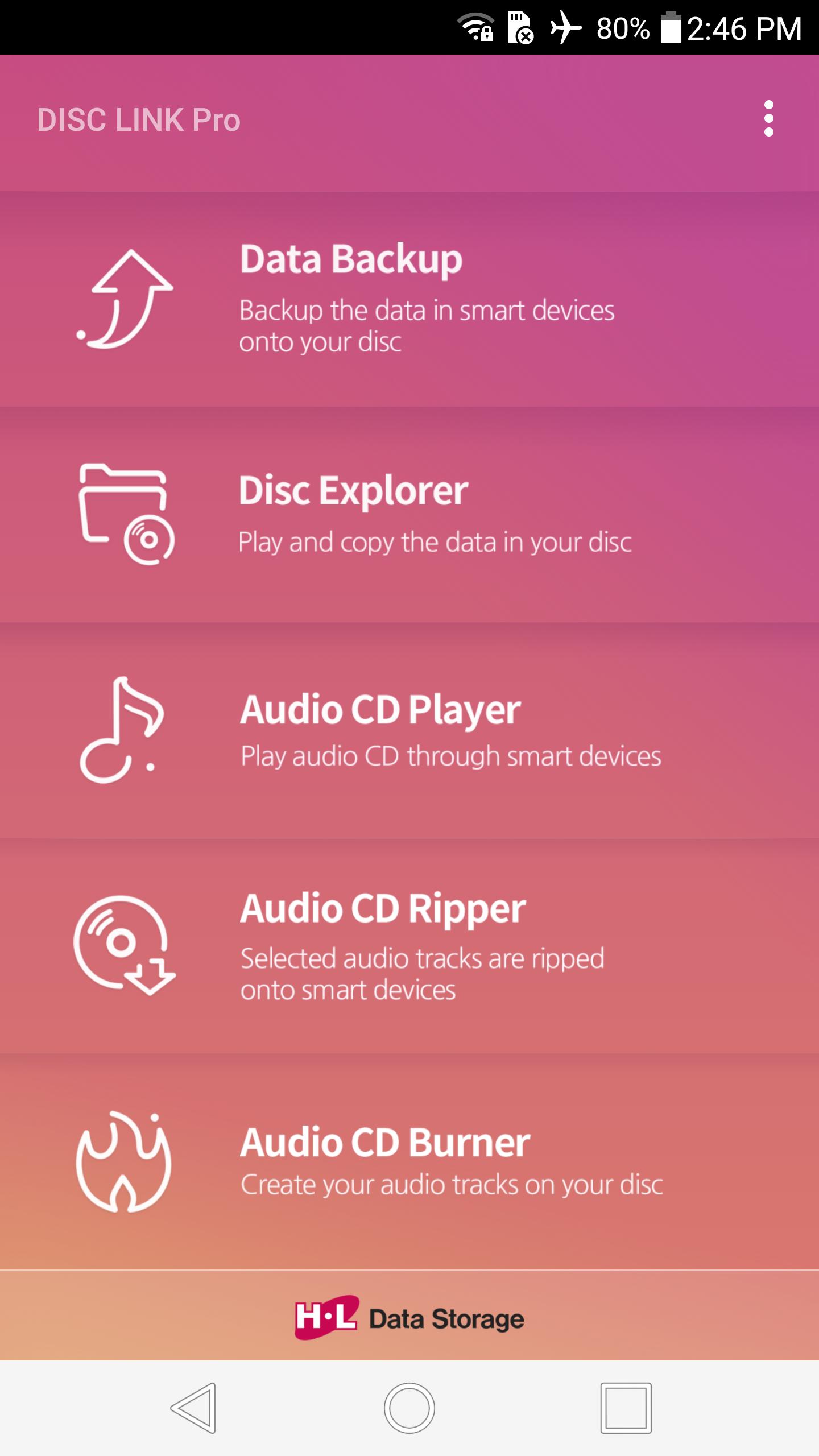
You can backup data, play or copy disc files, play Audio CD, rip Audio CD, burn Audio files after connecting a portable DVD writer to smart devices through USB OTG cable/gender.
KEY FEATURES :
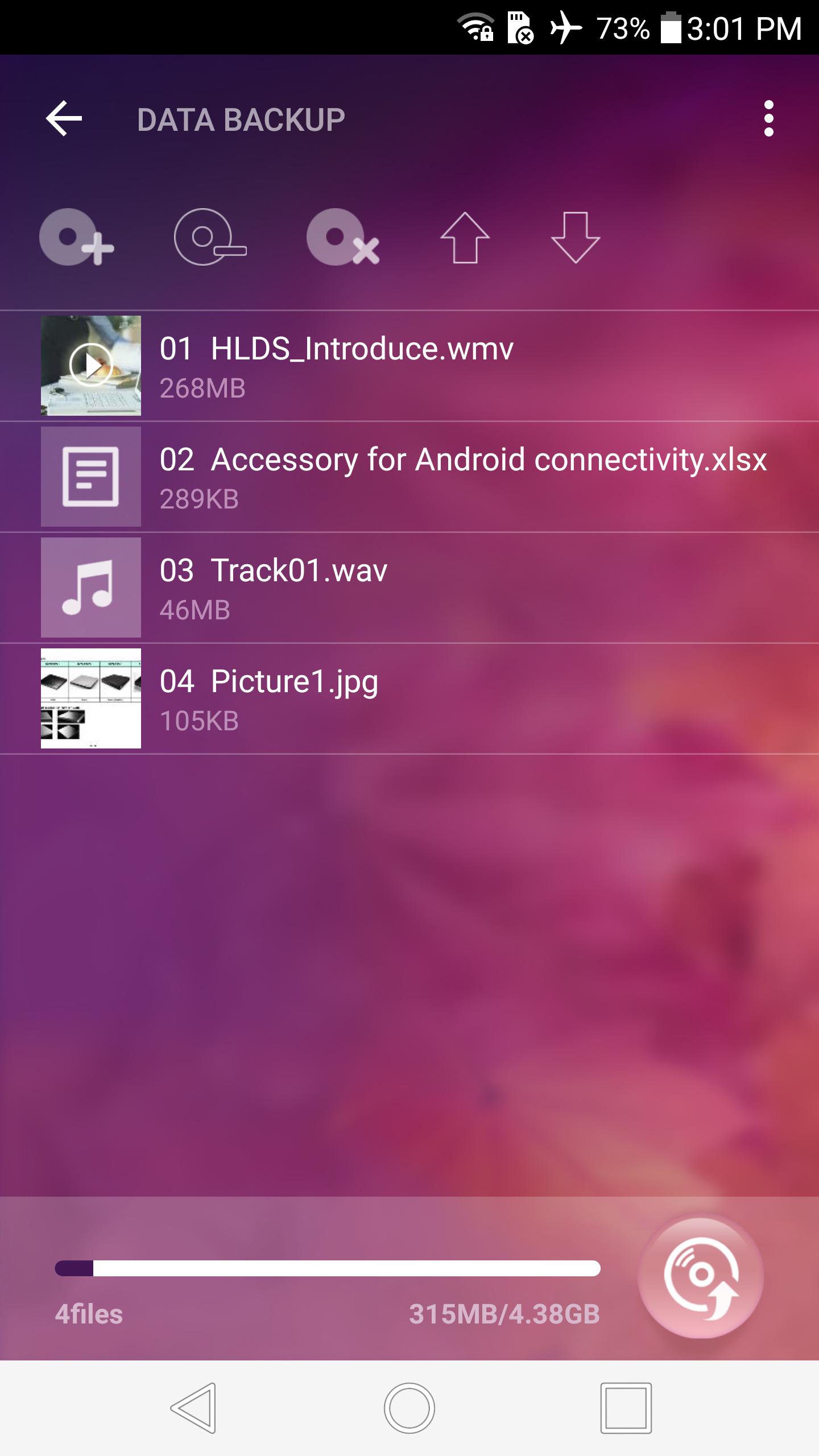
1. DATA BACKUP
- Selected data files are burned onto a disc
- Supportable disc : CD-R, DVD-R, DVD+R
- Backup disc can be read on all system
- Max number of files : 1000
- No further data can be appended after backup
- Not support to delete subfolders/files in the source folder
- No verification function to reduce the backup time
- Not support to cancel during backup
2. DISC EXPLORER
- A click on a disc file links to a player or copies onto smart devices
- Supportable disc : CD-ROM, DVD-ROM, CD-R, DVD-R/R DL, DVD+R/R DL
- Supportable file system : ISO9660/Joliet, UDF 1.02~2.01 (Not support of UDF 2.5)
- Recommendable player for video files : VLC player
- Not support of continuous play for audio or video files more than 2 files
- Not support to play & copy the files in CSS DVD video discs, CPRM discs, Video CD & CD-TEXT
- Not support of image rotation view & editing function
- Not support of animation for GIF format files
3. AUDIO CD PLAYER
- A click on an audio track plays it
- Supportable disc (Audio) : CD-R, CD-RW, CD-ROM
- The information of album title, artist and track name will not show up
4. AUDIO CD RIPPER
- Selected audio tracks are ripped onto the DiscLink folder
- Supportable disc (Audio) : CD-R, CD-RW, CD-ROM
- Audio track name can be edited before ripping
- Supportable format : FLAC / M4A / WAV
(M4A bitrate setting : 128, 192 or 320 kbps)
5. AUDIO CD BURNER
- Created audio files are burned onto a disc
- Supportable disc : CD-R
- Album cover image can be edited
- Supportable format : FLAC / M4A / WAV / OGG / AAC
- No verification function to reduce the burning time
- Not support to cancel during burning
- Not compatible with high resolution sound files such as 32bit, 24bit
Guide for connecting this application to a portable DVD writer :
1. Connect a supported portable DVD writer and smart device according to user's manual.
2. Click 'OK' on pop-up window to choose the application for USB device on smart device.
3. DISC LINK Pro will start on smart device and connection will be completed.
※ Note
1. If you disconnect USB OTG cable during ODD operation, it will not work correctly.
2. If there are other applications that recognize USB device installed on smart device, connect ODD after cancelling 'LAUNCH BY DEFAULT' at Apps menu in Settings on smart device. (ex: ES File Explorer)
3. To eject the disc inside ODD, click 'OK' on eject request window of APP after pressing eject key of ODD.
4. If it is impossible to eject the disc, terminate APP and then disconnect USB gender and connect it again.
5. To eject the disc inside ODD during video/music playback on the player works on with, terminate the player and then press eject key of ODD.
6. For playback of MP4, MOV, MPG, AAC format audio files in DISC EXPLORER, it might have some compatibility issues depending on the player works on with.
7. For playback of video files in DISC EXPLORER, playback action might be delayed or suspended by some compatibility issues depending on the player works on with.
8. For high resolution sound files such as 32bit, 24bit in AUDIO CD BURNER, play sound might be abnormal if you burn them onto a disc because their bitrate is over CD's bitrate.
Tag : disklink disk link pro
Xem trước
Thông tin
Nhà phát triển
Hitachi-LG Data Storage, Inc.
Phiên bản mới nhất
0.91
Cập nhật mới nhất
2018-11-23
Loại
Video-players-editors
Có trên
Google Play
Cho xem nhiều hơn
Cách chơi DISC LINK Pro với GameLoop trên PC
1. Tải xuống GameLoop từ trang web chính thức, sau đó chạy tệp exe để cài đặt GameLoop.
2. Mở GameLoop và tìm kiếm “DISC LINK Pro”, tìm DISC LINK Pro trong kết quả tìm kiếm và nhấp vào “Cài đặt”.
3. Thích chơi DISC LINK Pro trên GameLoop.
Minimum requirements
OS
Windows 8.1 64-bit or Windows 10 64-bit
GPU
GTX 1050
CPU
i3-8300
Memory
8GB RAM
Storage
1GB available space
Recommended requirements
OS
Windows 8.1 64-bit or Windows 10 64-bit
GPU
GTX 1050
CPU
i3-9320
Memory
16GB RAM
Storage
1GB available space