Music Volume EQ Bass Booster PC
Cherish Tools
Tải xuống Music Volume EQ Bass Booster trên PC với Trình giả lập GameLoop
Music Volume EQ Bass Booster trên PC
Music Volume EQ Bass Booster, đến từ nhà phát triển Cherish Tools, đang chạy trên hệ điều hành Android trong quá khứ.
Giờ đây, bạn có thể chơi Music Volume EQ Bass Booster trên PC với GameLoop một cách mượt mà.
Tải xuống nó trong thư viện GameLoop hoặc kết quả tìm kiếm. Không còn để ý đến pin hoặc các cuộc gọi bực bội vào sai thời điểm nữa.
Chỉ cần thưởng thức Music Volume EQ Bass Booster PC trên màn hình lớn miễn phí!
Music Volume EQ Bass Booster Giới thiệu
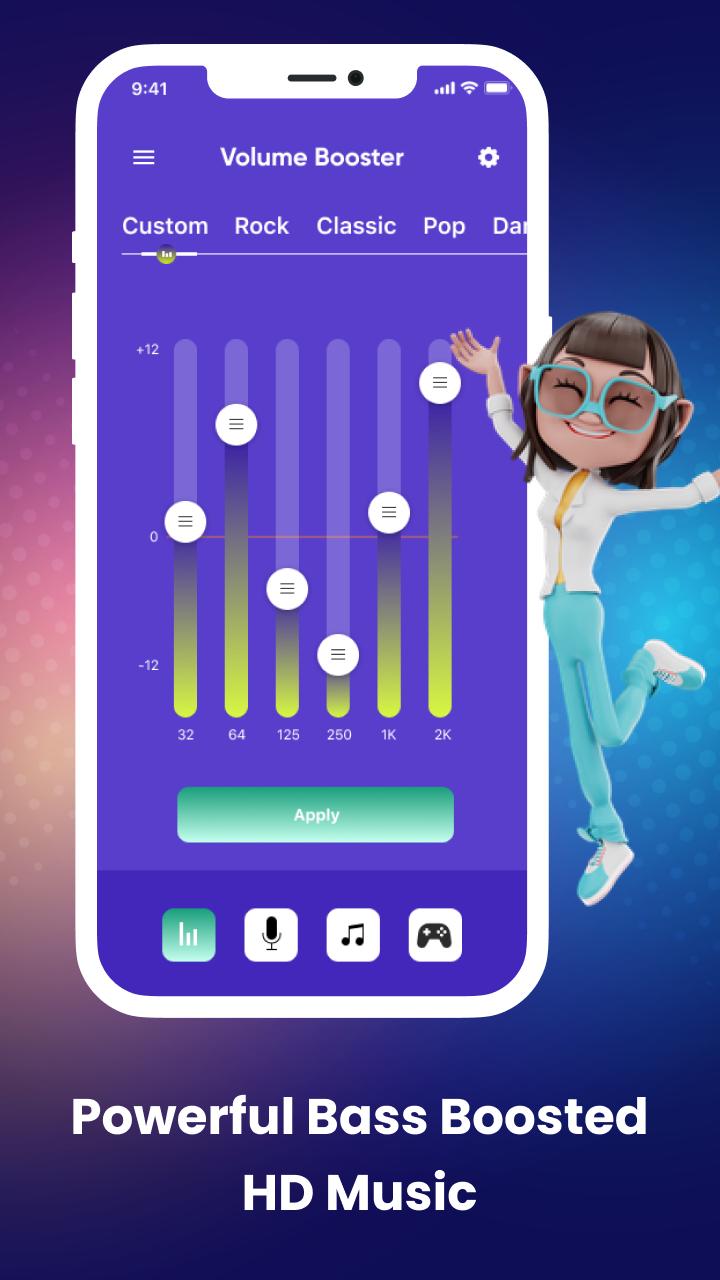
Start using Music Volume EQ - Bass Booster app to boost the volume frequency from low to high and make all sounds clearer than the previous sound!!! It’s worth noticing that the boost setting you choose within the volume changer app will apply system-wide, so you can enjoy louder audio!!!
This android phone sound enhancer app is FREE and you can change the maximum allowed boost for the system volume booster app and also allow the music volume booster app to power up on device start-up. You can also turn on the music player and play your favorite music and audiobooks with this loud booster app.
Features
Boost volume immediately
Best sound enhancer for android
Home screen widgets
No root required
Level up your music volume easily
Home screen sound button
Keeping the screen awake
Increase your video call audio
Sound up and down to suit your needs
Music booster for your headphones
Preventing the flat volume from being changed
Easy to play and control music
Phone with high sound ringtones
User-friendly interface
Quick to play music
Enjoy louder music volume
You can increase the sound maximizer by up to 40%, but if you want to increase the volume, even more, you will need to head over to the notification volume control settings by clicking on the top of the volume booster.
For any queries or problems regarding this audio enhancer app, please contact us at: charishmatools989@gmail.com.
Xem trước

Thẻ
Công cụThông tin
Nhà phát triển
Cherish Tools
Phiên bản mới nhất
1.8
Cập nhật mới nhất
2022-08-12
Loại
Công cụ
Có trên
Google Play
Cho xem nhiều hơn
Cách chơi Music Volume EQ Bass Booster với GameLoop trên PC
1. Tải xuống GameLoop từ trang web chính thức, sau đó chạy tệp exe để cài đặt GameLoop.
2. Mở GameLoop và tìm kiếm “Music Volume EQ Bass Booster”, tìm Music Volume EQ Bass Booster trong kết quả tìm kiếm và nhấp vào “Cài đặt”.
3. Thích chơi Music Volume EQ Bass Booster trên GameLoop.
Minimum requirements
OS
Windows 8.1 64-bit or Windows 10 64-bit
GPU
GTX 1050
CPU
i3-8300
Memory
8GB RAM
Storage
1GB available space
Recommended requirements
OS
Windows 8.1 64-bit or Windows 10 64-bit
GPU
GTX 1050
CPU
i3-9320
Memory
16GB RAM
Storage
1GB available space