Easy Touch - Assistive Touch f PC
UsefulLife App
Tải xuống Easy Touch - Assistive Touch f trên PC với Trình giả lập GameLoop
Easy Touch - Assistive Touch f trên PC
Easy Touch - Assistive Touch f, đến từ nhà phát triển UsefulLife App, đang chạy trên hệ điều hành Android trong quá khứ.
Giờ đây, bạn có thể chơi Easy Touch - Assistive Touch f trên PC với GameLoop một cách mượt mà.
Tải xuống nó trong thư viện GameLoop hoặc kết quả tìm kiếm. Không còn để ý đến pin hoặc các cuộc gọi bực bội vào sai thời điểm nữa.
Chỉ cần thưởng thức Easy Touch - Assistive Touch f PC trên màn hình lớn miễn phí!
Easy Touch - Assistive Touch f Giới thiệu
★ What is Assistive Touch? How does the assistive touch for Android work?
Assistive Touch is an useful tool to get your Android device up and run quickly. Easy Touch helps to replace your hard keys. It's fast, smooth, and totally FREE.
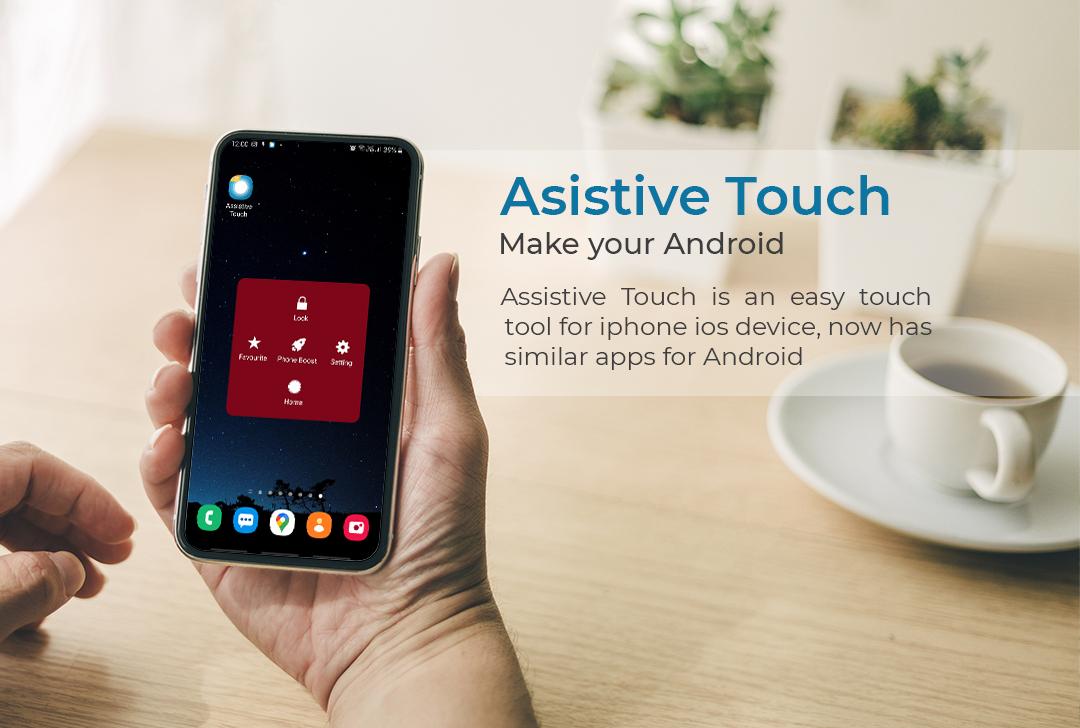
Assistive Touch for Android works as a virtual home button on iOS devices. With a floating panel button on the screen, you can quickly access all your favorite apps, games, settings, and quick toggle. You can also use Assistive Touch to access your Home screen, Recent screen and use Back Key. Just open the Easy Touch menu and tap Home, Recent, Back action. Assistive Touch Android is an ideal app to protect physical buttons (home button and volume button). It is very useful for your smartphone when the physical buttons are broken and not working.
👉👉👉Easy Touch free download to experience convenience and useful that this Assistive Touch Android app has.
★ Assistive touch for Android - quick touch access:
- Virtual home button, virtual back button, and easy touch to lock screen and open recent task
- Clean ram, boost speed
- WiFi and Bluetooth: Touch to turn on or off wifi or Bluetooth whenever you want
- Location (GPS)
- Screen rotation: switch portrait or landscape
- Change volume: a volume manager, quickly change media volume, ringtone, and alarms
- Brightness: fast change to lower, medium, or higher brightness.
- Flashlight: turn on and off the flashlight
- Modes: Do not disturb, Airplane mode, Vibrate
- Lock the screen (screen off): just one touch to turn off and lock the screen like the power button.
- Capture Screenshot
- Notification: open the notification bar
- Pin favorite application in assistive touch.
- Easy touch to open your favorite application and go to all settings with a touch.
★ Customize Assistive touch:
- You can change the color of the background with your favorite color
- Cute floating button: You can change the icon of Assistive Touch with many cute icons, totally free
- Floating button size: you can easily customize the size of the icon to fit when using
- Floating button position: move the easy touch icon anywhere on the phone screen
- Transparency of the Floating button: Customize the transparency of the floating touch icon and panel to your liking.
★ Permissions of Assistive Touch Android:
- This app uses the Device Administrator permission.
- This app uses Accessibility services.
- Permission CAMERA to turn on the flashlight, not take a photo.
- Permission FILE only use for saving image screenshot
👉👉👉Download Assistive Touch Android: Virtual home button today!
★ Feedback for Assistive Touch for Android:
We are always interested in your experience with our Assistive Touch for Android, so please let us know your ideas by leaving a comment. We will dedicate ourselves to bring the best version of our Assistive Touch. If it gives you a good experience please evaluate 5*. Thank you for using.
Xem trước
Thẻ
Công cụThông tin
Nhà phát triển
UsefulLife App
Phiên bản mới nhất
1.2
Cập nhật mới nhất
2021-02-23
Loại
Công cụ
Có trên
Google Play
Cho xem nhiều hơn
Cách chơi Easy Touch - Assistive Touch f với GameLoop trên PC
1. Tải xuống GameLoop từ trang web chính thức, sau đó chạy tệp exe để cài đặt GameLoop.
2. Mở GameLoop và tìm kiếm “Easy Touch - Assistive Touch f”, tìm Easy Touch - Assistive Touch f trong kết quả tìm kiếm và nhấp vào “Cài đặt”.
3. Thích chơi Easy Touch - Assistive Touch f trên GameLoop.
Minimum requirements
OS
Windows 8.1 64-bit or Windows 10 64-bit
GPU
GTX 1050
CPU
i3-8300
Memory
8GB RAM
Storage
1GB available space
Recommended requirements
OS
Windows 8.1 64-bit or Windows 10 64-bit
GPU
GTX 1050
CPU
i3-9320
Memory
16GB RAM
Storage
1GB available space