
Device Info - Software and Hardware Test PC
Moment App Studio
Tải xuống Device Info - Software and Hardware Test trên PC với Trình giả lập GameLoop
Device Info - Software and Hardware Test trên PC
Device Info - Software and Hardware Test, đến từ nhà phát triển Moment App Studio, đang chạy trên hệ điều hành Android trong quá khứ.
Giờ đây, bạn có thể chơi Device Info - Software and Hardware Test trên PC với GameLoop một cách mượt mà.
Tải xuống nó trong thư viện GameLoop hoặc kết quả tìm kiếm. Không còn để ý đến pin hoặc các cuộc gọi bực bội vào sai thời điểm nữa.
Chỉ cần thưởng thức Device Info - Software and Hardware Test PC trên màn hình lớn miễn phí!
Device Info - Software and Hardware Test Giới thiệu
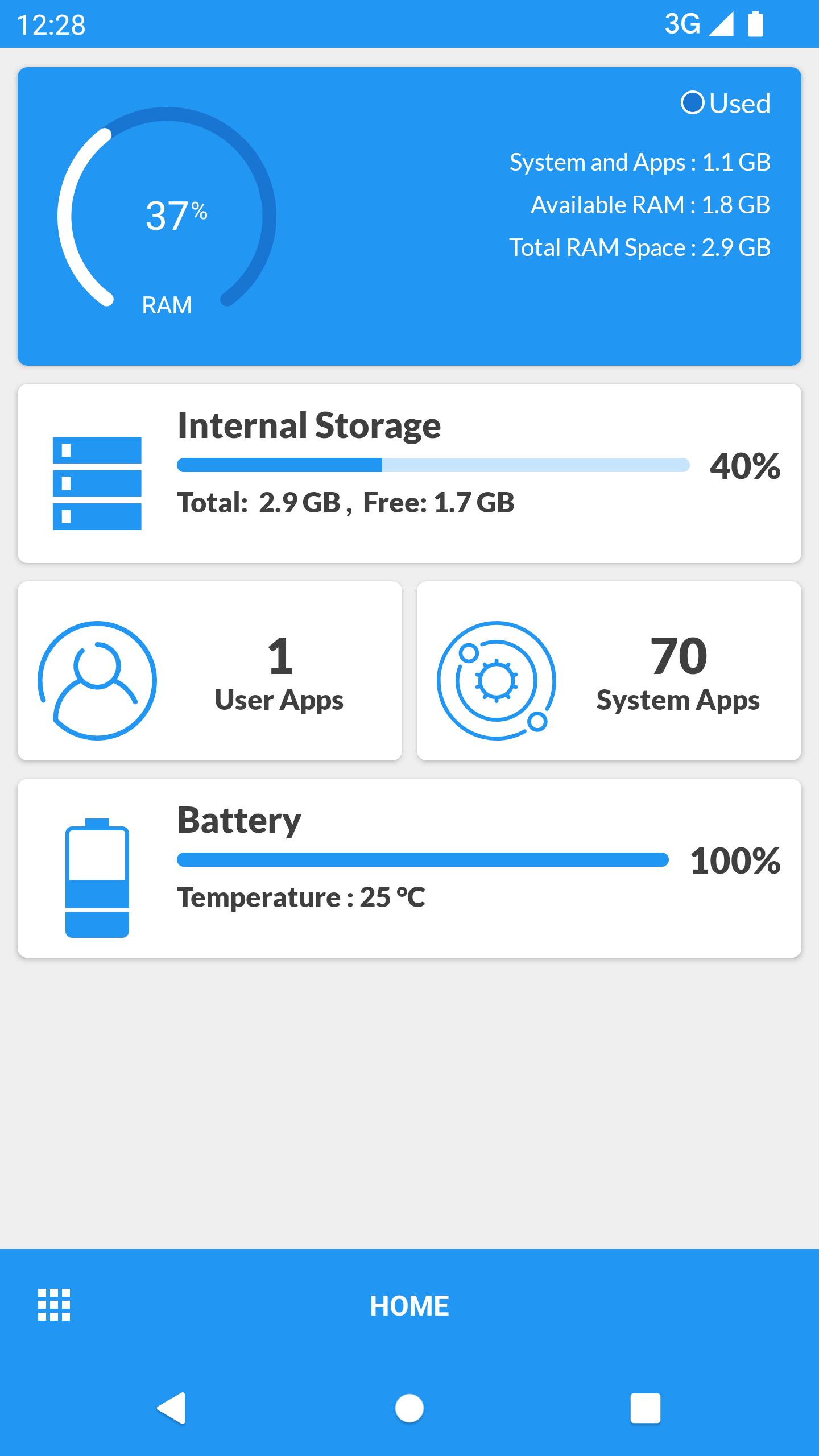
Device Info is a simple and very user-friendly Android application that gives you complete and detailed information about your mobile device with the best user interface. This app is useful for not only normal users but also for developers who build kernels or android apps. Device Info is packed with many features to give you all info regarding software and hardware of your android device like CPU, RAM, OS, Sensors, Storage, Battery, SIM, Bluetooth, Installed Apps, System Apps, Display, Camera, Thermal, Codecs, Inputs.
Dashboard
• RAM
• System Storage
• Internal Storage
• External Storage
• Battery
• CPU
• Sensors Available
• Total Apps Installed
Device
• Device Name
• Model
• Manufacturer
• Device
• Board
• Hardware
• Android Device ID
• Device Type
• Network Operator
• WiFi MAC Address
• Build Fingerprint
• USB Host
• Google Advertising ID
• Timezone
• Device Features
System
• Version
• CodeName
• API Level
• Security Patch Level
• Bootloader
• Build Number
• Baseband
• Java VM
• Kernel
• Language
• Root Access
• Root Management Apps
• Treble
• Seamless Updates
• Google Play Service Version
• SELinux
• System Uptime
DRM Info
It gives details about two types of DRM - Widevine and Clearkey.
1. Widevine CDM :
• Vendor
• Version
• Algorithms
• System ID
• Security Level
• Max HDCP Level
• Max no. of sessions
• Usage Reporting Support
• HDCP Level
2. Clearkey CDM :
• Vendor
• Version
CPU
• Processor
• CPU Hardware
• Supported ABIs
• CPU Architecture
• Cores
• CPU Family
• Manufacturing Process (in nm)
• CPU Governor
• CPU Type
• CPU Scaling Governor
• Frequency
• Running CPUs
• CPU Usage
• BogoMIPS
• Features
• Vulkan Support
• GPU Renderer
• GPU Version
• GPU Vendor
• GPU Extensions List
Battery
• Health
• Status
• Current
• Level
• Voltage
• Power Source
• Technology
• Temperature
• Capacity
Display
• Resolution
• Density
• Font Scale
• Physical Size
• Refresh Rate
• HDR
• HDR Capabilities
• Brightness Level
• Screen Timeout
• Orientation
Memory
• RAM
• Z-RAM
• System Storage
• Internal Storage
• External Storage
• RAM Type
• Bandwidth
• Channels
Sensors
• Sensor Name
• Sensor Vendor
• Type
• Power
Apps
• Package Name
• Version
• Target SDK
• Minimum SDK
• Size
• UID
• Permissions
You can extract apps. Also, you can sort them on the basis of the system and installed apps.
Camera
• Aberration Modes
• Antibanding Modes
• Auto Exposure Modes
• Compensation Step
• Autofocus Modes
• Effects
• Scene Modes
• Video Stabilization Modes
• Auto White Balance Modes
• Hot Pixel Modes
• Hardware Level
• Lens Placement
• Focus Distance Calibration
• Camera Capabilities
• Supported Resolutions
• Color Filter Arrangement and much more...
Network
• BSSID
• DHCP Server
• DHCP Lease Duration
• Gateway
• Subnet Mask
• DNS
• IPv4 Address
• IPv6 Address
• Signal Strength
• Link Speed, Frequency and Channels
• Phone Type
• Status
Device Tests
• Display Test
• MultiTouch Test
• Flashlight Test
• Loudspeaker Test
• Ear Speaker Test
• Ear Proximity Test
• Light Sensor Test
• Accelerometer Test
• Vibration Test
• Bluetooth Test
• Fingerprint Test
• Volume Up Button Test
• Volume Down Button Test
Xem trước

Thẻ
Công cụThông tin
Nhà phát triển
Moment App Studio
Phiên bản mới nhất
2
Cập nhật mới nhất
2021-09-27
Loại
Công cụ
Có trên
Google Play
Cho xem nhiều hơn
Cách chơi Device Info - Software and Hardware Test với GameLoop trên PC
1. Tải xuống GameLoop từ trang web chính thức, sau đó chạy tệp exe để cài đặt GameLoop.
2. Mở GameLoop và tìm kiếm “Device Info - Software and Hardware Test”, tìm Device Info - Software and Hardware Test trong kết quả tìm kiếm và nhấp vào “Cài đặt”.
3. Thích chơi Device Info - Software and Hardware Test trên GameLoop.
Minimum requirements
OS
Windows 8.1 64-bit or Windows 10 64-bit
GPU
GTX 1050
CPU
i3-8300
Memory
8GB RAM
Storage
1GB available space
Recommended requirements
OS
Windows 8.1 64-bit or Windows 10 64-bit
GPU
GTX 1050
CPU
i3-9320
Memory
16GB RAM
Storage
1GB available space