Photos To PDF - PDF Converter PC
All Status Saver, Converter, Status Downloader App
Tải xuống Photos To PDF - PDF Converter trên PC với Trình giả lập GameLoop
Photos To PDF - PDF Converter trên PC
Photos To PDF - PDF Converter, đến từ nhà phát triển All Status Saver, Converter, Status Downloader App, đang chạy trên hệ điều hành Android trong quá khứ.
Giờ đây, bạn có thể chơi Photos To PDF - PDF Converter trên PC với GameLoop một cách mượt mà.
Tải xuống nó trong thư viện GameLoop hoặc kết quả tìm kiếm. Không còn để ý đến pin hoặc các cuộc gọi bực bội vào sai thời điểm nữa.
Chỉ cần thưởng thức Photos To PDF - PDF Converter PC trên màn hình lớn miễn phí!
Photos To PDF - PDF Converter Giới thiệu
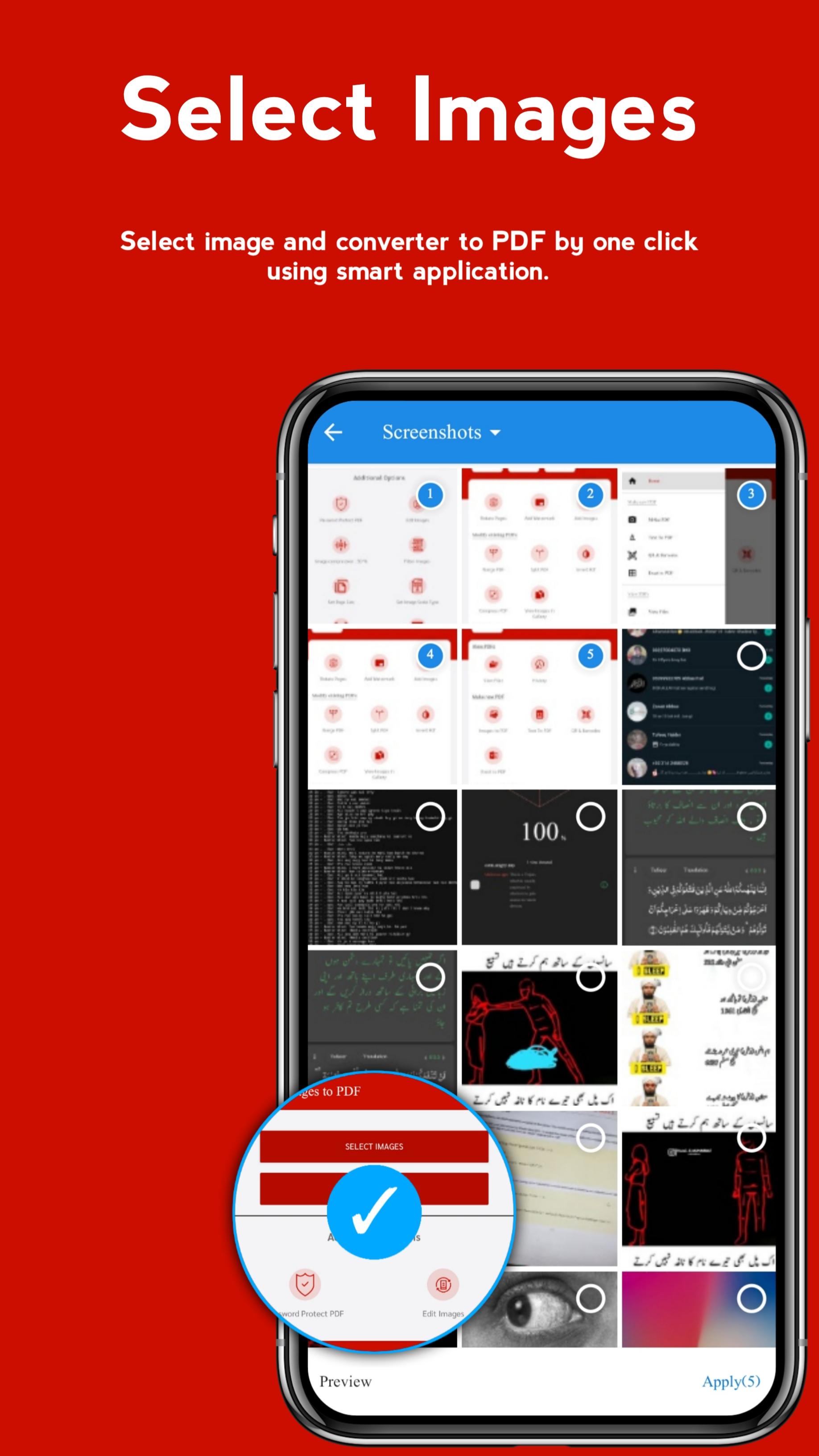
Are you looking for an app that can convert your image into PDF? We are providing the Best app to you which will help you to convert your pic into a PDF file. Photo to PDF converter is an app that can help you to convert your JPG file to PDF easily in just one click. By using this app you can select images from your gallery to convert it into PDF in a single click.
Try this app to convert JPG to PDF.
How to Use the JPG to PDF Converter Free?
To convert a pic to PDF, First of all, select the picture that you want to convert. Then click on “Make PDF”. With a single click, your pic will convert into PDF. Here you also get some additional options like set a password to protect your PDF, edit the image, filtering image, set page size, set image scale type, preview PDF, set the border width, rearranging image, Creating grayscale PDF, adding watermark on your PDF document, Change page color and image compression.
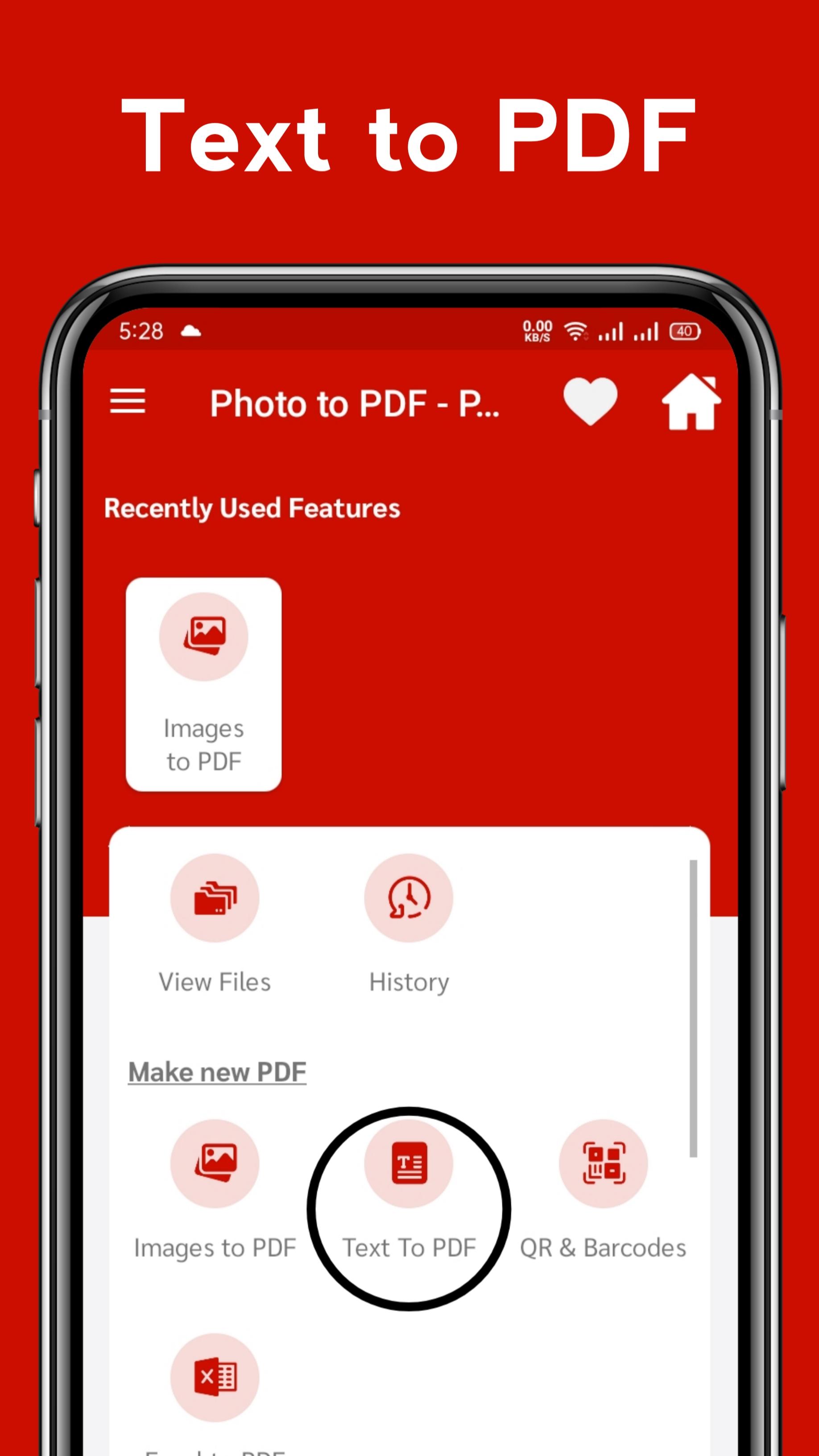
To convert text to PDF, First of all, select the test file that you want to convert into PDF. Then click on “Make PDF”. Your text file will convert into PDF. Here you get some additional options like select font color, font style, font size, page color, and set page size. Moreover, you can also set a password to secure your important documents.
To create PDF from QR & Barcode, just click on scan QR code or scan Barcode respectively.
To convert the excel file into PDF, select the excel file which you want to convert into PDF. Then click on “Excel to PDF”. Here you can set a password.
To convert PDF to photo, just choose your PDF file and convert it into an image.
Features of Photo to PDF converter
Here are some features of the Photo to PDF converter.
► Image To Pdf Converter
Import images and convert them to PDFs - notes, receipts, invoices, forms, etc. Here you can easily convert photos to PDF.
► Text To Pdf Converter
Photo to PDF converter Converts text to pdf document.
► Scan QR codes or Barcodes to convert into PDF
Photo to PDF converter Scans any QR code or Barcode to convert that file into a pdf file in just one click.
► Excel to PDF converter
Photo to PDF converter Converts easily your excel file into PDF.
And there are many features like...
► PDF editor and viewer
Photo to PDF converter Edits an existing PDF file and also reads out your pdf.
► Compress PDF files
Photo to PDF converter Support to reduce PDF size through compression.
► Set password
Photo to PDF converter Sets a password for your PDF files, and encrypt confidential files to protect them.
► Rotate
Select the page you want to rotate.
► Add Text
Easily add text to your new file or existing one and you can also change the font type of the text.
► Add Watermark
Sometimes our file can be stolen and used by someone else for that query we add a watermark feature so you can add a watermark to your file.
► Merge PDF
Combine two or more PDF files into one PDF file in just a single click easily.
► Split PDF
Through this app, you can break a single PDF file into 2 files.
► Invert PDF
You can change the colors of elements on the document to their reverse colors.
► Extract Text & Images
Here you can convert characters in an image into editable text.
►Remove Page
On this app, you can remove unwanted pages easily.
►Reorder Page
By using this app, you can reorder pages easily.
► PDF Convert to Images
You can use this app as a PDF to jpg converter because this app is providing you the facility to convert PDF to images.
►ZIP to PDF
You can convert your zipped file into a PDF with just a single click.
►View Files and History
Here is a feature to view your files as well as history. So that you can easily find out your required file without wasting your time.
Just try the picture to PDF converter at once to get an exciting feature. You will enjoy this app. This app is 100% secure and easy to use. Its eye-catching design will make you happy.
Xem trước
Thông tin
Nhà phát triển
All Status Saver, Converter, Status Downloader App
Phiên bản mới nhất
1.3
Cập nhật mới nhất
2022-02-11
Loại
Hiệu suất làm việc
Có trên
Google Play
Cho xem nhiều hơn
Cách chơi Photos To PDF - PDF Converter với GameLoop trên PC
1. Tải xuống GameLoop từ trang web chính thức, sau đó chạy tệp exe để cài đặt GameLoop.
2. Mở GameLoop và tìm kiếm “Photos To PDF - PDF Converter”, tìm Photos To PDF - PDF Converter trong kết quả tìm kiếm và nhấp vào “Cài đặt”.
3. Thích chơi Photos To PDF - PDF Converter trên GameLoop.
Minimum requirements
OS
Windows 8.1 64-bit or Windows 10 64-bit
GPU
GTX 1050
CPU
i3-8300
Memory
8GB RAM
Storage
1GB available space
Recommended requirements
OS
Windows 8.1 64-bit or Windows 10 64-bit
GPU
GTX 1050
CPU
i3-9320
Memory
16GB RAM
Storage
1GB available space