AutoRotation Control PC
rpor
Tải xuống AutoRotation Control trên PC với Trình giả lập GameLoop
AutoRotation Control trên PC
AutoRotation Control, đến từ nhà phát triển rpor, đang chạy trên hệ điều hành Android trong quá khứ.
Giờ đây, bạn có thể chơi AutoRotation Control trên PC với GameLoop một cách mượt mà.
Tải xuống nó trong thư viện GameLoop hoặc kết quả tìm kiếm. Không còn để ý đến pin hoặc các cuộc gọi bực bội vào sai thời điểm nữa.
Chỉ cần thưởng thức AutoRotation Control PC trên màn hình lớn miễn phí!
AutoRotation Control Giới thiệu
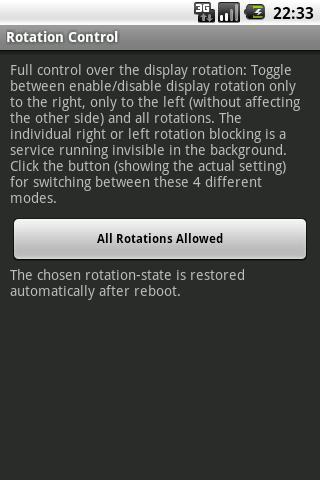
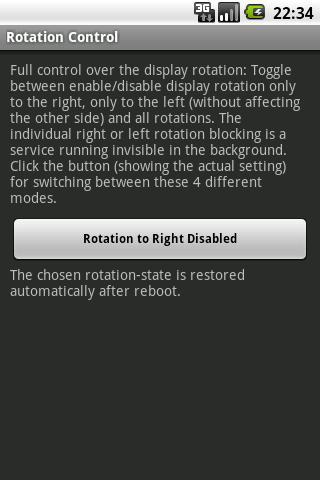
Stop the display auto-rotating to the right or left side , without affecting automatic rotation (landscape mode) to the other side.
Since Android 2.2 (Froyo) the display is enabled to autorotate in both directions without any option to disable the autorotation to the right or the left side. It for right-handed persons does not make sense to keep the rotation to the right side active. The opposite is true for left-handed persons.
The switching off of the autorotation to one side, which is controlled automatically by this app, on the other hand allows usage or the phone when lying in bed on the autorotation-disabled side without having the screen turning.
Xem trước
Thông tin
Nhà phát triển
rpor
Phiên bản mới nhất
1.2
Cập nhật mới nhất
2013-03-11
Loại
Hiệu suất làm việc
Có trên
Google Play
Cho xem nhiều hơn
Cách chơi AutoRotation Control với GameLoop trên PC
1. Tải xuống GameLoop từ trang web chính thức, sau đó chạy tệp exe để cài đặt GameLoop.
2. Mở GameLoop và tìm kiếm “AutoRotation Control”, tìm AutoRotation Control trong kết quả tìm kiếm và nhấp vào “Cài đặt”.
3. Thích chơi AutoRotation Control trên GameLoop.
Minimum requirements
OS
Windows 8.1 64-bit or Windows 10 64-bit
GPU
GTX 1050
CPU
i3-8300
Memory
8GB RAM
Storage
1GB available space
Recommended requirements
OS
Windows 8.1 64-bit or Windows 10 64-bit
GPU
GTX 1050
CPU
i3-9320
Memory
16GB RAM
Storage
1GB available space