
Shutter Counter PC
AS Techhub
Tải xuống Shutter Counter trên PC với Trình giả lập GameLoop
Shutter Counter trên PC
Shutter Counter, đến từ nhà phát triển AS Techhub, đang chạy trên hệ điều hành Android trong quá khứ.
Giờ đây, bạn có thể chơi Shutter Counter trên PC với GameLoop một cách mượt mà.
Tải xuống nó trong thư viện GameLoop hoặc kết quả tìm kiếm. Không còn để ý đến pin hoặc các cuộc gọi bực bội vào sai thời điểm nữa.
Chỉ cần thưởng thức Shutter Counter PC trên màn hình lớn miễn phí!
Shutter Counter Giới thiệu
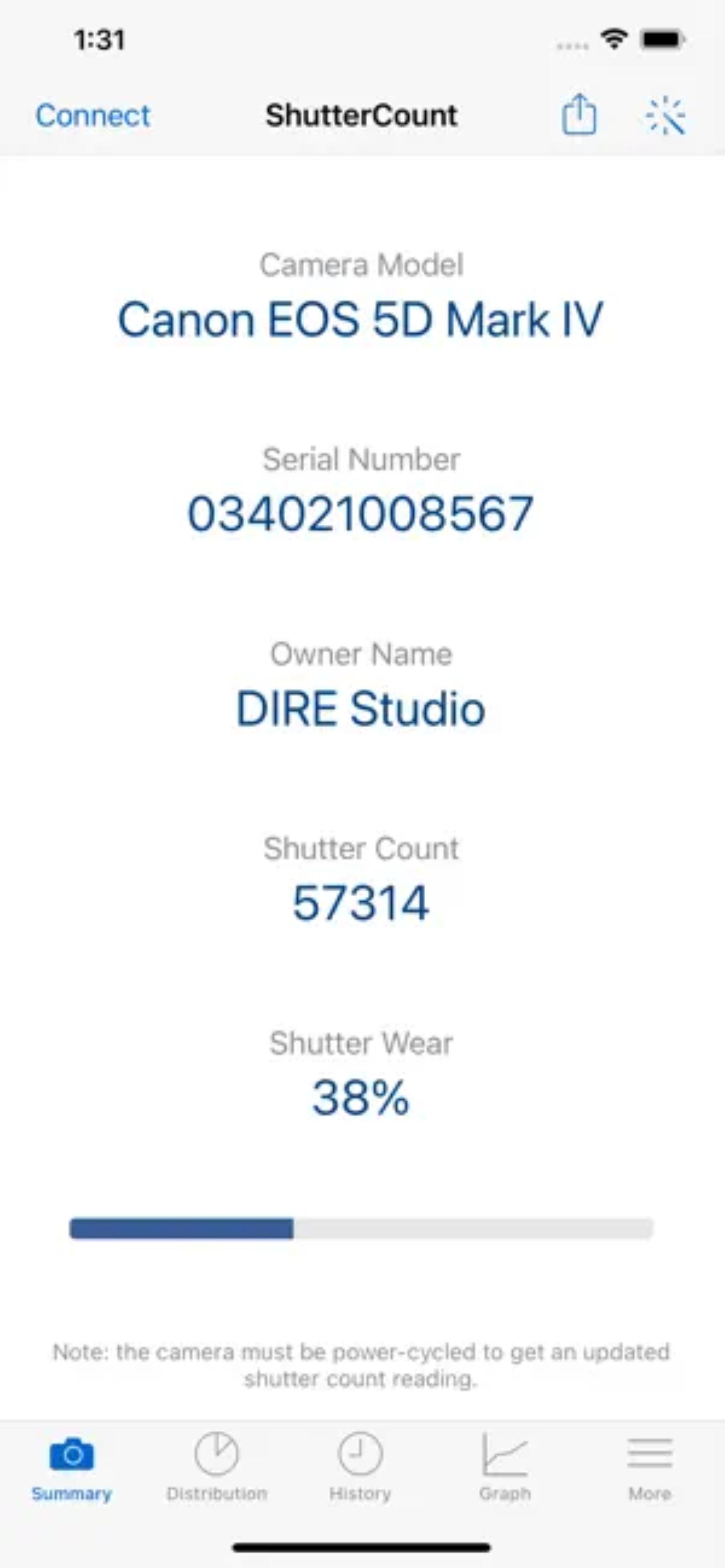
Introducing Shutter Counter - the ultimate app for tracking and managing the shutter count of your camera! Whether you're a professional photographer or an avid enthusiast, Shutter Counter is here to help you keep a close eye on the usage of your camera and ensure its optimal performance. With a user-friendly interface, advanced features, and a commitment to convenience, Shutter Counter is the must-have app for photographers who want to make the most out of their equipment.
📷 Track Shutter Actuations 📷
Never be in the dark about your camera's shutter count again! Shutter Counter allows you to easily track the number of shutter actuations your camera has performed. By monitoring the shutter count, you can gain valuable insights into the usage and condition of your camera, enabling you to plan maintenance and evaluate its overall lifespan.
📅 Maintenance Reminders 📅
Stay on top of your camera's maintenance schedule with Shutter Counter's convenient reminder feature. Set customized maintenance intervals based on your camera model's recommendations, and Shutter Counter will alert you when it's time for a service. By keeping your camera in top shape, you can ensure consistent performance and prolong its lifespan.
🔍 Camera Database 🔍
Shutter Counter features a comprehensive database of camera models, making it easy to find and select your specific camera model. With a vast range of supported manufacturers and models, Shutter Counter provides accurate shutter count information for a wide variety of cameras, from DSLRs to mirrorless and compact cameras.
⏰ Performance History ⏰
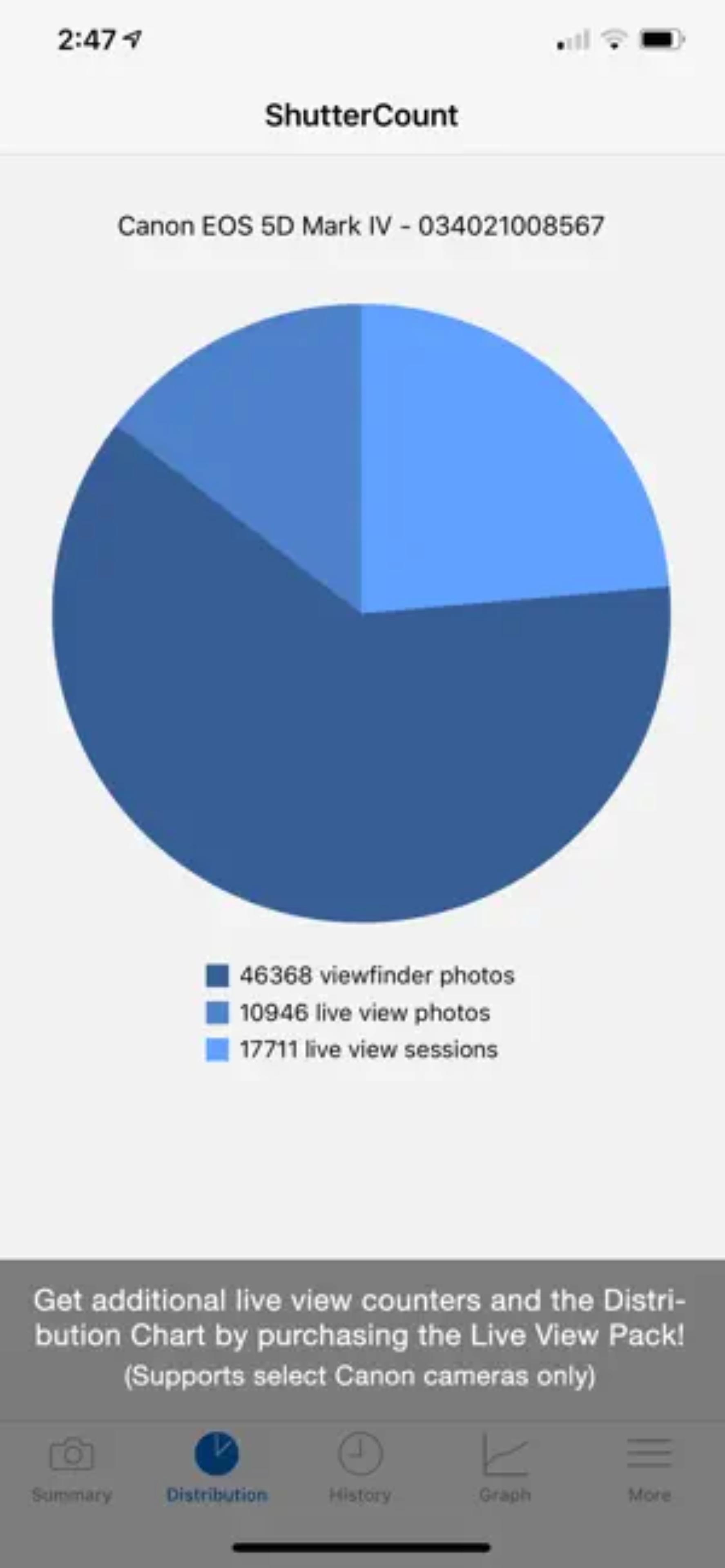
Monitor your camera's performance over time with Shutter Counter's performance history feature. Track the changes in your camera's shutter count and visualize its usage patterns. Identify trends, usage spikes, or unusual activity that may require attention. With Shutter Counter, you can make informed decisions about your camera's maintenance and usage.
📈 Usage Statistics 📈
Gain valuable insights into your photography habits and camera usage with Shutter Counter's usage statistics. Track the number of photos taken per day, week, or month. Analyze your shooting patterns, identify peak periods, and understand your photographic workflow better. By understanding your usage patterns, you can optimize your shooting experience and make more informed decisions.
📱 User-Friendly Interface 📱
Shutter Counter features a sleek and intuitive user interface designed to provide a seamless user experience. Easily navigate through the app's features, access camera information, and view detailed shutter count data. Shutter Counter's user-friendly interface ensures that tracking your camera's shutter count is both effortless and enjoyable.
🌟 Unlock the Potential of Your Camera with Shutter Counter! 🌟
Download Shutter Counter now and take control of your camera's performance and maintenance. Track your camera's shutter count, receive maintenance reminders, and gain valuable insights into your photography habits. With Shutter Counter, you can maximize the lifespan and performance of your camera.
📷 Track, Monitor, and Optimize - Get Shutter Counter Today! 📷
*Successfully tested models include:*
-- / CANON EOS 5D / CANON EOS 600D / CANON EOS 60D / CANON EOS 6D / CANON EOS 700D / CANON EOS-1D / CANON EOS-1D MARK II / CANON EOS-1D MARK II N / CANON EOS-1DS / CANON EOS-1DS MARK II / COOLPIX A / DSLR-A230 / DSLR-A290 / DSLR-A330 / DSLR-A380 / DSLR-A390 / DSLR-A450 / DSLR-A500 / DSLR-A550 / DSLR-A560 / DSLR-A580 / DSLR-A850 / DSLR-A900 / EARTHCAM CAMERA SYSTEM / GX-1L / GX-1S / ILCA-68 / ILCA-77M2 / ILCA-99M2 / ILCE-1 / ILCE-3000 / ILCE-3500 / ILCE-5000 / ILCE-5100 / ILCE-6000 / ILCE-6001 / ILCE-6100 / ILCE-6300 / ILCE-6400 / ILCE-6500 / ILCE-6600 / ILCE-7 / ILCE-7C / ILCE-7M2 / ILCE-7M3 / ILCE-7M4 / ILCE-7R / ILCE-7RM2 / ILCE-7RM3 / ILCE-7RM3A / ILCE-7RM4 / ILCE-7RM4A / ILCE-7RM5 / ILCE-7S / ILCE-7SM2 / ILCE-7SM3 / ILCE-9 / ILCE-9M2 / ILCE-QX1 / ILME-FX3 / MODEL
Xem trước
Thẻ
Nhiếp ảnhThông tin
Nhà phát triển
AS Techhub
Phiên bản mới nhất
1.0
Cập nhật mới nhất
2023-06-02
Loại
Nhiếp ảnh
Có trên
Google Play
Cho xem nhiều hơn
Cách chơi Shutter Counter với GameLoop trên PC
1. Tải xuống GameLoop từ trang web chính thức, sau đó chạy tệp exe để cài đặt GameLoop.
2. Mở GameLoop và tìm kiếm “Shutter Counter”, tìm Shutter Counter trong kết quả tìm kiếm và nhấp vào “Cài đặt”.
3. Thích chơi Shutter Counter trên GameLoop.
Minimum requirements
OS
Windows 8.1 64-bit or Windows 10 64-bit
GPU
GTX 1050
CPU
i3-8300
Memory
8GB RAM
Storage
1GB available space
Recommended requirements
OS
Windows 8.1 64-bit or Windows 10 64-bit
GPU
GTX 1050
CPU
i3-9320
Memory
16GB RAM
Storage
1GB available space