How to Draw Undertale Sans for Fans PC
iDrawing Coloring Book Inc
Tải xuống How to Draw Undertale Sans for Fans trên PC với Trình giả lập GameLoop
How to Draw Undertale Sans for Fans trên PC
How to Draw Undertale Sans for Fans, đến từ nhà phát triển iDrawing Coloring Book Inc, đang chạy trên hệ điều hành Android trong quá khứ.
Giờ đây, bạn có thể chơi How to Draw Undertale Sans for Fans trên PC với GameLoop một cách mượt mà.
Tải xuống nó trong thư viện GameLoop hoặc kết quả tìm kiếm. Không còn để ý đến pin hoặc các cuộc gọi bực bội vào sai thời điểm nữa.
Chỉ cần thưởng thức How to Draw Undertale Sans for Fans PC trên màn hình lớn miễn phí!
How to Draw Undertale Sans for Fans Giới thiệu
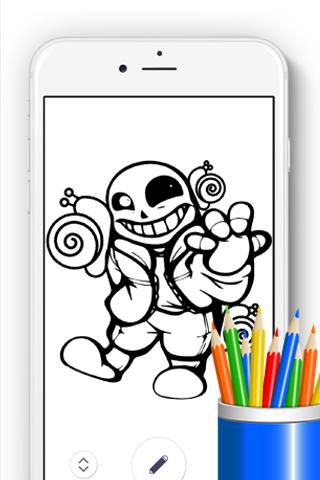
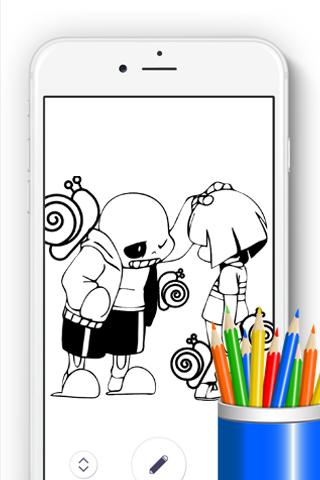
How to Draw Undertale Sans fans is a best coloring apps. Both boys & girls will love this Coloring Book specially those who are fans of this cartoon. Download Now!
★ Get How to Draw Undertale Sans games for fans and Start Now Free! ★
This how to drawing undertale sans anime cartoon characters contains more than 100 coloring pages and optimized for all android devices. You will learn how to draw anime cartoon coloring book correctly and will have so much fun time on this game!.
★ HOW TO PLAY★
1 Select one coloring page you want
2 Select your colors
3 Start drawing with your finger
4 Save or share your work on social network
★ FEATURES:★ How to draw undertale sans games for fans
- App available for offline to use!
- Easy to use and 100% Free
- More than 100 coloring pages
- More than 80 pencils colors
- Save & Share via facebook live, instagram, email etc.
Enjoy and let's have fun with drawing!!! Please give ★★★★★ 5 stars for us <<< Thanks. >>>
This application complies with the guiding principles of the US Copyright law "fair use".
All images and content from wikia.com taken under Creative Commons Attribution-Share Alike License 3.0 (unported) (CC-BY-SA).
**** This application made for Drawing Lessons not for commercial.****
DISCLAIMER:
This is NOT an Official App but simply made by a fan. All copyrights and trademarks are owned by their respective owners. Pictures in this application were collected from all over the web, if we violated your copyright, please let us know and it will be removed as soon as possible.
Xem trước
Thông tin
Nhà phát triển
iDrawing Coloring Book Inc
Phiên bản mới nhất
3.3.6
Cập nhật mới nhất
2017-09-21
Loại
Giáo dục
Có trên
Google Play
Cho xem nhiều hơn
Cách chơi How to Draw Undertale Sans for Fans với GameLoop trên PC
1. Tải xuống GameLoop từ trang web chính thức, sau đó chạy tệp exe để cài đặt GameLoop.
2. Mở GameLoop và tìm kiếm “How to Draw Undertale Sans for Fans”, tìm How to Draw Undertale Sans for Fans trong kết quả tìm kiếm và nhấp vào “Cài đặt”.
3. Thích chơi How to Draw Undertale Sans for Fans trên GameLoop.
Minimum requirements
OS
Windows 8.1 64-bit or Windows 10 64-bit
GPU
GTX 1050
CPU
i3-8300
Memory
8GB RAM
Storage
1GB available space
Recommended requirements
OS
Windows 8.1 64-bit or Windows 10 64-bit
GPU
GTX 1050
CPU
i3-9320
Memory
16GB RAM
Storage
1GB available space