ESP-iConfig PC
Brillo Solutions Pvt. Ltd.
Tải xuống ESP-iConfig trên PC với Trình giả lập GameLoop
ESP-iConfig trên PC
ESP-iConfig, đến từ nhà phát triển Brillo Solutions Pvt. Ltd., đang chạy trên hệ điều hành Android trong quá khứ.
Giờ đây, bạn có thể chơi ESP-iConfig trên PC với GameLoop một cách mượt mà.
Tải xuống nó trong thư viện GameLoop hoặc kết quả tìm kiếm. Không còn để ý đến pin hoặc các cuộc gọi bực bội vào sai thời điểm nữa.
Chỉ cần thưởng thức ESP-iConfig PC trên màn hình lớn miễn phí!
ESP-iConfig Giới thiệu
*Please download ESP8266/NodeMCU program (user can call forgetNetwork() method on button press to erase previous SSID & PSWD and making ESP8266/NodeMCU ready to accept new SSID & PSWD from Android app) from link given below which is to be used to connect ESP8266/NodeMCU with this Android application.
*Reset NodeMCU or ESP8266 after sending new SSID and PASSWORD to see the effect
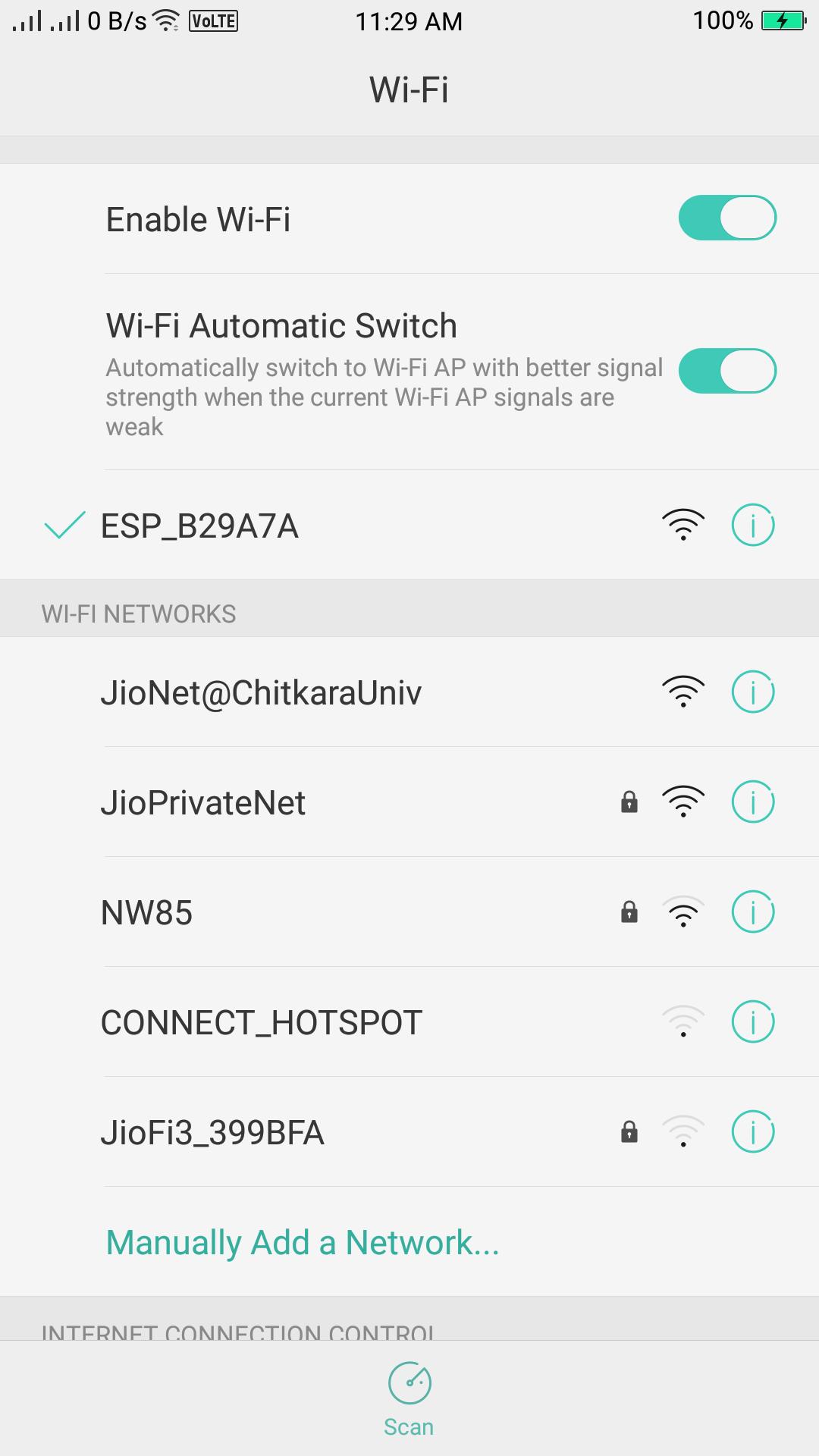
*Wi-Fi network name: ESP-iConfig
*Wi-Fi network password: config@123
https://drive.google.com/open?id=1kNOatAjwwJfjFsWxGMg3f-pWqeC8g2I5
This Android app is able to help an IoT or home automation developer to change or set an SSID & PSWD of the network/router/gateway in ESP8266/NodeMCU without hard-coding and touching the source code of ESP8266/NodeMCU. This program can be integrated with user's own program to update the SSID & PSWD anytime Over-The-Air.
Sometimes we need to change the network/router/gateway with which our electronic system equipped with ESP8266/NodeMCU was previously connected or we need to set a new SSID & PSWD. Now you do not have to hard-code SSID and PSWD of network inside the source code of your ESP8266/NodeMCU. This application is able to get connected with your ESP8266/NodeMCU over the Wi-Fi and sends network credentials Over-The-Air.
This is how it works:
1. Download ESP8266/NodeMCU program from above link.
2. In setup part your ESP8266/NodeMCU will try to find SSID & PSWD of some network on its memory.
4. If it finds any SSID & PSWD, it will try to connected with that network.
5. If it does not find any SSID & PSWD, it will make your ESP8266/NodeMCU as Wi-Fi hotspot & server.
6. Now you have to connect your phone with network of hotspot created by your ESP8266/NodeMCU and run the application. Application will then connect itself with your ESP8266/NodeMCU.
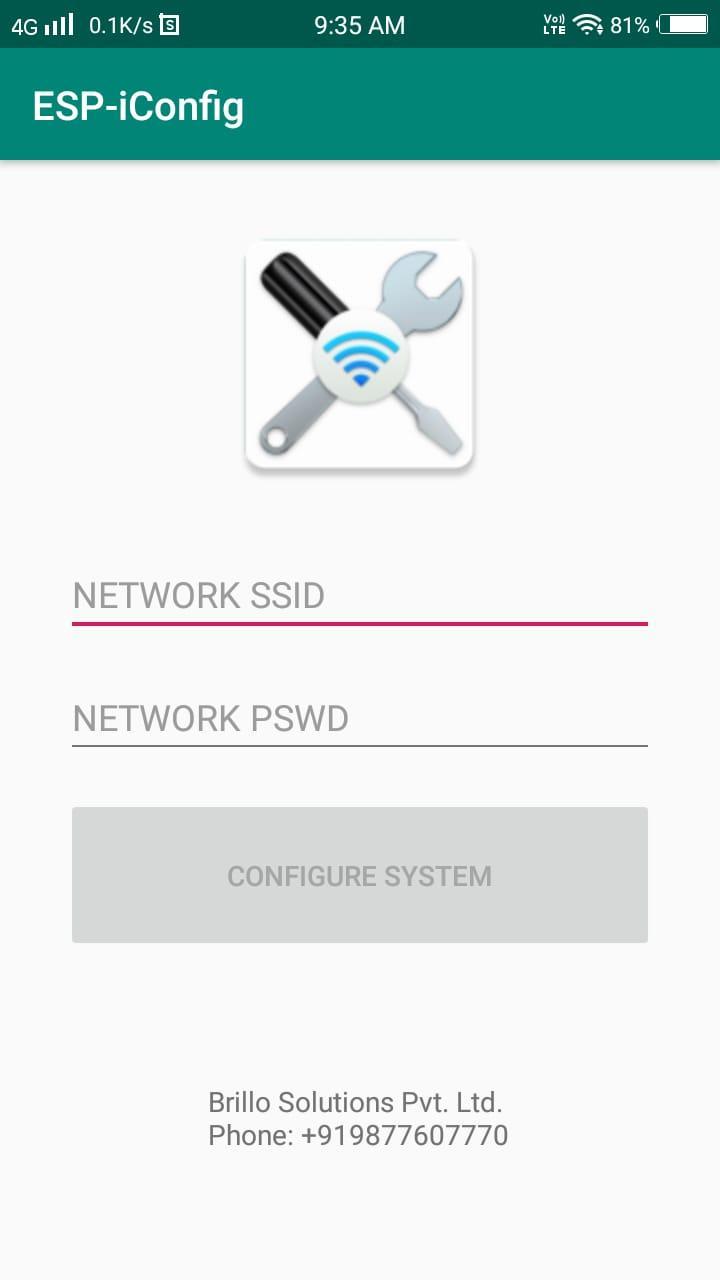
7. Now type SSID & PSWD of the network/router/gateway with which you want your ESP8266/NodeMCU to connect.
8. Press "CONFIGURE SYSTEM" button. SSID & PSWD will be sent to your ESP8266/NodeMCU. Your ESP8266/NodeMCU will turn off Wi-Fi hotspot and save the SSID & PSWD on its memory and will be connected to the network of your choice.
9. Now every time you start your ESP8266/NodeMCU, it will automatically get connected to network of your choice.
10. If you want to connect your ESP8266/NodeMCU to a new network then you have to call forgetNetwork() method inside the program by some button press and your ESP8266/NodeMCU will again make itself a Wi-Fi hotspot to receive new SSID & PSWD after forgetting previous SSID & PSWD.
Xem trước
Thẻ
Truyền thôngThông tin
Nhà phát triển
Brillo Solutions Pvt. Ltd.
Phiên bản mới nhất
1.3
Cập nhật mới nhất
2021-04-16
Loại
Truyền thông
Có trên
Google Play
Cho xem nhiều hơn
Cách chơi ESP-iConfig với GameLoop trên PC
1. Tải xuống GameLoop từ trang web chính thức, sau đó chạy tệp exe để cài đặt GameLoop.
2. Mở GameLoop và tìm kiếm “ESP-iConfig”, tìm ESP-iConfig trong kết quả tìm kiếm và nhấp vào “Cài đặt”.
3. Thích chơi ESP-iConfig trên GameLoop.
Minimum requirements
OS
Windows 8.1 64-bit or Windows 10 64-bit
GPU
GTX 1050
CPU
i3-8300
Memory
8GB RAM
Storage
1GB available space
Recommended requirements
OS
Windows 8.1 64-bit or Windows 10 64-bit
GPU
GTX 1050
CPU
i3-9320
Memory
16GB RAM
Storage
1GB available space