
Barcode & QR code Print -Scan code PC
TechVcare Solutions
Tải xuống Barcode & QR code Print -Scan code trên PC với Trình giả lập GameLoop
Barcode & QR code Print -Scan code trên PC
Barcode & QR code Print -Scan code, đến từ nhà phát triển TechVcare Solutions, đang chạy trên hệ điều hành Android trong quá khứ.
Giờ đây, bạn có thể chơi Barcode & QR code Print -Scan code trên PC với GameLoop một cách mượt mà.
Tải xuống nó trong thư viện GameLoop hoặc kết quả tìm kiếm. Không còn để ý đến pin hoặc các cuộc gọi bực bội vào sai thời điểm nữa.
Chỉ cần thưởng thức Barcode & QR code Print -Scan code PC trên màn hình lớn miễn phí!
Barcode & QR code Print -Scan code Giới thiệu
QR & Barcode Scanner to generate the barcode/qr code inventory for ID cards,office purpose and to print easy way, one of the fastest and safest barcode and QR code reader.
The number of items that should be recorded, make you overwhelmed handle it. Now you can log all the items quickly using this Barcode & QR code to save application. Can be done together through their android phone.
QR & Barcode Scanner can scan and read all QR codes / barcode types including text, url, ISBN, product, contact, calendar, email, location, Wi-Fi and many more formats. After scan and automatic decoding user is provided with only the relevant options for individual QR or Barcode type and can take appropriate action. You can even use QR & Barcode Scanner to scan coupons / coupon codes to receive discounts and save some money.
Barcode & QR code to save is a convenient and free Barcode Scanner/ barcode essentials.
This application also support for QR Code.This is official for all sectors people.
Key points:
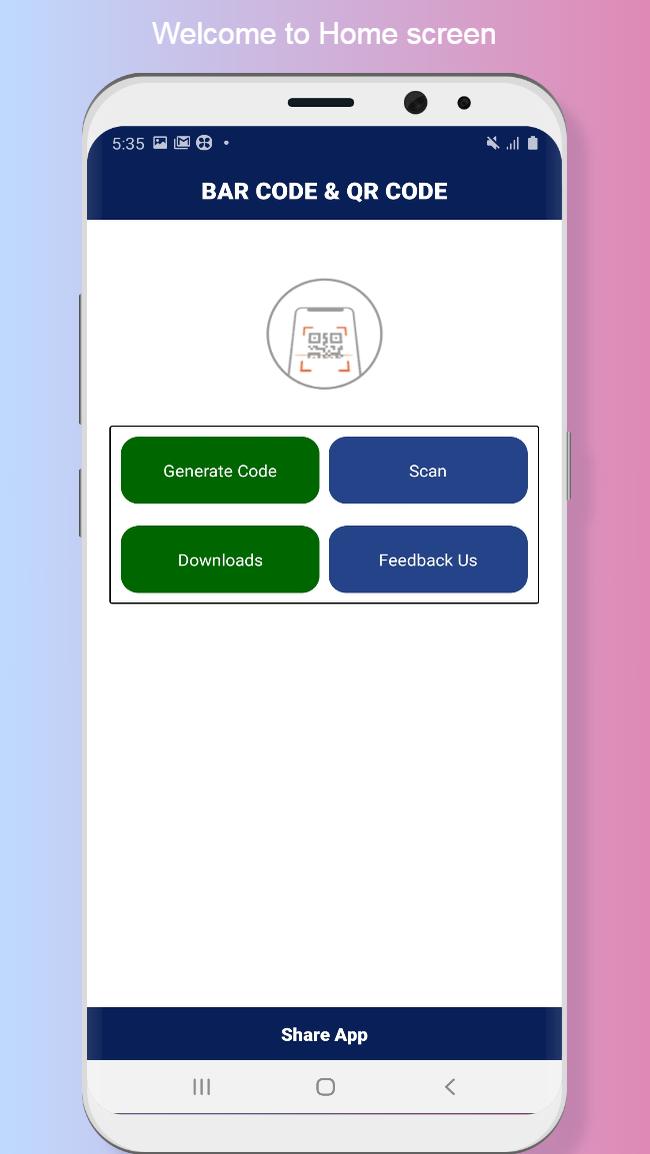
1.Scan all types of QR code and Bar code.
2.You can generate bar code and qr code.
3.You can print your bar code and qr code.
2.Instant Scan.
Xem trước
Thẻ
Kinh doanhThông tin
Nhà phát triển
TechVcare Solutions
Phiên bản mới nhất
1.2.1
Cập nhật mới nhất
2021-02-20
Loại
Kinh doanh
Có trên
Google Play
Cho xem nhiều hơn
Cách chơi Barcode & QR code Print -Scan code với GameLoop trên PC
1. Tải xuống GameLoop từ trang web chính thức, sau đó chạy tệp exe để cài đặt GameLoop.
2. Mở GameLoop và tìm kiếm “Barcode & QR code Print -Scan code”, tìm Barcode & QR code Print -Scan code trong kết quả tìm kiếm và nhấp vào “Cài đặt”.
3. Thích chơi Barcode & QR code Print -Scan code trên GameLoop.
Minimum requirements
OS
Windows 8.1 64-bit or Windows 10 64-bit
GPU
GTX 1050
CPU
i3-8300
Memory
8GB RAM
Storage
1GB available space
Recommended requirements
OS
Windows 8.1 64-bit or Windows 10 64-bit
GPU
GTX 1050
CPU
i3-9320
Memory
16GB RAM
Storage
1GB available space