DISC LINK Pro 電腦版
Hitachi-LG Data Storage, Inc.
用GameLoop模拟器在電腦上玩DISC LINK Pro
DISC LINK Pro 電腦版
來自發行商 Hitachi-LG Data Storage, Inc. 的 DISC LINK Pro 能夠在安卓系統上運行。
現在,您可以在電腦上使用 GameLoop 模擬器流暢地玩 DISC LINK Pro。
在 GameLoop 遊戲庫或搜索結果中下載。 不需要再暢玩遊戲時盯著電池電量或被令人懊惱的來電打斷。
只需在電腦大屏幕上免費下載暢玩DISC LINK Pro 電腦版!
DISC LINK Pro 簡介
* Support Portable DVD Writer
- Model : KP95N*70 / GP95**70
* Support Device (Smartphone/Tablet)
- Android 4.4.2 or later and USB OTG support
- Test Device
1) LG : G3 / G4 / G5 / G6 / G7 / G Flex2 / V10 / V20 / V30 / V35 / G Pro / G Pro2 / G Pad
2) Samsung : S5 / S6 / S7 / S8 / S9 / Note3 / Note4 / Note5 / Note6 / Note8 / Note9
3) Others : Lenovo PHAB Plus / Lenovo TAB2 / Google Pixel
※ This app. might have some compatibility issues depending on devices.
You can backup data, play or copy disc files, play Audio CD, rip Audio CD, burn Audio files after connecting a portable DVD writer to smart devices through USB OTG cable/gender.
KEY FEATURES :
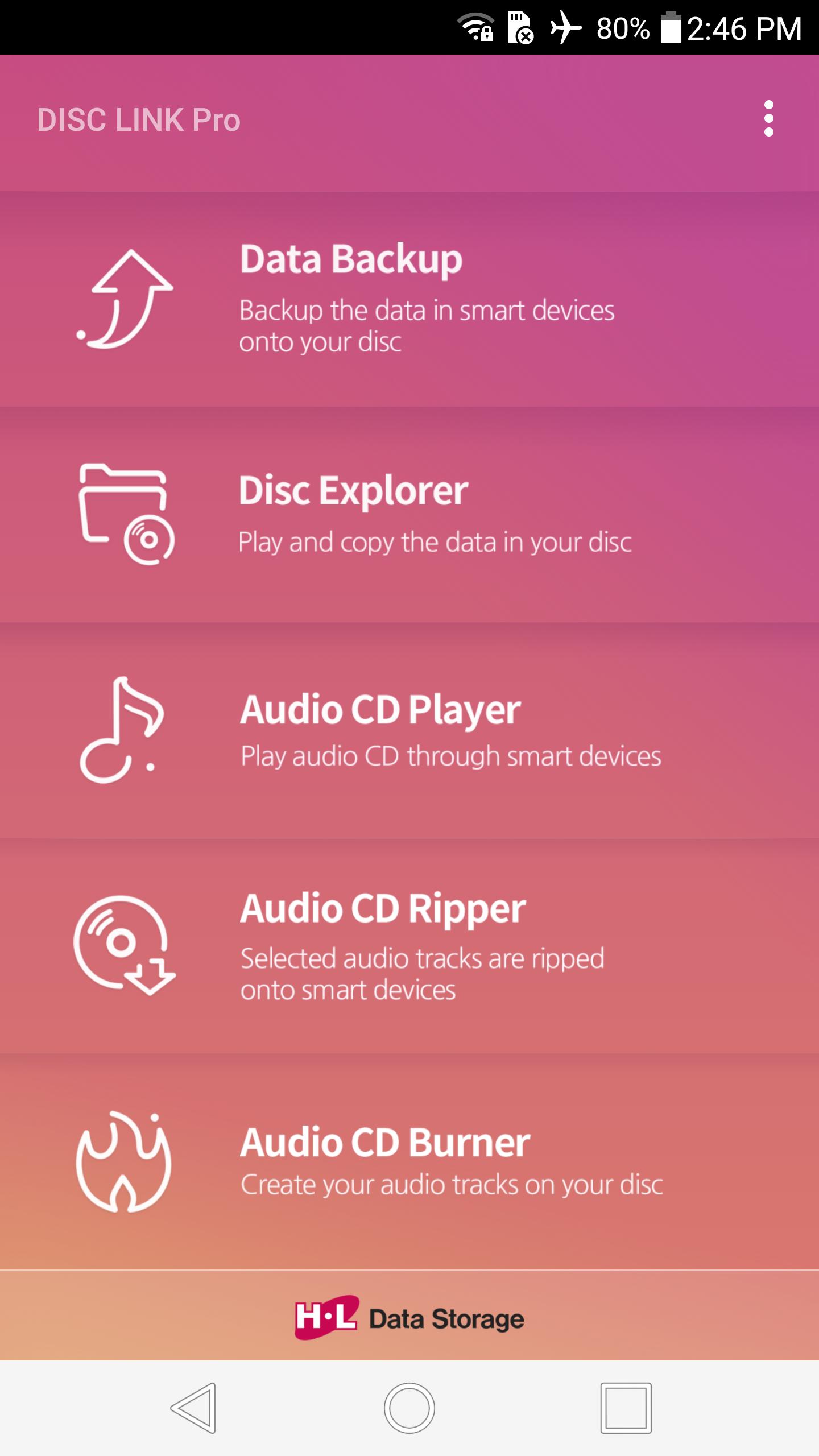
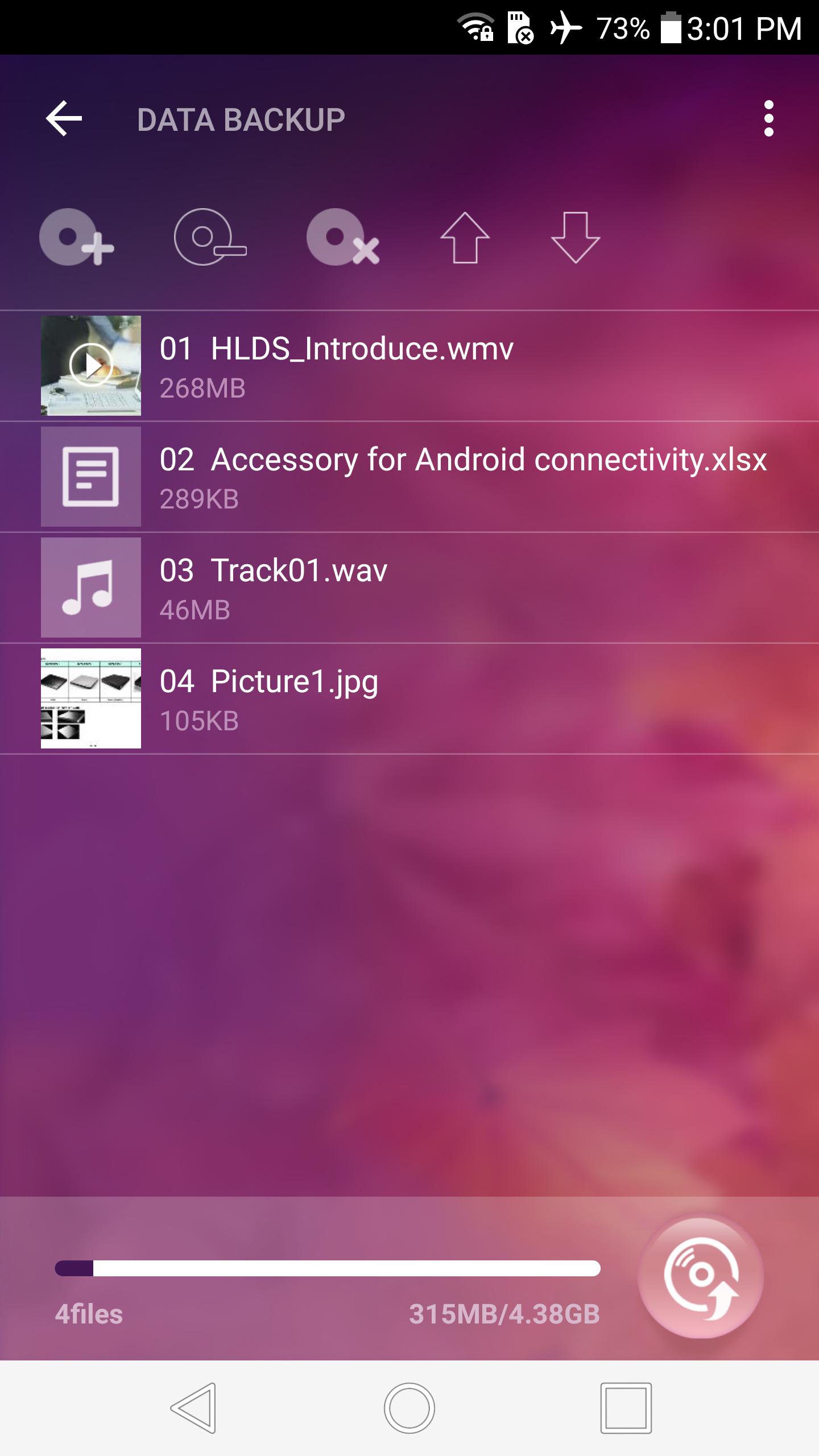
1. DATA BACKUP
- Selected data files are burned onto a disc
- Supportable disc : CD-R, DVD-R, DVD+R
- Backup disc can be read on all system
- Max number of files : 1000
- No further data can be appended after backup
- Not support to delete subfolders/files in the source folder
- No verification function to reduce the backup time
- Not support to cancel during backup
2. DISC EXPLORER
- A click on a disc file links to a player or copies onto smart devices
- Supportable disc : CD-ROM, DVD-ROM, CD-R, DVD-R/R DL, DVD+R/R DL
- Supportable file system : ISO9660/Joliet, UDF 1.02~2.01 (Not support of UDF 2.5)
- Recommendable player for video files : VLC player
- Not support of continuous play for audio or video files more than 2 files
- Not support to play & copy the files in CSS DVD video discs, CPRM discs, Video CD & CD-TEXT
- Not support of image rotation view & editing function
- Not support of animation for GIF format files
3. AUDIO CD PLAYER
- A click on an audio track plays it
- Supportable disc (Audio) : CD-R, CD-RW, CD-ROM
- The information of album title, artist and track name will not show up
4. AUDIO CD RIPPER
- Selected audio tracks are ripped onto the DiscLink folder
- Supportable disc (Audio) : CD-R, CD-RW, CD-ROM
- Audio track name can be edited before ripping
- Supportable format : FLAC / M4A / WAV
(M4A bitrate setting : 128, 192 or 320 kbps)
5. AUDIO CD BURNER
- Created audio files are burned onto a disc
- Supportable disc : CD-R
- Album cover image can be edited
- Supportable format : FLAC / M4A / WAV / OGG / AAC
- No verification function to reduce the burning time
- Not support to cancel during burning
- Not compatible with high resolution sound files such as 32bit, 24bit
Guide for connecting this application to a portable DVD writer :
1. Connect a supported portable DVD writer and smart device according to user's manual.
2. Click 'OK' on pop-up window to choose the application for USB device on smart device.
3. DISC LINK Pro will start on smart device and connection will be completed.
※ Note
1. If you disconnect USB OTG cable during ODD operation, it will not work correctly.
2. If there are other applications that recognize USB device installed on smart device, connect ODD after cancelling 'LAUNCH BY DEFAULT' at Apps menu in Settings on smart device. (ex: ES File Explorer)
3. To eject the disc inside ODD, click 'OK' on eject request window of APP after pressing eject key of ODD.
4. If it is impossible to eject the disc, terminate APP and then disconnect USB gender and connect it again.
5. To eject the disc inside ODD during video/music playback on the player works on with, terminate the player and then press eject key of ODD.
6. For playback of MP4, MOV, MPG, AAC format audio files in DISC EXPLORER, it might have some compatibility issues depending on the player works on with.
7. For playback of video files in DISC EXPLORER, playback action might be delayed or suspended by some compatibility issues depending on the player works on with.
8. For high resolution sound files such as 32bit, 24bit in AUDIO CD BURNER, play sound might be abnormal if you burn them onto a disc because their bitrate is over CD's bitrate.
Tag : disklink disk link pro
預覽
訊息
開發商
Hitachi-LG Data Storage, Inc.
最新版本
0.91
更新時間
2018-11-23
類別
Video-players-editors
同時可用
Google Play
更多
如何在電腦上用 GameLoop 玩 DISC LINK Pro
1. 從官網下載GameLoop,然後運行exe文件安裝GameLoop
2. 打開GameLoop,搜索“DISC LINK Pro”,在搜索結果中找到DISC LINK Pro,點擊“安裝”
3. 享受在 GameLoop 上玩 DISC LINK Pro 的樂趣
Minimum requirements
OS
Windows 8.1 64-bit or Windows 10 64-bit
GPU
GTX 1050
CPU
i3-8300
Memory
8GB RAM
Storage
1GB available space
Recommended requirements
OS
Windows 8.1 64-bit or Windows 10 64-bit
GPU
GTX 1050
CPU
i3-9320
Memory
16GB RAM
Storage
1GB available space