
Screen Orientation Control 電腦版
OHMAE Ryosuke
用GameLoop模拟器在電腦上玩Screen Orientation Control
Screen Orientation Control 電腦版
來自發行商 OHMAE Ryosuke 的 Screen Orientation Control 能夠在安卓系統上運行。
現在,您可以在電腦上使用 GameLoop 模擬器流暢地玩 Screen Orientation Control。
在 GameLoop 遊戲庫或搜索結果中下載。 不需要再暢玩遊戲時盯著電池電量或被令人懊惱的來電打斷。
只需在電腦大屏幕上免費下載暢玩Screen Orientation Control 電腦版!
Screen Orientation Control 簡介
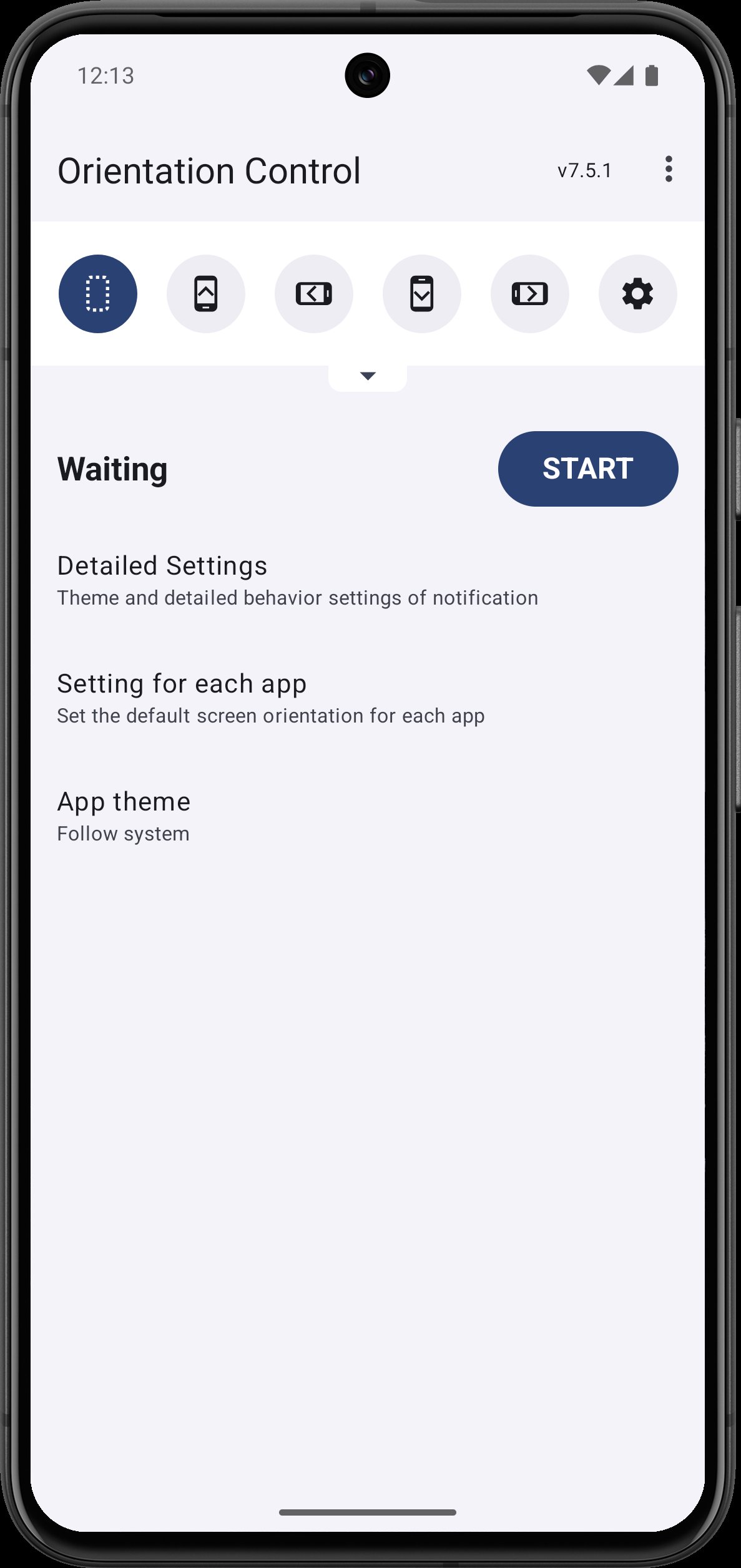
This is a tool app that can change the orientation and rotation of the screen regardless of the attributes of the displayed application.
The screen can be fixed in a specific orientation or, conversely, rotated according to the sensor.
You can change the screen orientation from the notification area. It is also possible to associate a specific application with the screen orientation and switch settings when the application starts.
Not all settings are available because some screen orientations are not supported by some devices.
Because this app forcibly changes the display of the running application, it can become inoperable or, in the worst case, cause a crash.
Please use at your own risk.
Even if a problem occurs, please refrain from making inquiries to the developer of the application as it will be a nuisance.
How this app works
This application displays the UI on a layer above other general applications.
It's transparent, no size and untouchable, so it's invisible to the user, but by changing the screen orientation requirements of this UI, it has a higher priority than apps that are normally visible to the user. The OS recognizes it as a high instruction.
In addition, this application will remain resident in the background to display the UI even after it is closed.
Therefore, the UI that resides in the notification bar is displayed. This is because Android rules need to display something in the notification bar in order to stay in the background.
Due to this mechanism, there are some restrictions.
- Although it can change the display of the notification bar, it cannot hide. I often request that you want to turn off the display, but please note that this is impossible due to the system.
- The system may recognize that it is the cause of battery consumption. In that case, this application may be terminated. If the app quits frequently, you may be able to avoid it by setting power saving, so please check the settings of your device.
- Since it has a UI above other apps, it may be recognized as an app that induces unauthorized operations. Therefore, this application may be detected and a warning may be displayed or operation may be prohibited. This app is not such an app, but please note that it will be an unavoidable problem as long as it uses the same mechanism as the fraudulent app.
- If you use this app together with other apps that display overlays, it may cause functional conflicts and may not function properly.
Settings possible with this application
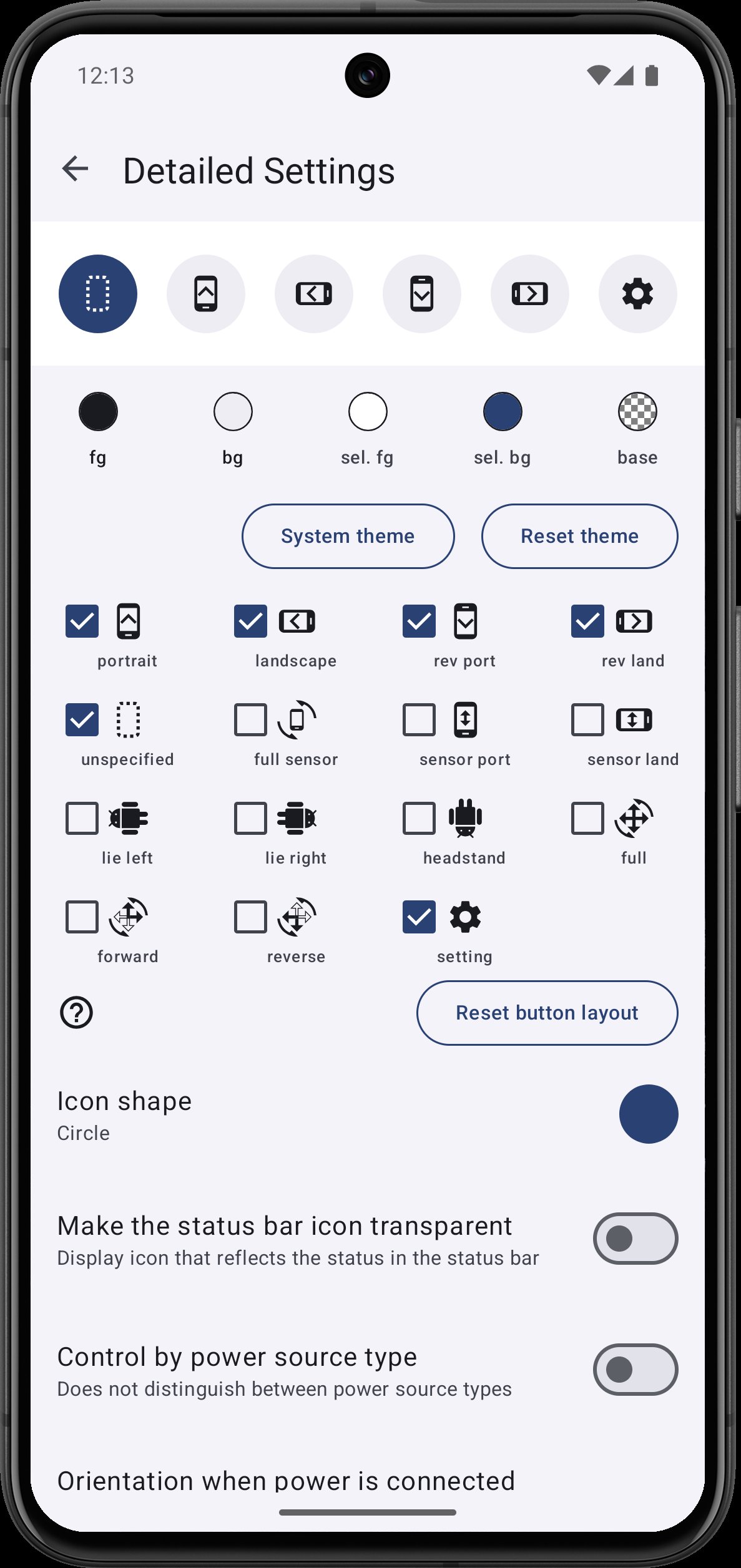
The following settings are possible
unspecified
- Unspecified orientation from this app. Device will be the original orientation of the displayed app
portrait
- Fixed to portrait
landscape
- Fixed to landscape
rev port
- Fixed to reverse portrait
rev land
- Fixed to reverse landscape
full sensor
- Rotate in all orientations by sensor (system control)
sensor port
- Fixed to portrait, automatically flip upside down by sensor
sensor land
- Fixed to landscape, automatically flip upside down by sensor
lie left
- Rotate it 90 degrees to the left with respect to the sensor. If you lie on left lateral and use it, the top and bottom will match.
lie right
- Rotate it 90 degrees to the right with respect to the sensor. If you lie on right lateral and use it, the top and bottom will match.
headstand
- Rotate 180 degrees with respect to the sensor. If you use this by headstand, the top and bottom will match.
full
- Rotate in all orientations by sensor (app control)
forward
- Rotate in forward orientations by the sensor. Does not rotate in reverse orientations
reverse
- Rotate in reverse orientations by the sensor. Does not rotate in forward orientations
Trouble shooting
- If you can not fix in the opposite direction of the portrait / landscape, try changing the system setting to auto-rotate
預覽
標籤
工具訊息
開發商
OHMAE Ryosuke
最新版本
7.7.6
更新時間
2025-11-25
類別
工具
同時可用
Google Play
更多
如何在電腦上用 GameLoop 玩 Screen Orientation Control
1. 從官網下載GameLoop,然後運行exe文件安裝GameLoop
2. 打開GameLoop,搜索“Screen Orientation Control”,在搜索結果中找到Screen Orientation Control,點擊“安裝”
3. 享受在 GameLoop 上玩 Screen Orientation Control 的樂趣
Minimum requirements
OS
Windows 8.1 64-bit or Windows 10 64-bit
GPU
GTX 1050
CPU
i3-8300
Memory
8GB RAM
Storage
1GB available space
Recommended requirements
OS
Windows 8.1 64-bit or Windows 10 64-bit
GPU
GTX 1050
CPU
i3-9320
Memory
16GB RAM
Storage
1GB available space