
Game Booster FPS GFX tool 電腦版
Kingsware Technologies
用GameLoop模拟器在電腦上玩Game Booster FPS GFX tool
Game Booster FPS GFX tool 電腦版
來自發行商 Kingsware Technologies 的 Game Booster FPS GFX tool 能夠在安卓系統上運行。
現在,您可以在電腦上使用 GameLoop 模擬器流暢地玩 Game Booster FPS GFX tool。
在 GameLoop 遊戲庫或搜索結果中下載。 不需要再暢玩遊戲時盯著電池電量或被令人懊惱的來電打斷。
只需在電腦大屏幕上免費下載暢玩Game Booster FPS GFX tool 電腦版!
Game Booster FPS GFX tool 簡介
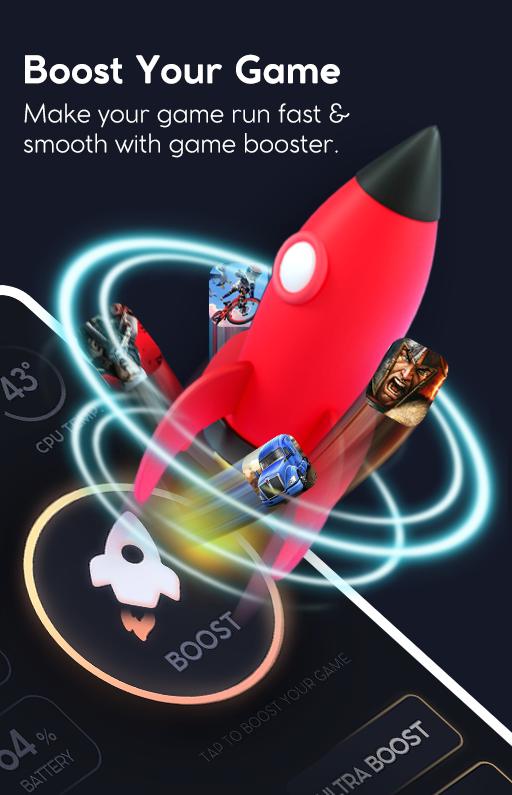
Gaming Mode app is a Game booster that provides Lag Fix for Games and Apps. 🔥 Use Game booster for lag free gaming experience and Play game at a faster Speed with the best game turbo. 🎮
Tap Booster for games gives you the best game boost experience with Smoother Game Play because of its anti-lag features.
Optimize your Gaming Performance with Game Launcher that is a free Game Booster app for Fast Games play with smooth game experience by enhancing your Game FPS.
Game Booster Modes app is a ping booster with high ping fix tool to boost your gaming experience and it is the best Game Accelerator
For Lag free Gaming Experience, Boost games and optimize game performance with Game Speed Booster which is the best GFX tool to Boost gaming Performance.
App Booster for codm helps in Lag fix to provide the best App User Experience with its Game performance booster.
🎮 Want to play Faster Games? Best Game Booster is the right choice for you because it is the ultimate GFX tool to improve FPS in games and also for 60FPS game play.
🔥 Boost game with Game Booster for android because it comes with following Functionalities:
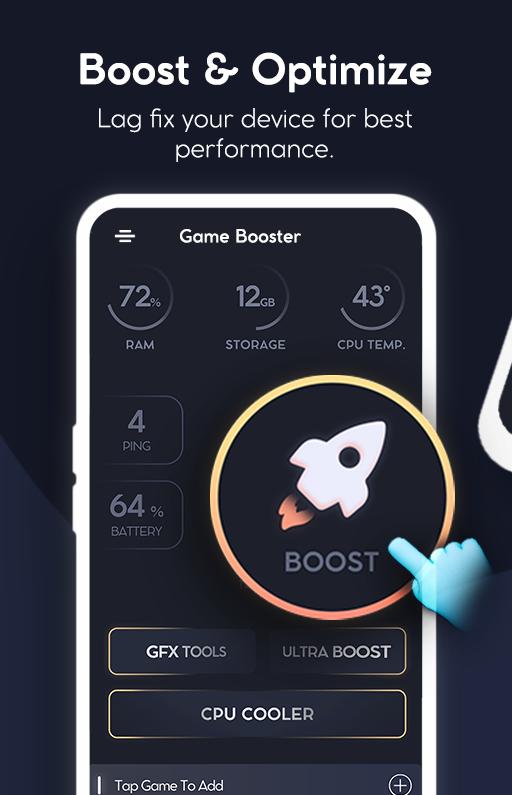
✅ Ultra Boost for Games: Gamebooster comes with an ultra-boost option to improve gaming Experience by erasing background Activities.
✅ RAM Cleaner: Game Booster For Gaming mode experience also helps to clean ram for better gaming performance.
✅ One-Tap Game Boosting: Pro Game Booster Android provides you ultimate gaming experience in a click.
✅ GFX Tools: Game Booster comes with GFX tools to improve gaming quality by changing graphics quality to HDR and Improve Gaming Resolutions.
✅ Gaming FPS tools: Game Performance Booster comes with a Frame Per Second Option to Changes FPS and Improve Gaming Speed for Faster & Smoother Games.
✅ CPU Cooler: Boost Game turbo Experience with Game Booster because it has an inbuilt CPU Cooler that works by erasing unnecessary background activities for Improved Game Performance.
✅ Game Lag Fix: Gaming Booster helps to fix game lagging and improve gaming Speed.
Download Gaming Mode app that is a free Game Booster to Improve you Game play Experience and Share your Precious Reviews to make this Game Launcher better for our respected Users.
ThankYou!
預覽
標籤
工具訊息
開發商
Kingsware Technologies
最新版本
1.0
更新時間
2022-01-20
類別
工具
同時可用
Google Play
更多
如何在電腦上用 GameLoop 玩 Game Booster FPS GFX tool
1. 從官網下載GameLoop,然後運行exe文件安裝GameLoop
2. 打開GameLoop,搜索“Game Booster FPS GFX tool”,在搜索結果中找到Game Booster FPS GFX tool,點擊“安裝”
3. 享受在 GameLoop 上玩 Game Booster FPS GFX tool 的樂趣
Minimum requirements
OS
Windows 8.1 64-bit or Windows 10 64-bit
GPU
GTX 1050
CPU
i3-8300
Memory
8GB RAM
Storage
1GB available space
Recommended requirements
OS
Windows 8.1 64-bit or Windows 10 64-bit
GPU
GTX 1050
CPU
i3-9320
Memory
16GB RAM
Storage
1GB available space