
修 对于 复Google Play服务 并更新 電腦版
AppSpecialist
用GameLoop模拟器在電腦上玩修 对于 复Google Play服务 并更新
修 对于 复Google Play服务 并更新 電腦版
來自發行商 AppSpecialist 的 修 对于 复Google Play服务 并更新 能夠在安卓系統上運行。
現在,您可以在電腦上使用 GameLoop 模擬器流暢地玩 修 对于 复Google Play服务 并更新。
在 GameLoop 遊戲庫或搜索結果中下載。 不需要再暢玩遊戲時盯著電池電量或被令人懊惱的來電打斷。
只需在電腦大屏幕上免費下載暢玩修 对于 复Google Play服务 并更新 電腦版!
修 对于 复Google Play服务 并更新 簡介
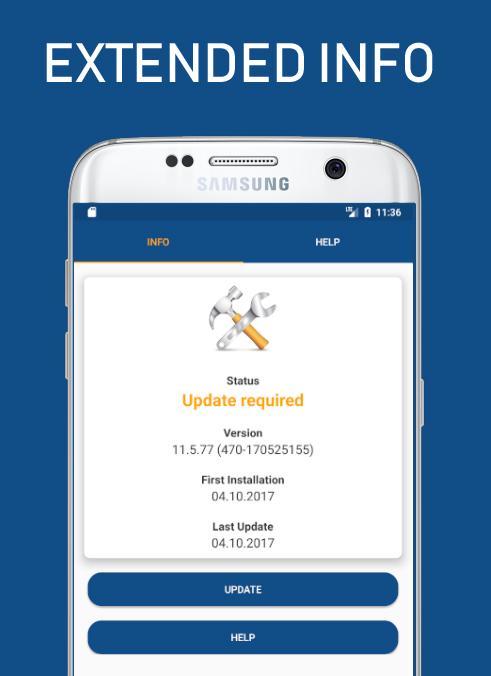
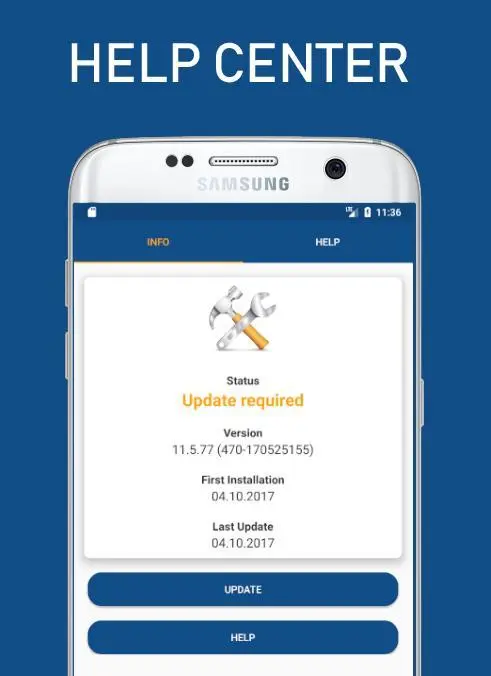
★ Small utility App is used to check the status, info, install & update the Play Services & Play Store
★ If you are facing any difficulties in opening Play store and play services with the messages like "Unfortunately, Google Play Store has stopped." or "Unfortunately, Google Play services has stopped.", then I am sure that you are in correct place now. Because i have come across the same issue and that's the reason i created this application.I hope it will definitely guide you in fixing your problems.
★ The App is used to give the below information about Play Services & Play Store.
⇒ APK Size
⇒ Version Name
⇒ Version Code
⇒ Installed date
⇒ Last Updated Date
★ It also provides direct link to the
⇒ Google Play Store
⇒ Apk Mirror
⇒ App Info
⇒ Overview of the Google Play Services
⇒ Release Notes
⇒ Play User Experience Research Signup
⇒ Play Forum
⇒ Help Center,
⇒ Google Play Twitter Page
⇒ Terms of Service
⇒ Google Privacy Policy
⇒ Contact Support Team
★ You can share the Version name and Version number using Facebook messaging, Whatsapp, Hangout, Gmail etc.
★ In the new update, we reduced the app size and showing variant along with version information.
★ It provides solutions for the following problems Google Play Error
⇒ Google Play isn't responding. Try again in a few minutes, and if the problem continues, get help troubleshooting (Error-927)
⇒ Can't install app "Twitter" can't be installed.
⇒ Unknown error code during application installation : "919"
⇒ "WhatsApp Messenger" could not be downladed due to an error (491)
⇒ can't update app Facebook can't be updated Try again,
★ It also provide the solutions for Common Google Play Error Codes frequently happen for all devices
⇒ Error 8 Error 18 Error 20 Error 24
⇒ Error 101 Error 103 Error 110 Error 194
⇒ Error 403 Error 406 Error 413 Error 481
⇒ Error 491 Error 492 Error 495 Error 497
⇒ Error 498 Error 501 Error 504 Error 505
⇒ Error 905 Error 906 Error 907 Error 911
⇒ Error 919 Error 920 Error 921 Error 923
⇒ Error 924 Error 927 Error 940 Error 941
⇒ Error 944 Error 961 Error 963 Error 975
⇒ Error DF-BPA-09
⇒ DF-BPA-30 error
⇒ DF-DLA-15 error
⇒ Rpc error: AEC: 0
⇒ Error rh01 / rpc: s-5: AEC-0
⇒ Recovery error
⇒ Error-06 BM-GVHD
⇒ Error rpc: s-3
⇒ Error: "Authentication required"
⇒ Error "Package file invalid"
⇒ Error Retrieving Information from Google Server[RH-01]
Share and feedback
★ Thank you for downloading ☺
★ Sharing is caring ♥ If you found this App is Helpful .share to your all friends ☺
★ We would appreciate your valuable feedback
★ If you find any problems please Feel free to contact us
Disclaimer:
• This application is not Google play services or Google play store but it has information about both.
• All trademarks, logos and images used in this application are the intellectual property of their respective owners.
• The information should be used as a guide for individual needs.
• This App is not affiliated with AGoogle Inc.
預覽
訊息
開發商
AppSpecialist
最新版本
1.1
更新時間
2018-07-15
類別
工具
同時可用
Google Play
更多
如何在電腦上用 GameLoop 玩 修 对于 复Google Play服务 并更新
1. 從官網下載GameLoop,然後運行exe文件安裝GameLoop
2. 打開GameLoop,搜索“修 对于 复Google Play服务 并更新”,在搜索結果中找到修 对于 复Google Play服务 并更新,點擊“安裝”
3. 享受在 GameLoop 上玩 修 对于 复Google Play服务 并更新 的樂趣
Minimum requirements
OS
Windows 8.1 64-bit or Windows 10 64-bit
GPU
GTX 1050
CPU
i3-8300
Memory
8GB RAM
Storage
1GB available space
Recommended requirements
OS
Windows 8.1 64-bit or Windows 10 64-bit
GPU
GTX 1050
CPU
i3-9320
Memory
16GB RAM
Storage
1GB available space