
PDF Creator - Simple and fast 電腦版
merq - media it tech
用GameLoop模拟器在電腦上玩PDF Creator - Simple and fast
PDF Creator - Simple and fast 電腦版
來自發行商 merq - media it tech 的 PDF Creator - Simple and fast 能夠在安卓系統上運行。
現在,您可以在電腦上使用 GameLoop 模擬器流暢地玩 PDF Creator - Simple and fast。
在 GameLoop 遊戲庫或搜索結果中下載。 不需要再暢玩遊戲時盯著電池電量或被令人懊惱的來電打斷。
只需在電腦大屏幕上免費下載暢玩PDF Creator - Simple and fast 電腦版!
PDF Creator - Simple and fast 簡介
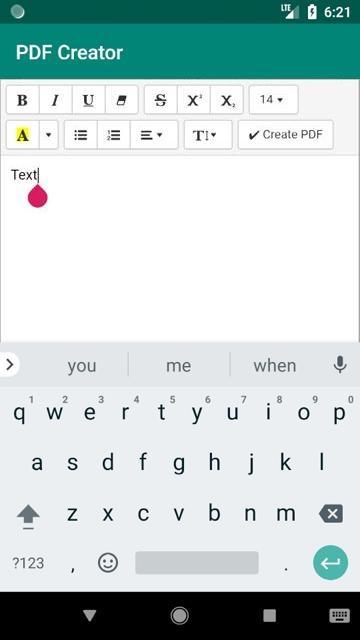
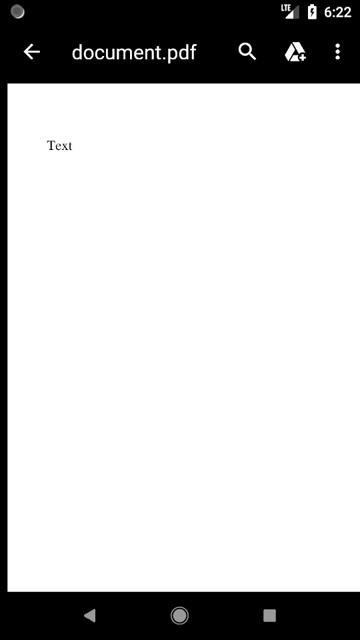
立即創建 PDF 文件!您所要做的就是輸入文本。
- 可進行各種格式的文本輸入
- 可以創建表格
- 粗體、草書、下劃線、字體大小和字體類型可選
- 多頁或手動分頁可能
該應用程序保持簡單和纖薄,以盡可能高效地將文本轉換為 PDF。我們會很高興收到您的反饋 :=)
如果您有任何批評或改進建議,請在給差評之前通過 support@codemec.com 告知我們。應用程序的開發需要大量時間,我們很樂意傾聽您的意願。
預覽
標籤
效率提升訊息
開發商
merq - media it tech
最新版本
2.1
更新時間
2019-05-09
類別
效率提升
同時可用
Google Play
更多
如何在電腦上用 GameLoop 玩 PDF Creator - Simple and fast
1. 從官網下載GameLoop,然後運行exe文件安裝GameLoop
2. 打開GameLoop,搜索“PDF Creator - Simple and fast”,在搜索結果中找到PDF Creator - Simple and fast,點擊“安裝”
3. 享受在 GameLoop 上玩 PDF Creator - Simple and fast 的樂趣
Minimum requirements
OS
Windows 8.1 64-bit or Windows 10 64-bit
GPU
GTX 1050
CPU
i3-8300
Memory
8GB RAM
Storage
1GB available space
Recommended requirements
OS
Windows 8.1 64-bit or Windows 10 64-bit
GPU
GTX 1050
CPU
i3-9320
Memory
16GB RAM
Storage
1GB available space