photo eraser : remove unwanted 電腦版
photo:momo lab
用GameLoop模拟器在電腦上玩photo eraser : remove unwanted
photo eraser : remove unwanted 電腦版
來自發行商 photo:momo lab 的 photo eraser : remove unwanted 能夠在安卓系統上運行。
現在,您可以在電腦上使用 GameLoop 模擬器流暢地玩 photo eraser : remove unwanted。
在 GameLoop 遊戲庫或搜索結果中下載。 不需要再暢玩遊戲時盯著電池電量或被令人懊惱的來電打斷。
只需在電腦大屏幕上免費下載暢玩photo eraser : remove unwanted 電腦版!
photo eraser : remove unwanted 簡介
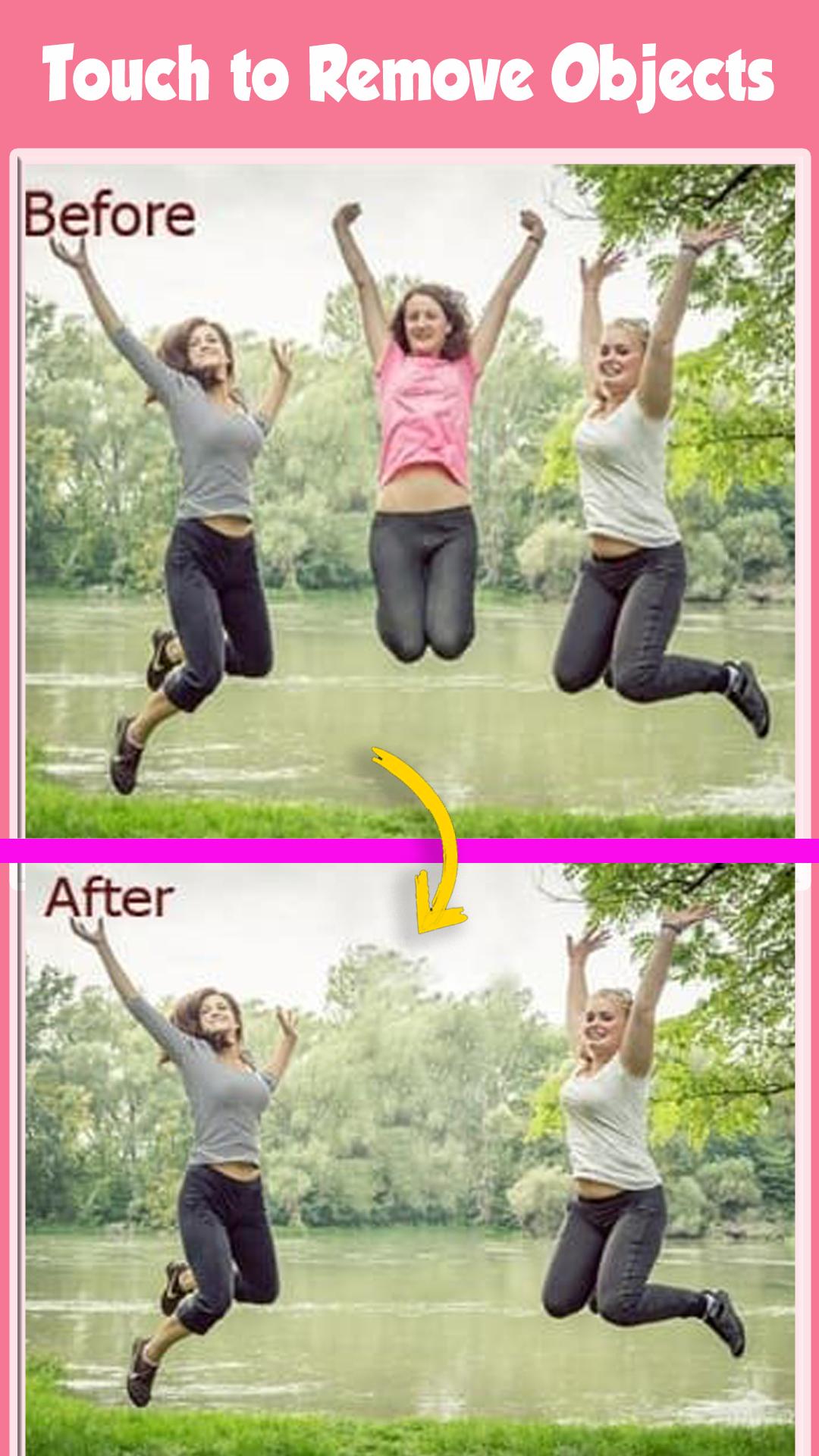
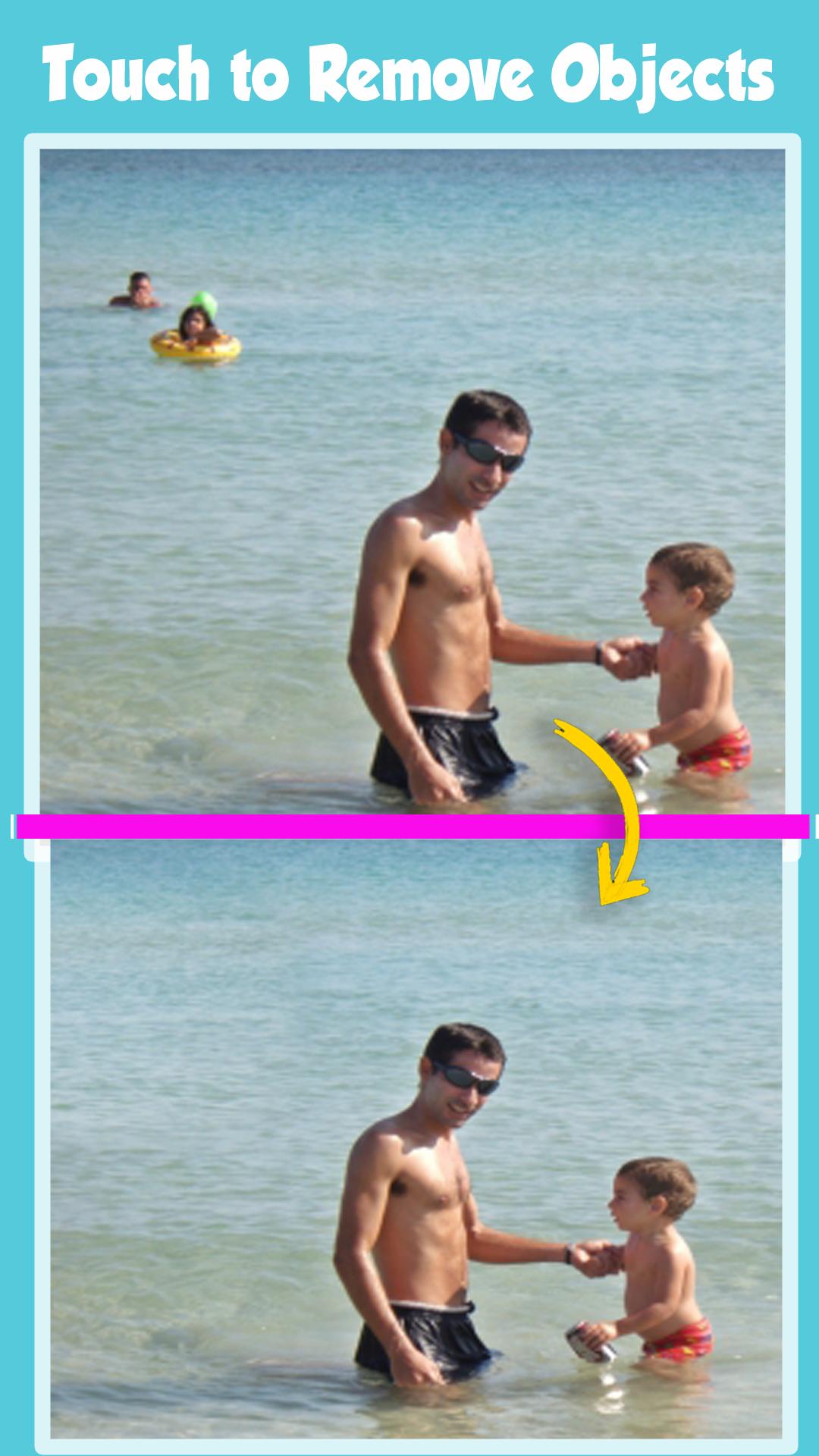
Photo Eraser - Remove Objects is the best Mobile Photo Editor to remove content from Photos.
delete any unwanted content in the photo with Erase Unwanted Content From Photo.
Erase Unwanted Content From Photos, remove unwanted objects and people from pics provides a fast and easy way to change photos backgrounds.
Just touch the area you want to erase and auto eraser tool will do the rest of the work for you. You can also erase your photos background manually by finger touch.
The app comes with the most advanced photo cutting technologies.
You can use the Magic Brush to draw on a photo.
The app auto-magically figures out which part you like to remove. You can pinch and zoom the photo and use the normal Bruch and Eraser to fine-tune the cut out.
You want to get rid of some unwanted objects or person in an otherwise perfect photo?
Now you can with this Erase Unwanted Content From Photo powerful Object Remover app right here at your palm in your Smartphone.
select your Photo from gallery using photo Retouch- remove items from photo app and remove lines from photo. Using your finger,
select the Brush or Lasso tool to mark snapheal, remove unwanted picture, remove object photo, clone object, remove objects,
unwanted photos that you want to erase from picture, then hit the ‘Go’ button now your processing complete within a seconds.
you’re done and it’s now safe image/drawing into your gallery and share your picture-perfect memories with friends.
Eliminate distractions from photos with the Object Removal tool — select either Brush or Lasso, mark the content to be removed, and then tap the Go button.
Erase Unwanted Content From Photo - Remove Objects defects or duplicate objects by using the Clone Stamp tool. Adjust Stamp Size, Hardness, and Opacity as desired. Use Eraser to wipe out what has just been cloned.
Set Eraser Size, Hardness, and Opacity as needed.
Photo Retouch is allows you to remove unwanted content or objects from any photo, using just your finger and your phone.Photo editing has never been so quick,
easy and convenient.Removing unwanted content from images is as easy as one, two, three with the Retouch tool, object remove.
What magic can you do with TouchRetouch?
- Remove telephone wires and posts, power lines
- Remove surface breaks and scratches — both straight and curved
FREE 100% to enjoy it
預覽
標籤
攝影訊息
開發商
photo:momo lab
最新版本
7.1
更新時間
2022-08-15
類別
攝影
同時可用
Google Play
更多
如何在電腦上用 GameLoop 玩 photo eraser : remove unwanted
1. 從官網下載GameLoop,然後運行exe文件安裝GameLoop
2. 打開GameLoop,搜索“photo eraser : remove unwanted”,在搜索結果中找到photo eraser : remove unwanted,點擊“安裝”
3. 享受在 GameLoop 上玩 photo eraser : remove unwanted 的樂趣
Minimum requirements
OS
Windows 8.1 64-bit or Windows 10 64-bit
GPU
GTX 1050
CPU
i3-8300
Memory
8GB RAM
Storage
1GB available space
Recommended requirements
OS
Windows 8.1 64-bit or Windows 10 64-bit
GPU
GTX 1050
CPU
i3-9320
Memory
16GB RAM
Storage
1GB available space