
Collage Maker: Photo Layout 電腦版
GOVO TECH
用GameLoop模拟器在電腦上玩Collage Maker: Photo Layout
Collage Maker: Photo Layout 電腦版
來自發行商 GOVO TECH 的 Collage Maker: Photo Layout 能夠在安卓系統上運行。
現在,您可以在電腦上使用 GameLoop 模擬器流暢地玩 Collage Maker: Photo Layout。
在 GameLoop 遊戲庫或搜索結果中下載。 不需要再暢玩遊戲時盯著電池電量或被令人懊惱的來電打斷。
只需在電腦大屏幕上免費下載暢玩Collage Maker: Photo Layout 電腦版!
Collage Maker: Photo Layout 簡介
Collage Maker - Story Maker helps you to create, edit and stitch wonderful memories and moments with your creativity quickly and conveniently! The Pic Collage will assist you with photo editor in the collection to become professional in many different combinations. Moreover, you can also choose the Photo Collage and Photo Frames you like best, and unleash your creativity and design in your style with a Photo Grid. The completely free Photo Editor Collage will give you more options with countless designs and smooth, intuitive image processing that makes it easy to Edit Photo that tells a story.
This Layout Pic Collage is simple yet unique! Choose a Picture Collage - Photo Layout template from a multitude of different designs in the app such as Collage Layout, backgrounds, stickers, and Photo Borders. then stitches the photos together and creates a striking framed photo with a Picture Layout. Photo Collage also helps you easily share photos with friends, relatives, and social networks quickly in just a few seconds.
SUPERIOR FEATURES OF LAYOUT COLLAGE MAKER:
🤳 DIFFERENT PHOTO LAYOUT
- Photo Editor combine up to 10 photos in one go to create a different Photo Combiner.
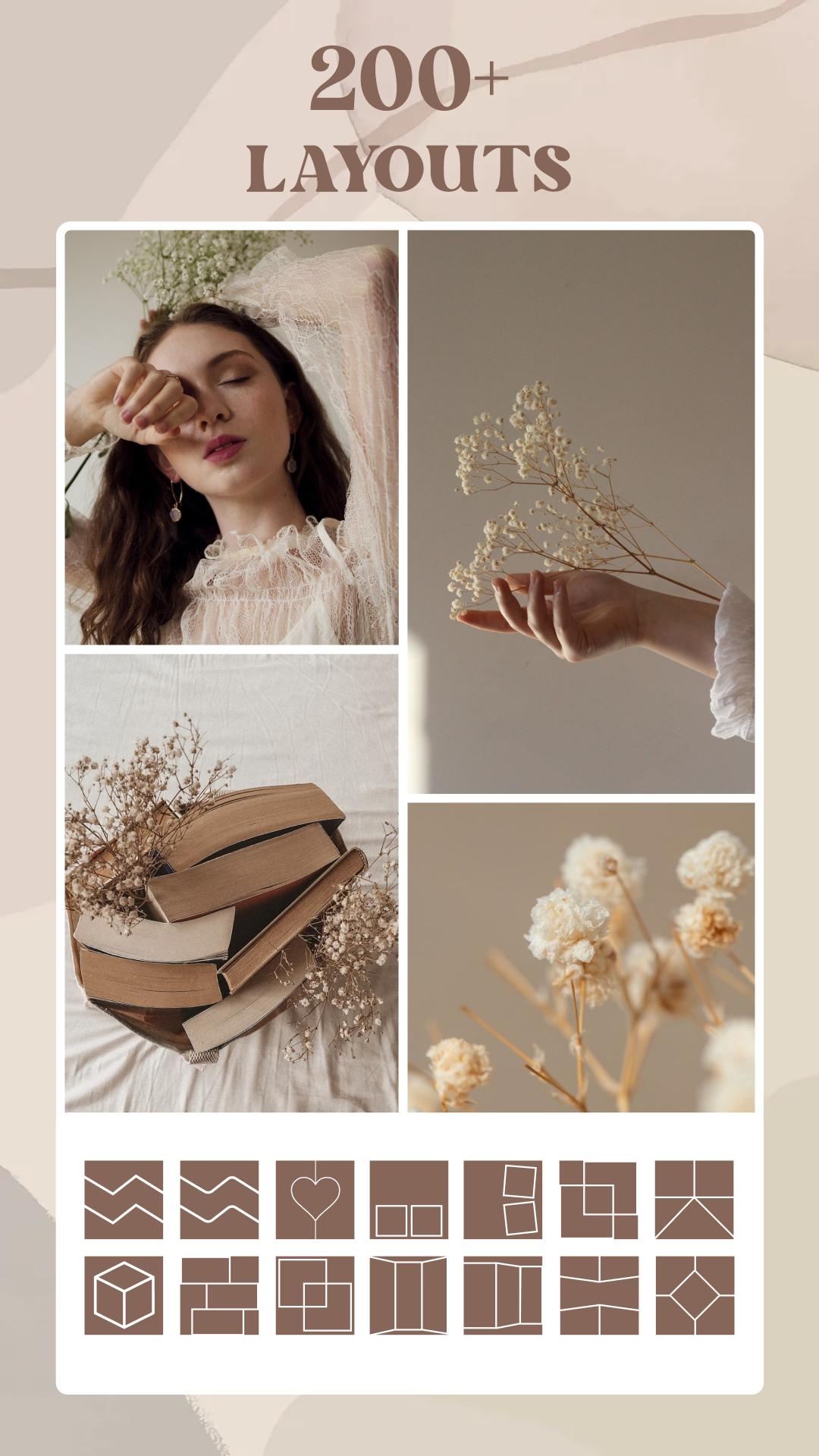
- Picture Layout has over 200 different layouts in various shapes, styles, and special celebrations.
- Layout Pic Collage Maker can customize the size to increase or decrease the frame, or rotate your photos in any creative Photo Grid Collage Maker style you want.
🌟 SPECIAL PHOTO FRAME LAYOUT
- 100+ frames are available for your choice: square, round, simple shapes to fun, new like pine trees, hearts, puzzle pieces, numbers, ...
- Photo Frames scale with popular frames: Profile, Story, Fan Page, an aspect ratio of social networking applications, 1:1, 3:4, 16:9, 4:3, ...
- Picture Collage designs more than 20 unique Picture Frame borders from simple gentle to sophisticated for your photo frames to become stranger and more diverse.
🍭 MORE PROFESSIONAL WITH STORY MAKER
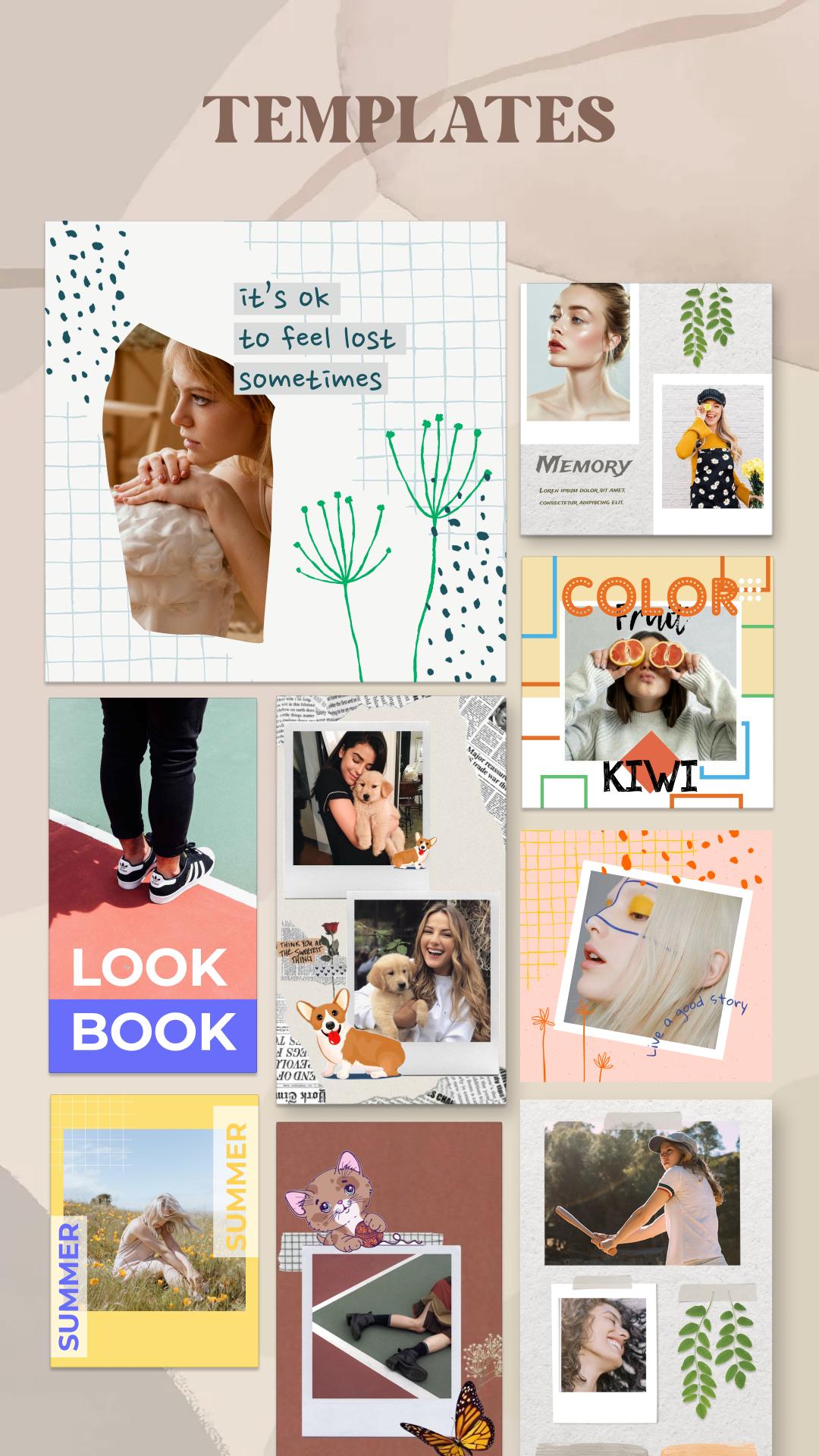
- Photo Grid Layout helps you edit and create beautiful, professional-style stories within a few notes. In Story Maker, a collection of photo templates is designed to follow the current hot trend of young people, you can freely choose, arrange the order of photos according to your perspective and post them on your story.
- You can also Combine Photo with more than 100 backgrounds, stickers, and frames, and adjust the ratio to output a vivid Photo Collage Maker.
- Move, resize, split pic, merge photos as you like, and share the Grid Maker directly on the story without having to manipulate through 2 different applications.
🌈 CREATIVE BACKGROUNDS AND STICKERS
- More than 100 Backgrounds in many color themes from simple to detailed themed such as Flowers, Trees, Food, Gradient, Christmas, New Year,... updated continuously.
- Various decorative stickers and nearly 100 templates: simple, cute, aesthetic, love, Tet holiday, Birthday Collage Maker,... make your photos interesting. The Layout App can also use Collage Wallpaper for more precise and positional adjustments.
Collage Maker is an extremely easy, convenient, and professional photo editor and Photo Collage. No time-consuming, no fuss, Collage Apps Pic Collage helps you create your Pic Collage quickly, and professionally with the best-supporting tools: Photo Merge, Photo Frames, Story Maker,... What are you waiting for? Download the Layout Collage App now, no need to create an account or register to tell your own story through photos!
預覽
標籤
攝影訊息
開發商
GOVO TECH
最新版本
3.9.0
更新時間
2024-05-15
類別
攝影
同時可用
Google Play
更多
如何在電腦上用 GameLoop 玩 Collage Maker: Photo Layout
1. 從官網下載GameLoop,然後運行exe文件安裝GameLoop
2. 打開GameLoop,搜索“Collage Maker: Photo Layout”,在搜索結果中找到Collage Maker: Photo Layout,點擊“安裝”
3. 享受在 GameLoop 上玩 Collage Maker: Photo Layout 的樂趣
Minimum requirements
OS
Windows 8.1 64-bit or Windows 10 64-bit
GPU
GTX 1050
CPU
i3-8300
Memory
8GB RAM
Storage
1GB available space
Recommended requirements
OS
Windows 8.1 64-bit or Windows 10 64-bit
GPU
GTX 1050
CPU
i3-9320
Memory
16GB RAM
Storage
1GB available space