3D Cube PhotoFramePhotoEditor 電腦版
Stylish Photo Apps
用GameLoop模拟器在電腦上玩3D Cube PhotoFramePhotoEditor
3D Cube PhotoFramePhotoEditor 電腦版
來自發行商 Stylish Photo Apps 的 3D Cube PhotoFramePhotoEditor 能夠在安卓系統上運行。
現在,您可以在電腦上使用 GameLoop 模擬器流暢地玩 3D Cube PhotoFramePhotoEditor。
在 GameLoop 遊戲庫或搜索結果中下載。 不需要再暢玩遊戲時盯著電池電量或被令人懊惱的來電打斷。
只需在電腦大屏幕上免費下載暢玩3D Cube PhotoFramePhotoEditor 電腦版!
3D Cube PhotoFramePhotoEditor 簡介
3D Cube相框照片編輯器:
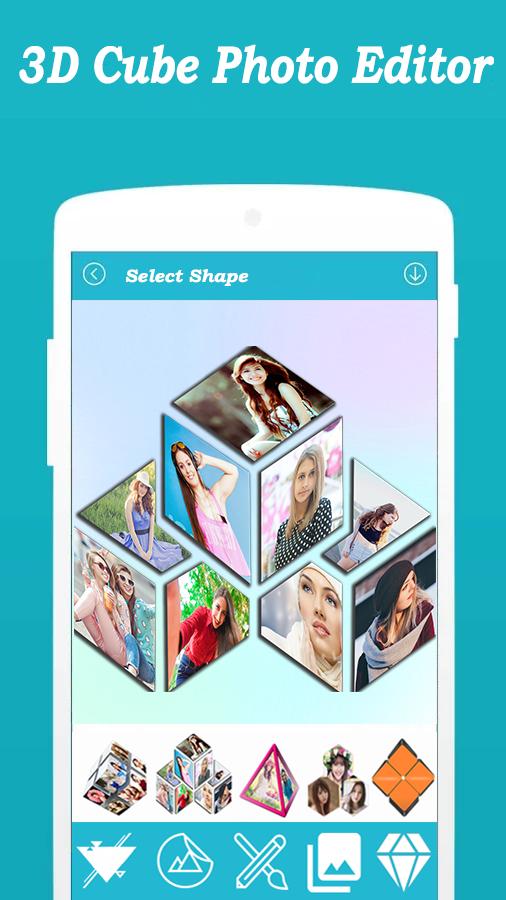
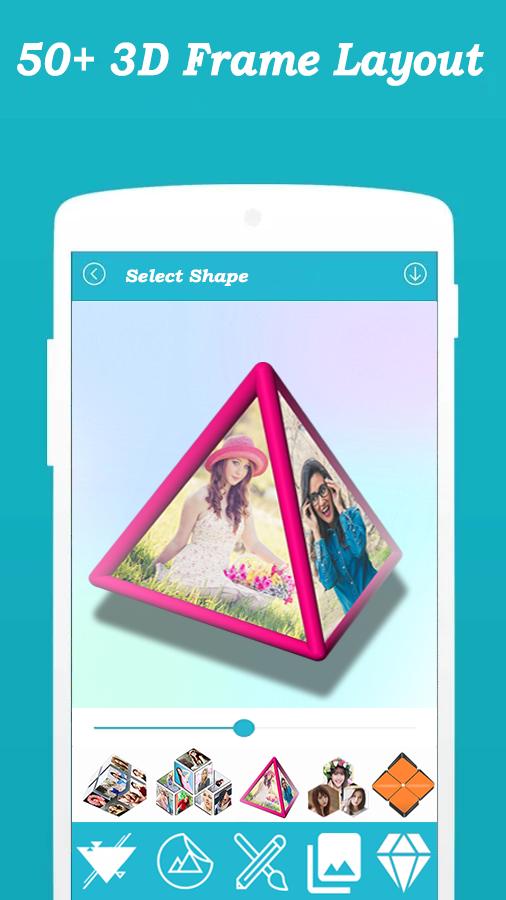
♦ 這款 3D Cube 相框照片編輯器支持多種拼貼佈局。使用這些拼貼佈局來創建一些無可挑剔的圖片拼貼。
♦ 使用這款功能強大的 3D 立方體相框照片編輯器即時編輯您的照片,它是 android 中最好的照片編輯工具之一。使用大量驚人的照片效果,在您的照片中獲得最佳攝影藝術。
♦ 3D Cube 相框照片編輯器是一個很好的應用程序,可以通過製作漂亮可愛的照片 3D 立方體來吸引您的朋友。
♦想要通過製作最新的3D立方體相框照片編輯器製作3D立方體相框並令人難忘。您希望您的照片作為牆紙出現在美麗的立方體框架中嗎?用這些 3D Cube 相框照片編輯器裝飾您的照片。
■■■■使用方法■■■■
♦ 從圖庫中選擇您的照片或從相機捕捉。
♦ 選擇要應用到圖像上的 3D 效果。
♦ 使用翻轉選項將圖像正確設置為框架。
♦ 從許多效果中應用
♦ 用手指縮放和旋轉照片。
♦ 使用社交媒體與朋友分享您的傑作。
♦ 將您的 3D 輸出設置為您的手機壁紙。
預覽
標籤
攝影訊息
開發商
Stylish Photo Apps
最新版本
2.6
更新時間
2022-10-10
類別
攝影
同時可用
Google Play
更多
如何在電腦上用 GameLoop 玩 3D Cube PhotoFramePhotoEditor
1. 從官網下載GameLoop,然後運行exe文件安裝GameLoop
2. 打開GameLoop,搜索“3D Cube PhotoFramePhotoEditor”,在搜索結果中找到3D Cube PhotoFramePhotoEditor,點擊“安裝”
3. 享受在 GameLoop 上玩 3D Cube PhotoFramePhotoEditor 的樂趣
Minimum requirements
OS
Windows 8.1 64-bit or Windows 10 64-bit
GPU
GTX 1050
CPU
i3-8300
Memory
8GB RAM
Storage
1GB available space
Recommended requirements
OS
Windows 8.1 64-bit or Windows 10 64-bit
GPU
GTX 1050
CPU
i3-9320
Memory
16GB RAM
Storage
1GB available space