
LaunchTime (Homescreen) 電腦版
Quaap, my free-time FOSS apps
用GameLoop模拟器在電腦上玩LaunchTime (Homescreen)
LaunchTime (Homescreen) 電腦版
來自發行商 Quaap, my free-time FOSS apps 的 LaunchTime (Homescreen) 能夠在安卓系統上運行。
現在,您可以在電腦上使用 GameLoop 模擬器流暢地玩 LaunchTime (Homescreen)。
在 GameLoop 遊戲庫或搜索結果中下載。 不需要再暢玩遊戲時盯著電池電量或被令人懊惱的來電打斷。
只需在電腦大屏幕上免費下載暢玩LaunchTime (Homescreen) 電腦版!
LaunchTime (Homescreen) 簡介
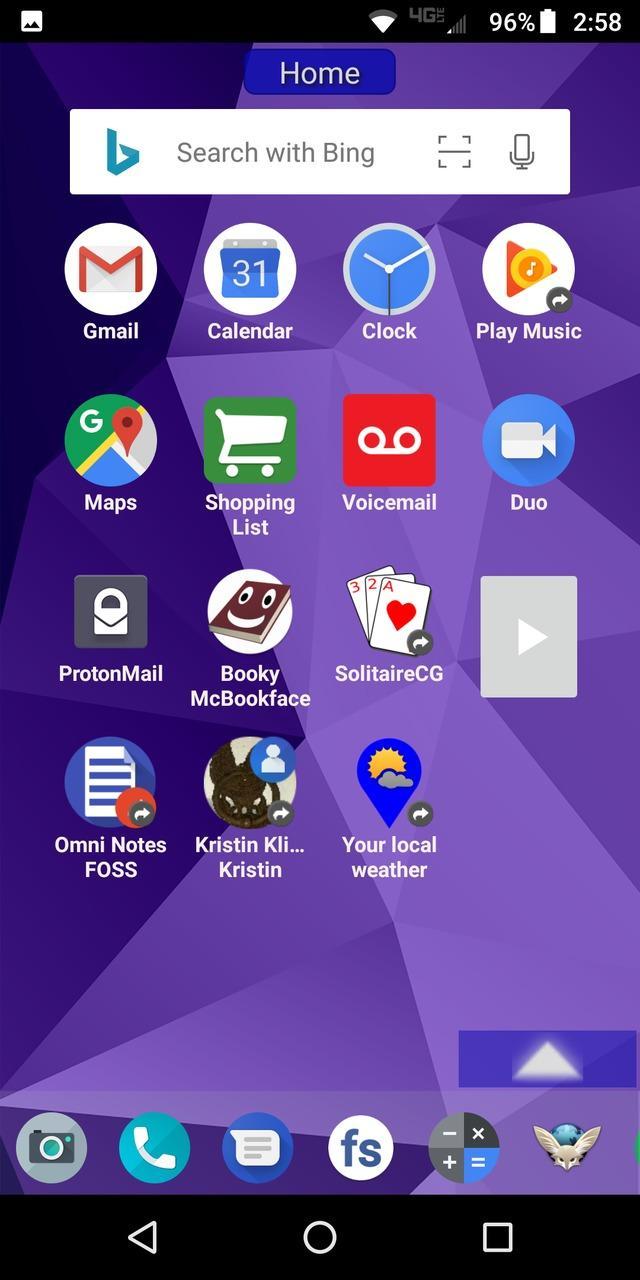
Highly configurable alternative homescreen/launcher which features a side menu to automatically and/or manually organize your apps into common-sense and customizable categories.
Latest features: Resizable widgets, hideable side menu, action menus, appinfo, better appearance, animated transitions, and an experimental "dumbphone" mode.
More features:
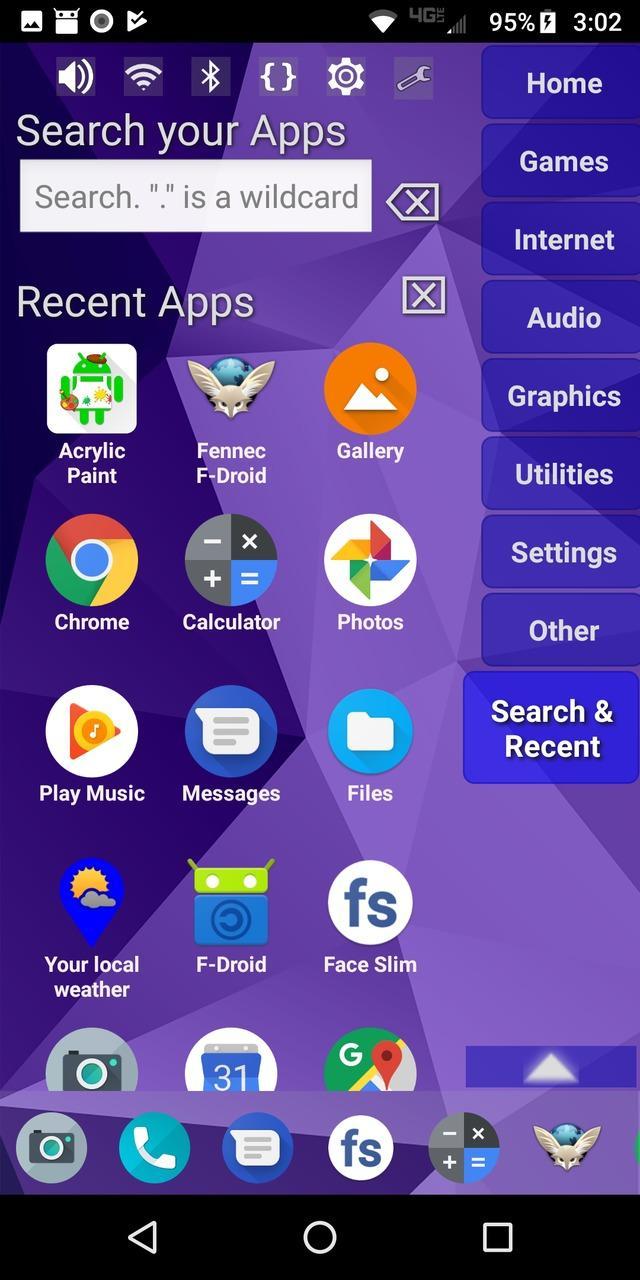
* Configurable app categories in a scrollable/hideable side menu.
* Scrolling QuickBar on the bottom for easy access to your favorite apps.
* Text search to find apps.
* List of recent apps.
* Quick access to settings.
* Multiple widget support.
* Rearrange/sort icons and menu items.
* Toddler/child mode
* Shortcut/link and Oreo Pinned shortcut support.
* Android 7.1+ shortcut actions / menus.
* Unread badges.
* Adw/nova/apex icon-packs.
* Supports both portrait and landscape mode.
* Can hide apps you don't want but can't uninstall.
* Back up and restore your settings.
* Configurable colors.
* Customize icons and labels.
* Built-in themes.
預覽
標籤
個人化訊息
開發商
Quaap, my free-time FOSS apps
最新版本
0.8.5
更新時間
2019-08-26
類別
個人化
同時可用
Google Play
更多
如何在電腦上用 GameLoop 玩 LaunchTime (Homescreen)
1. 從官網下載GameLoop,然後運行exe文件安裝GameLoop
2. 打開GameLoop,搜索“LaunchTime (Homescreen)”,在搜索結果中找到LaunchTime (Homescreen),點擊“安裝”
3. 享受在 GameLoop 上玩 LaunchTime (Homescreen) 的樂趣
Minimum requirements
OS
Windows 8.1 64-bit or Windows 10 64-bit
GPU
GTX 1050
CPU
i3-8300
Memory
8GB RAM
Storage
1GB available space
Recommended requirements
OS
Windows 8.1 64-bit or Windows 10 64-bit
GPU
GTX 1050
CPU
i3-9320
Memory
16GB RAM
Storage
1GB available space