
Lovely Handwritten Cards 電腦版
WriteOn
用GameLoop模拟器在電腦上玩Lovely Handwritten Cards
Lovely Handwritten Cards 電腦版
來自發行商 WriteOn 的 Lovely Handwritten Cards 能夠在安卓系統上運行。
現在,您可以在電腦上使用 GameLoop 模擬器流暢地玩 Lovely Handwritten Cards。
在 GameLoop 遊戲庫或搜索結果中下載。 不需要再暢玩遊戲時盯著電池電量或被令人懊惱的來電打斷。
只需在電腦大屏幕上免費下載暢玩Lovely Handwritten Cards 電腦版!
Lovely Handwritten Cards 簡介
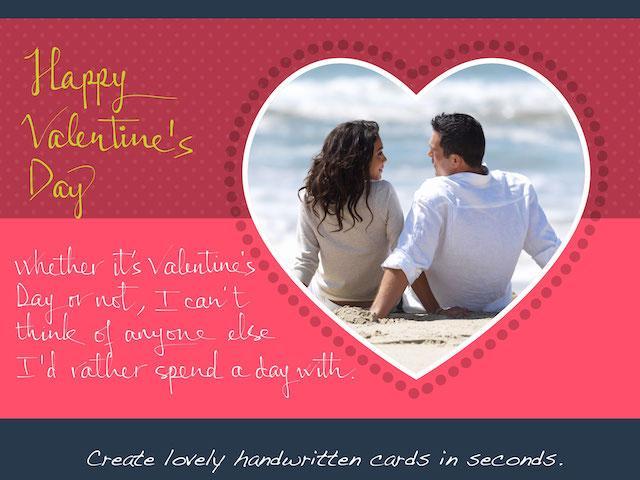
Make lovely greeting cards in seconds, with your own photos and HANDWRITING, for FREE.
***** Introductory prices offered for in-app purchases. *****
A personalized handwritten card will mean much more to your loved ones than a pre-printed one. You can do it in a matter of seconds with Lovely! app. Here is how:
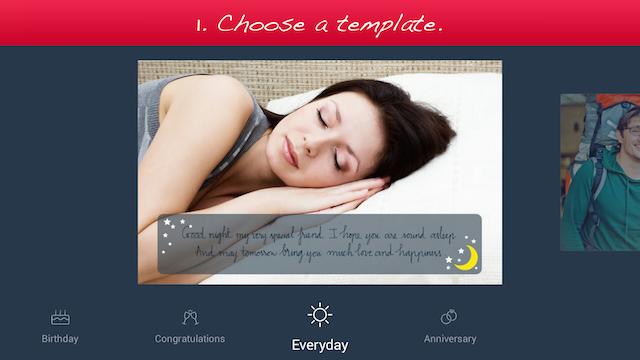
1. Choose a template (free or paid) from one of the 6 available categories: Holiday, Birthday, Congratulations, Love, Everyday, and Anniversary.
2. Add your own photo, scale and rotate it as you wish.
3. Add your own handwriting. Simply write with your finger, right on the touch screen. Lovely!'s special ink effects will make your handwriting look great.
4. Send the complete card to your loved ones via email or social networks.
Extras:
- You can choose from different colors and thicknesses for your handwriting. You can even choose one of the four different pen nibs for FREE: Fountain Pen, Ballpoint Pen, Wet Brush, and Calligraphy Pen.
- You can save your card as a photo to print it out or send it to your loved ones later.
Please try out Lovely! today and let us know your feedback at lovelysupport@writeon.cool.
預覽
訊息
開發商
WriteOn
最新版本
1.1
更新時間
2015-03-03
類別
生活品味
同時可用
Google Play
更多
如何在電腦上用 GameLoop 玩 Lovely Handwritten Cards
1. 從官網下載GameLoop,然後運行exe文件安裝GameLoop
2. 打開GameLoop,搜索“Lovely Handwritten Cards”,在搜索結果中找到Lovely Handwritten Cards,點擊“安裝”
3. 享受在 GameLoop 上玩 Lovely Handwritten Cards 的樂趣
Minimum requirements
OS
Windows 8.1 64-bit or Windows 10 64-bit
GPU
GTX 1050
CPU
i3-8300
Memory
8GB RAM
Storage
1GB available space
Recommended requirements
OS
Windows 8.1 64-bit or Windows 10 64-bit
GPU
GTX 1050
CPU
i3-9320
Memory
16GB RAM
Storage
1GB available space