
EZ 日历小部件 電腦版
INFOLIFE LLC
用GameLoop模拟器在電腦上玩EZ 日历小部件
EZ 日历小部件 電腦版
來自發行商 INFOLIFE LLC 的 EZ 日历小部件 能夠在安卓系統上運行。
現在,您可以在電腦上使用 GameLoop 模擬器流暢地玩 EZ 日历小部件。
在 GameLoop 遊戲庫或搜索結果中下載。 不需要再暢玩遊戲時盯著電池電量或被令人懊惱的來電打斷。
只需在電腦大屏幕上免費下載暢玩EZ 日历小部件 電腦版!
EZ 日历小部件 簡介
请注意: 这个小部件需要先安装轻松桌面/EZ Launcher.
功能:
============
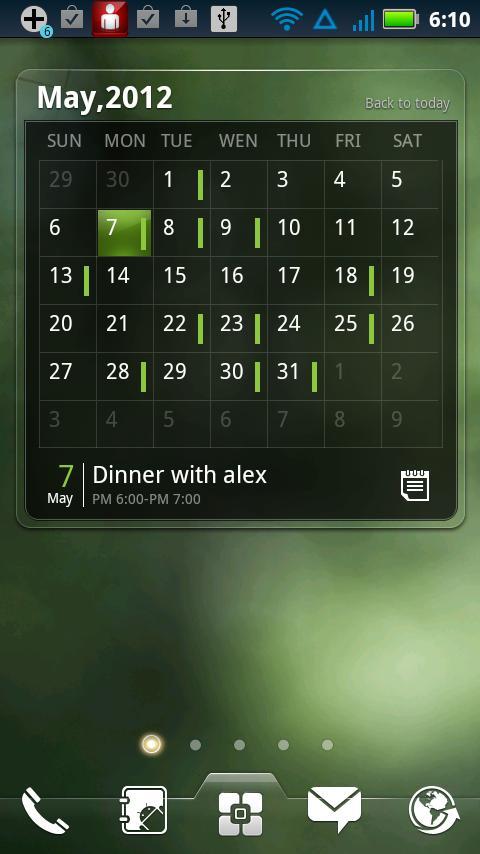
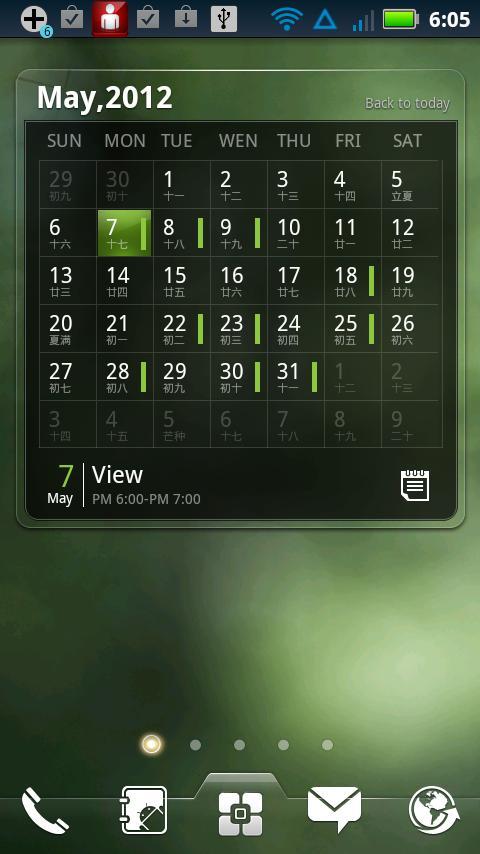
- 显示日历/日程
- 支持滑动操作
- 显示即将开始/结束的日程
- 支持添加,查看,编辑日程
- 支持农历
Widgets on Android work a bit differently than a normal application. Unlike regular programs they don't just install themselves in the application tray so you have to add them manually. They will not open or launch.
Here's how to add a widget on your Android home screen.
STEPS HOW TO ADD A WIDGET
==========================
1.On your Android home screen, tap any blank or “empty” area with size 4X3 and hold down your finger.
2.An “Add to Home screen” window will pop up. From that window, tap “EZ Widgets”.
3.You’ll be presented with a list of all the installed Widgets on your Android device.
4.Select the widget to add to your home screen by tapping it.
Notes
=====
ROM users-> make sure the widget is NOT moved on SD card.
Widgets are not supposed to be on SD card. Move it back to the phone storage.
預覽
訊息
開發商
INFOLIFE LLC
最新版本
v0.9.1 beta 3
更新時間
2012-11-25
類別
生活品味
同時可用
Google Play
更多
如何在電腦上用 GameLoop 玩 EZ 日历小部件
1. 從官網下載GameLoop,然後運行exe文件安裝GameLoop
2. 打開GameLoop,搜索“EZ 日历小部件”,在搜索結果中找到EZ 日历小部件,點擊“安裝”
3. 享受在 GameLoop 上玩 EZ 日历小部件 的樂趣
Minimum requirements
OS
Windows 8.1 64-bit or Windows 10 64-bit
GPU
GTX 1050
CPU
i3-8300
Memory
8GB RAM
Storage
1GB available space
Recommended requirements
OS
Windows 8.1 64-bit or Windows 10 64-bit
GPU
GTX 1050
CPU
i3-9320
Memory
16GB RAM
Storage
1GB available space