Tile Map Editor 電腦版
SINÉO
用GameLoop模拟器在電腦上玩Tile Map Editor
Tile Map Editor 電腦版
來自發行商 SINÉO 的 Tile Map Editor 能夠在安卓系統上運行。
現在,您可以在電腦上使用 GameLoop 模擬器流暢地玩 Tile Map Editor。
在 GameLoop 遊戲庫或搜索結果中下載。 不需要再暢玩遊戲時盯著電池電量或被令人懊惱的來電打斷。
只需在電腦大屏幕上免費下載暢玩Tile Map Editor 電腦版!
Tile Map Editor 簡介
Are you an RPG, board-game or Strategy Battle Game addict?
Do you hate when you're not at home and you suddenly have that "this-is-it!" idea for a new map in your party's everlasting adventure, but you don't know how to put it down… and then something else fills your mind?
Don't worry anymore: this is the app you were waiting for.
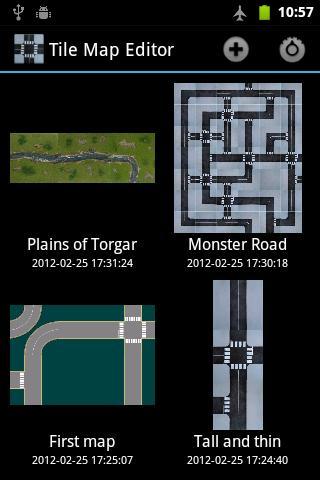
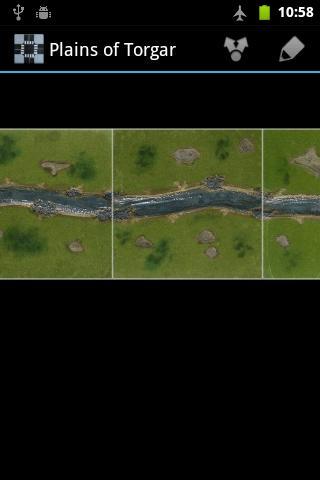
* Select the size of your map, from 1x1 up to 20x20 tiles,
* Select tiles from internal sets (outdoor roads, city roads, outdoor fields),
* ... or from tiles in your own sdcard/internal memory!
* Use multitouch to zoom and pan your map
* Save it and share it with your friends!
Bonus features:
* Instead of selecting a tile, choose the random "?" tile to get a new and unexpected map!
* Maps do not need to be square, you can prepare a 5x2 dungeon or a 3x7 "Montecarlo circuit"!
* New sets will be added over time!
預覽
訊息
開發商
SINÉO
最新版本
1.3
更新時間
2014-02-21
類別
娛樂
同時可用
Google Play
更多
如何在電腦上用 GameLoop 玩 Tile Map Editor
1. 從官網下載GameLoop,然後運行exe文件安裝GameLoop
2. 打開GameLoop,搜索“Tile Map Editor”,在搜索結果中找到Tile Map Editor,點擊“安裝”
3. 享受在 GameLoop 上玩 Tile Map Editor 的樂趣
Minimum requirements
OS
Windows 8.1 64-bit or Windows 10 64-bit
GPU
GTX 1050
CPU
i3-8300
Memory
8GB RAM
Storage
1GB available space
Recommended requirements
OS
Windows 8.1 64-bit or Windows 10 64-bit
GPU
GTX 1050
CPU
i3-9320
Memory
16GB RAM
Storage
1GB available space