Restaurant Billing System PC
Mate Technologies
Restaurant Billing System'i GameLoop Emulator ile PC'ye indirin
PC'de Restaurant Billing System
Mate Technologies geliştiricisinden gelen Restaurant Billing System, geçmişte Android systerm üzerinde çalışıyor.
Artık Restaurant Billing System'i PC'de GameLoop ile sorunsuz bir şekilde oynayabilirsiniz.
GameLoop kitaplığından veya arama sonuçlarından indirin. Artık yanlış zamanda pile bakmak veya sinir bozucu aramalar yapmak yok.
Restaurant Billing System bilgisayarın keyfini büyük ekranda ücretsiz olarak çıkarın!
Restaurant Billing System Tanıtım
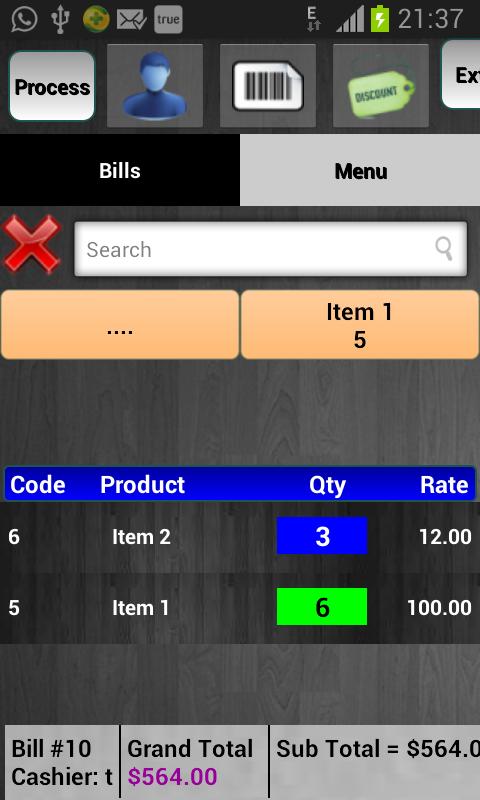
Billing software POS is useful for generating bills on Android device easily. It is very useful in retail billing.
Note that it is retail POS software and not ERP software
Some of the features in the app are enlisted below:
Billing:
Make any tax bill easily. Make customer billing.
Add product using barcode reader easily
Set discount (both bill wise and product wise), auto set discount. Do the same for taxes as well
Search product using item code, name etc.
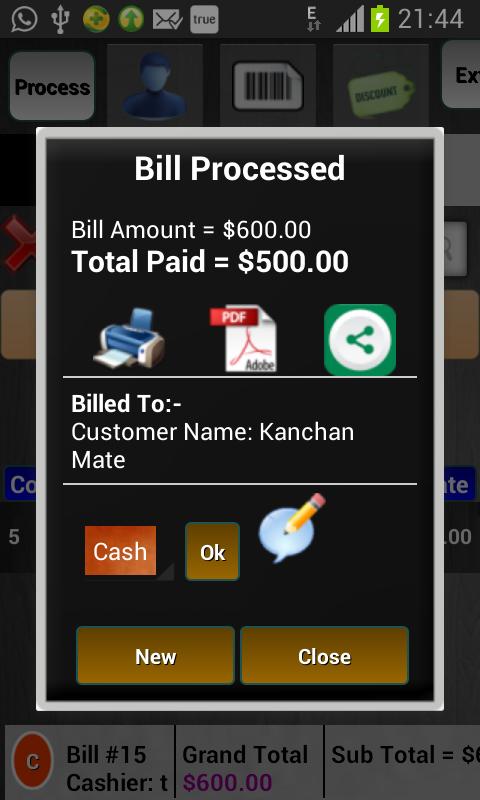
Print bill, Share bill, and Set remark for bill
Make bill at faster rate with shortcuts like process + print, process + new bill at just one touch
Manage and go to any pending bill easily
Customer:
Set customer record to easily view pending balance, track order history.
Search customer by name, code for fast billing.
Import & export customer records via CSV file
Add customer at the billing with or without creating his record
Barcode:
With third party barcode app, you can easily add barcode product, search product while billing with your android device camera
You may also add external barcode scanner for faster billing
Taxes and discounts
You may add both bill wise and product wise taxes either as single tax or multiple taxes in group .e.g. GST of 2 types
Set category exception for any bill wise taxes
You may add both bill wise and product wise discounts. Also you may set auto set discount based on grand total
Synchronization
Use multiple devices for billing. One registered device will be the main admin device and all other devices will be connected to it via WiFi or internet. Once a bill is created, data is immediately transferred to admin device both in WiFi sync and Web sync (later if internet not available in Web synchronization)
Inventory:
Keep record of outward and inward stock of your products.
Add product stock easily using either manual method or via CSV file
Product Fields:
With product fields, you may enable or disable some of the features and functions in the app which are part of the product structure. You may add custom fields or modify reserved fields depending on your requirements. Product fields include barcode, item code, discount, taxes, rate, quantity, serial, stock, weight etc.
Bill Print:
You can customize almost any part of your bill print. You may change alias for many fields like bill no, item, quantity, total etc. you may change date and time format, round total, include or remove currency, change header and footer position, business title format etc. You may switch to multilingual print also
Reports
You may see many kinds of reports in the app including but not limited to product wise, bill wise, stock updates, user wise, customer wise, customer area wise, product and category sales, customer outstanding, full stock, day end, customer complete order history etc.
You may also auto set to send daily sales report by SMS
Export data to PDF, CSV options available in the app
Ön izleme
Bilgi
geliştirici
Mate Technologies
En Son Sürüm
2.2
Son güncelleme
2018-08-20
Kategori
İş Dünyası
üzerinde mevcut
Google Play
Daha fazla göster
PC'de GameLoop ile Restaurant Billing System nasıl oynanır
1. Resmi web sitesinden GameLoop'u indirin, ardından GameLoop'u kurmak için exe dosyasını çalıştırın.
2. GameLoop'u açın ve “Restaurant Billing System”i arayın, arama sonuçlarında Restaurant Billing System'i bulun ve “Yükle”ye tıklayın.
3. GameLoop'ta Restaurant Billing System oynamanın keyfini çıkarın.
Minimum requirements
OS
Windows 8.1 64-bit or Windows 10 64-bit
GPU
GTX 1050
CPU
i3-8300
Memory
8GB RAM
Storage
1GB available space
Recommended requirements
OS
Windows 8.1 64-bit or Windows 10 64-bit
GPU
GTX 1050
CPU
i3-9320
Memory
16GB RAM
Storage
1GB available space