
PROACTIS Expense Capture PC
PROACTIS Ltd
PROACTIS Expense Capture'i GameLoop Emulator ile PC'ye indirin
PC'de PROACTIS Expense Capture
PROACTIS Ltd geliştiricisinden gelen PROACTIS Expense Capture, geçmişte Android systerm üzerinde çalışıyor.
Artık PROACTIS Expense Capture'i PC'de GameLoop ile sorunsuz bir şekilde oynayabilirsiniz.
GameLoop kitaplığından veya arama sonuçlarından indirin. Artık yanlış zamanda pile bakmak veya sinir bozucu aramalar yapmak yok.
PROACTIS Expense Capture bilgisayarın keyfini büyük ekranda ücretsiz olarak çıkarın!
PROACTIS Expense Capture Tanıtım
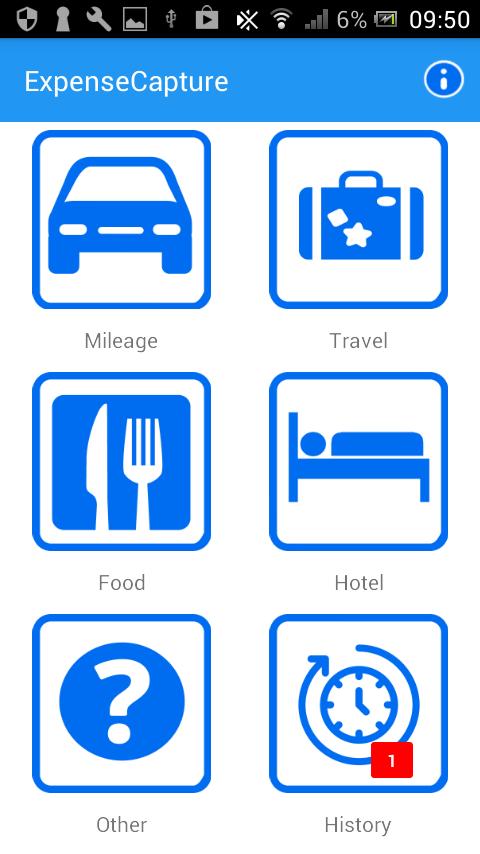
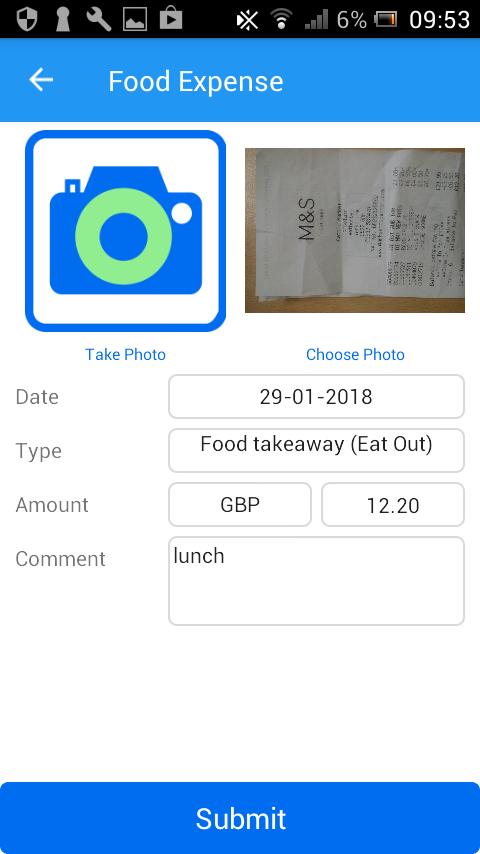
The PROACTIS Expense Capture app allows you to create expenses on your phone, tablet or other mobile device. Quick and simple to use, this app will send your expense information to the PROACTIS Expenses module for you to submit on an Expense Claim for payment.
This mobile app is an ideal addition to the range of PROACTIS Spend Control and eProcurement solutions to support customers when mobile and away from the office.
Requires PROACTIS Purchase-to-Pay v17.
About PROACTIS
PROACTIS is a leading provider of Spend Control and eProcurement solutions. Hundreds of organisations around the world use PROACTIS software and services to obtain best value and control in procurement and automate the purchase-to-pay process.
Ön izleme
Etiketler
İş DünyasıBilgi
geliştirici
PROACTIS Ltd
En Son Sürüm
1.3
Son güncelleme
2018-08-14
Kategori
İş Dünyası
üzerinde mevcut
Google Play
Daha fazla göster
PC'de GameLoop ile PROACTIS Expense Capture nasıl oynanır
1. Resmi web sitesinden GameLoop'u indirin, ardından GameLoop'u kurmak için exe dosyasını çalıştırın.
2. GameLoop'u açın ve “PROACTIS Expense Capture”i arayın, arama sonuçlarında PROACTIS Expense Capture'i bulun ve “Yükle”ye tıklayın.
3. GameLoop'ta PROACTIS Expense Capture oynamanın keyfini çıkarın.
Minimum requirements
OS
Windows 8.1 64-bit or Windows 10 64-bit
GPU
GTX 1050
CPU
i3-8300
Memory
8GB RAM
Storage
1GB available space
Recommended requirements
OS
Windows 8.1 64-bit or Windows 10 64-bit
GPU
GTX 1050
CPU
i3-9320
Memory
16GB RAM
Storage
1GB available space