Ceiling Fan Remote Control PC
AbTech Mobile Solution
قم بتنزيل Ceiling Fan Remote Control على جهاز الكمبيوتر باستخدام GameLoop Emulator
Ceiling Fan Remote Control على الكمبيوتر الشخصي
Ceiling Fan Remote Control ، القادم من المطور AbTech Mobile Solution ، يعمل على نظام Android في الماضي.
الآن ، يمكنك لعب Ceiling Fan Remote Control على جهاز الكمبيوتر باستخدام GameLoop بسلاسة.
قم بتنزيله في مكتبة GameLoop أو في نتائج البحث. لا مزيد من الانتباه إلى البطارية أو المكالمات المحبطة في الوقت الخطأ بعد الآن.
ما عليك سوى الاستمتاع بجهاز Ceiling Fan Remote Control على الشاشة الكبيرة مجانًا!
Ceiling Fan Remote Control مقدمة
Control your Ceiling / Wall Fan from your mobile using our app.
Transform your smartphone into the ultimate fan remote control with Ceiling / Wall Fan Remote Control! Say goodbye to searching for lost remotes and hello to convenient and intuitive fan control right at your fingertips.
Features of Ceiling Fan Remote Control App:
Universal Remote Control for all Ceiling Fan
Buttons for Turn Off,
Light Off and Light On
Button for fan speed Low, Medium and High
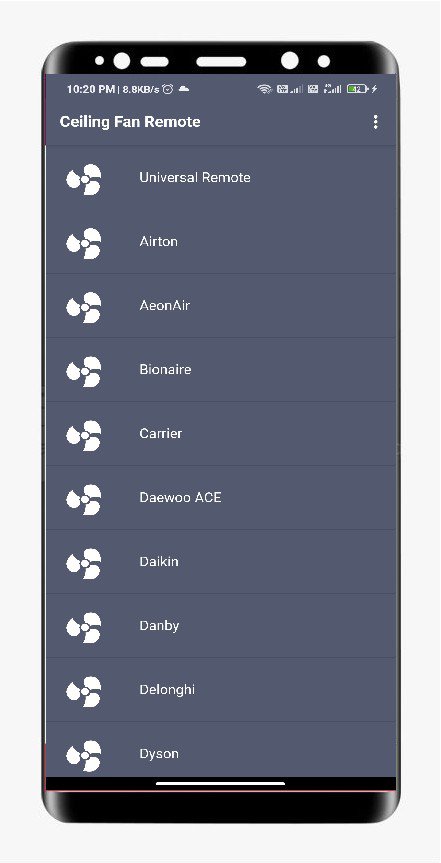
Supported Brands:
Airton
AeonAir
Bionaire
Carrier
Daewoo ACE
Daikin
Danby
Delonghi
Dyson
Edgestar
Electrolux
Friedrich
Frigidaire
Fujitsu
General Electric
GoldStar
Gree
Haier
Harbour Breeze
Holmes
Honeywell
Kenmore
LG
Miyako
Lasko
Vernado
Maspion
Sekai
Senko
Luft
Cosmos
Crompton
It was special designed with care for ceiling fan to easily access.
*****Important*****
This app needs your phone to have an Infrared sensor, If you don't know what is this ? you can try downloading the app and see if it works.
معاينة
العلامات
أدواتمعلومة
مطور
AbTech Mobile Solution
احدث اصدار
16.0
آخر تحديث
2025-12-07
فئة
أدوات
متاح على
Google Play
أظهر المزيد
كيف تلعب Ceiling Fan Remote Control مع GameLoop على جهاز الكمبيوتر
1. قم بتنزيل GameLoop من الموقع الرسمي ، ثم قم بتشغيل ملف exe لتثبيت GameLoop.
2. افتح GameLoop وابحث عن "Ceiling Fan Remote Control" ، وابحث عن Ceiling Fan Remote Control في نتائج البحث وانقر على "تثبيت".
3. استمتع بلعب Ceiling Fan Remote Control على GameLoop.
Minimum requirements
OS
Windows 8.1 64-bit or Windows 10 64-bit
GPU
GTX 1050
CPU
i3-8300
Memory
8GB RAM
Storage
1GB available space
Recommended requirements
OS
Windows 8.1 64-bit or Windows 10 64-bit
GPU
GTX 1050
CPU
i3-9320
Memory
16GB RAM
Storage
1GB available space