Audify Notification Announcer PC
Codeseed (Formerly Appkiddo)
قم بتنزيل Audify Notification Announcer على جهاز الكمبيوتر باستخدام GameLoop Emulator
Audify Notification Announcer على الكمبيوتر الشخصي
Audify Notification Announcer ، القادم من المطور Codeseed (Formerly Appkiddo) ، يعمل على نظام Android في الماضي.
الآن ، يمكنك لعب Audify Notification Announcer على جهاز الكمبيوتر باستخدام GameLoop بسلاسة.
قم بتنزيله في مكتبة GameLoop أو في نتائج البحث. لا مزيد من الانتباه إلى البطارية أو المكالمات المحبطة في الوقت الخطأ بعد الآن.
ما عليك سوى الاستمتاع بجهاز Audify Notification Announcer على الشاشة الكبيرة مجانًا!
Audify Notification Announcer مقدمة
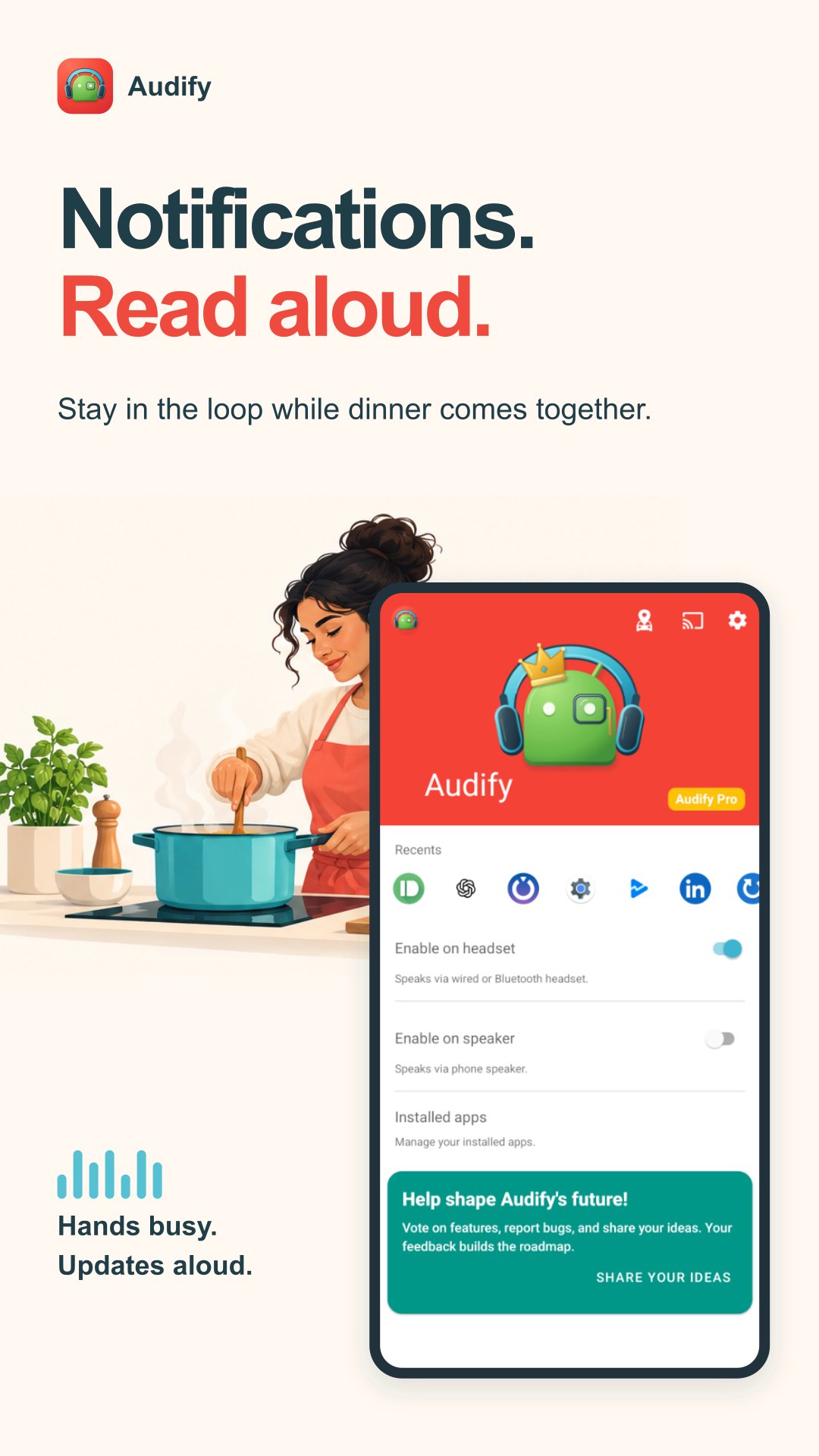
Audify is a notification reader and caller name announcer that reads messages and app alerts aloud. Hear updates without reaching for your phone while cooking, exercising or driving.
Try Audify with 500 free notification credits before upgrading to Audify Pro.
Hear notifications through your audio devices
Listen through compatible Bluetooth headphones, car audio, wired headphones or your phone speaker. You can also send announcements to Google Cast devices.
Choose what gets read aloud
• Select your apps: Hear notifications from the apps you choose.
• Filter unwanted messages: Mute notifications containing words you block.
• Reduce repetition: Cut down on repeated notification announcements.
• Privacy mode: Skip message content. Notification titles may still be spoken.
• Adjust the sound: Set announcement volume and text-to-speech settings to suit you.
Make hands-free listening part of your routine
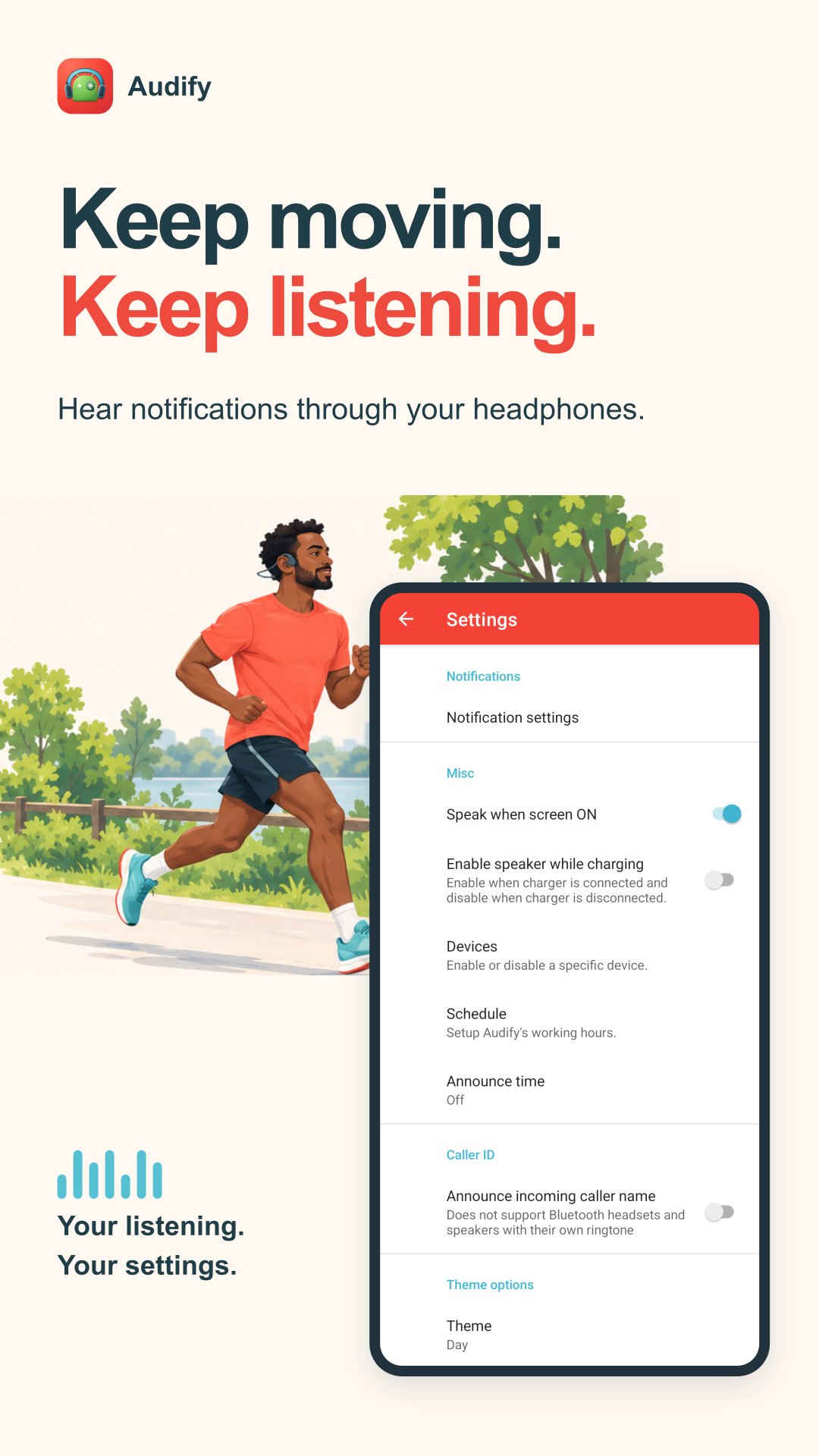
Enable headset mode for announcements when compatible headphones connect. Use speaker mode to hear updates through your phone.
Set automatic start and stop times, and choose how Audify behaves during Do Not Disturb. From a Wear OS watch, toggle headset or speaker mode.
Hear who is calling
Enable caller name announcements to hear incoming caller information without checking the screen.
Caller ID requires additional permissions and has limitations with Bluetooth headsets and speakers that use their own ringtone.
Try Audify, then go unlimited
Use your free allowance to try Audify with your apps and audio devices.
Upgrade to Audify Pro to keep listening after your allowance ends:
• Unlimited notification announcements.
• Scheduled time announcements to hear the time throughout your day.
• Keyword selection to announce only notifications containing your chosen words.
Choose a monthly or yearly subscription. See the app for current pricing and plan details.
Getting started
Grant notification access, choose the apps you want to hear and enable headset or speaker mode.
Audify reads the notification content made available by Android and each app. Available content can vary with your device and notification settings.
📰 Story behind Audify
Part 1 - https://goo.gl/1WurzH
Part 2 - https://goo.gl/VJfWqJ
معاينة
العلامات
Maps-&معلومة
مطور
Codeseed (Formerly Appkiddo)
احدث اصدار
7.4.1
آخر تحديث
2026-11-01
فئة
Maps-navigation
متاح على
Google Play
أظهر المزيد
كيف تلعب Audify Notification Announcer مع GameLoop على جهاز الكمبيوتر
1. قم بتنزيل GameLoop من الموقع الرسمي ، ثم قم بتشغيل ملف exe لتثبيت GameLoop.
2. افتح GameLoop وابحث عن "Audify Notification Announcer" ، وابحث عن Audify Notification Announcer في نتائج البحث وانقر على "تثبيت".
3. استمتع بلعب Audify Notification Announcer على GameLoop.
Minimum requirements
OS
Windows 8.1 64-bit or Windows 10 64-bit
GPU
GTX 1050
CPU
i3-8300
Memory
8GB RAM
Storage
1GB available space
Recommended requirements
OS
Windows 8.1 64-bit or Windows 10 64-bit
GPU
GTX 1050
CPU
i3-9320
Memory
16GB RAM
Storage
1GB available space