Offline Map Navigation PC
VirtualMaze
قم بتنزيل Offline Map Navigation على جهاز الكمبيوتر باستخدام GameLoop Emulator
Offline Map Navigation على الكمبيوتر الشخصي
Offline Map Navigation ، القادم من المطور VirtualMaze ، يعمل على نظام Android في الماضي.
الآن ، يمكنك لعب Offline Map Navigation على جهاز الكمبيوتر باستخدام GameLoop بسلاسة.
قم بتنزيله في مكتبة GameLoop أو في نتائج البحث. لا مزيد من الانتباه إلى البطارية أو المكالمات المحبطة في الوقت الخطأ بعد الآن.
ما عليك سوى الاستمتاع بجهاز Offline Map Navigation على الشاشة الكبيرة مجانًا!
Offline Map Navigation مقدمة
Ever get stuck with no signal? Download offline maps and use GPS navigation anywhere — even without internet.
Offline Map Navigation gives turn-by-turn directions, offline place search, and reliable routing for driving, biking, cycling, or walking.
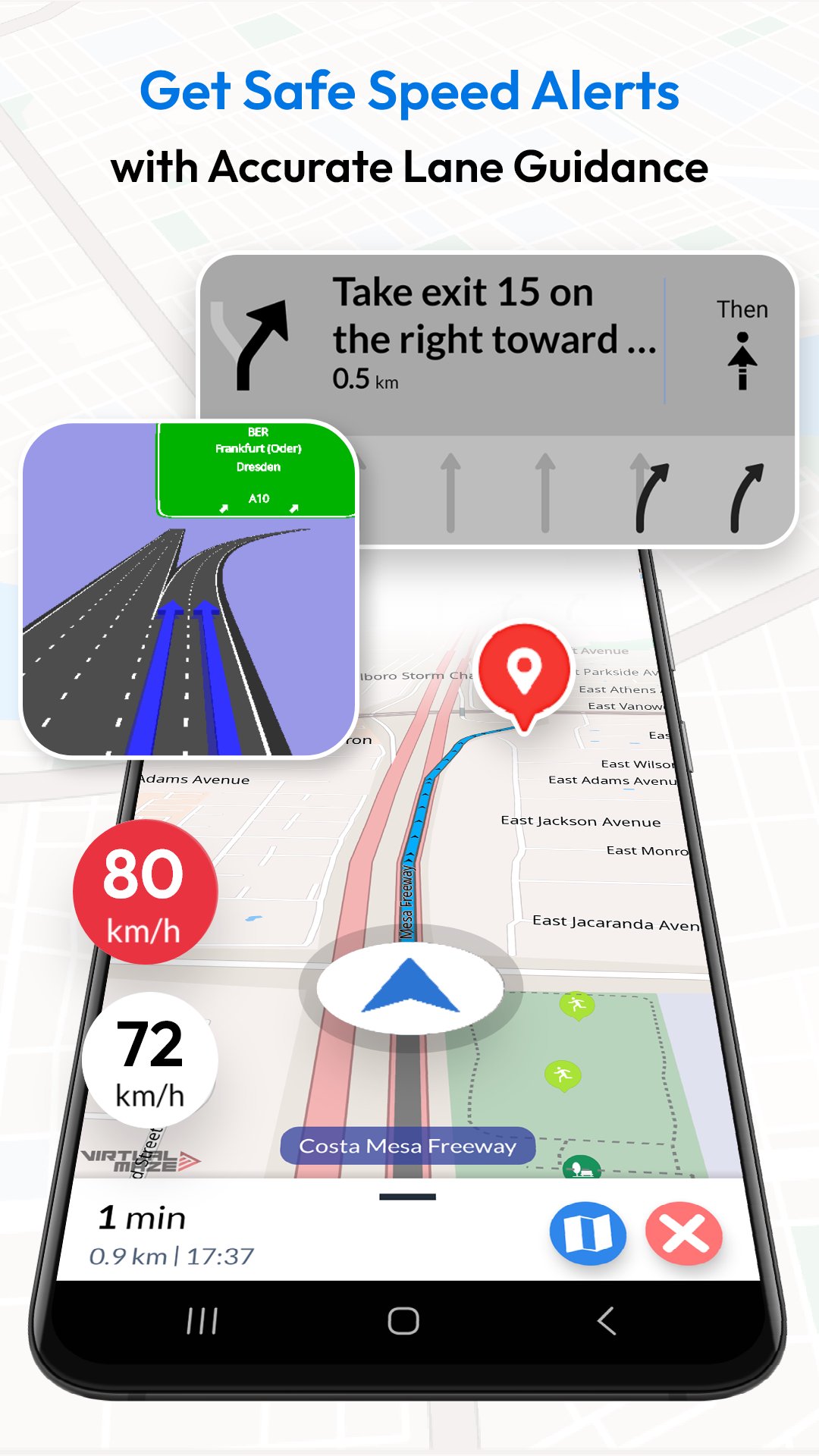
Drive more confidently with Lane Guidance (lane assist / lane assistance) and Junction View for highway exits and complex interchanges. Use Android Auto navigation on your car’s display for safer, hands-free in-car navigation (also supports Android Automotive OS).
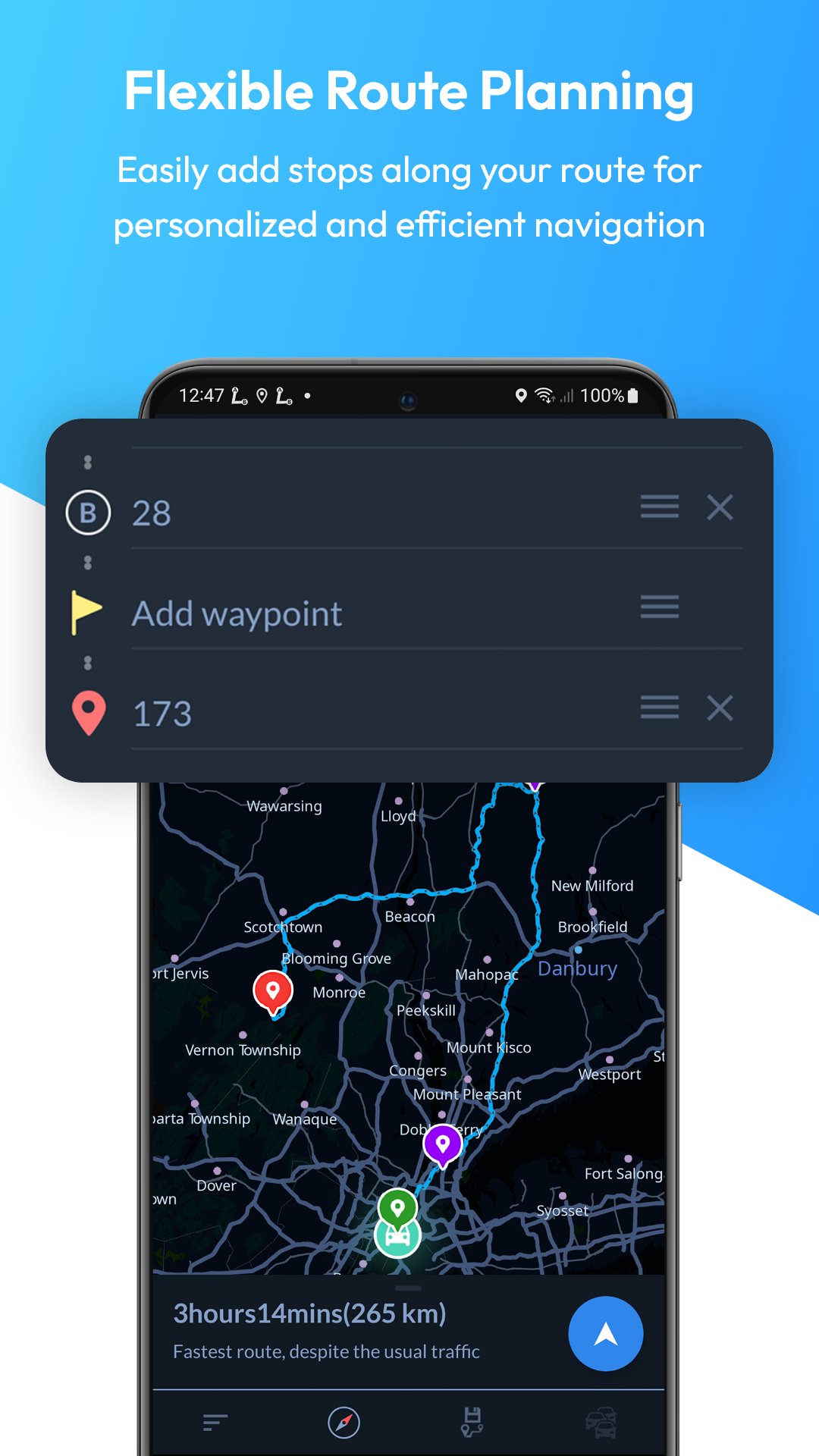
Plan trips faster: search offline for nearby hotels, restaurants and other points of interest, add multiple stops, and get precise ETA — plus weather updates when you’re online.
KEY FEATURES
OFFLINE MAPS + OFFLINE SEARCH
• Downloadable offline maps: Save maps to your phone and navigate without internet.
• Offline search: Find places and addresses offline.
• Offline points of interest (POI): Hotels, restaurants, hospitals, ATMs, banks, EV charging stations, shopping and more.
TURN-BY-TURN GPS NAVIGATION
• Turn-by-turn navigation: Clear route instructions with accurate GPS positioning.
• Voice guidance: Spoken directions in multiple languages.
• Automatic rerouting: Instant recalculation if you miss a turn.
• Alternative routes: Choose the route that fits your trip.
LANE ASSIST + JUNCTION VIEW (HIGHWAY HELP)
• Lane guidance / lane assistance (lane assist): Know which lane to be in before a turn.
• Junction view: See upcoming junctions and interchanges more clearly.
• Exit guidance: Better confidence at complex intersections and highway exits.
ROUTE PLANNING + SAFETY
• Multi-stop routes: Add multiple way-points for optimized paths and precise ETA.
• Share routes: Share route instructions easily.
• Save locations: Store favorites for quick access.
• Over-speed alerts: Helpful speed warnings (where available).
• Day & night mode: Clear navigation anytime.
EV + TRAVEL EXTRAS
• EV routing: Includes charging station information for electric vehicles.
• Weather updates: See weather details for your location when online.
• Target compass: Navigate directly to a destination.
ANDROID AUTO + DEVICES
• Android Auto & Android Automotive: In-car navigation on your car display.
• Wear OS: Turn-by-turn navigation on your smartwatch.
WHY CHOOSE OFFLINE MAP NAVIGATION?
• Offline maps for travel: Avoid roaming costs and navigate without signal.
• Faster trip planning: Offline search + saved places + multi-stop routing.
• Clear highway guidance: Lane assist (lane guidance) + junction view.
• User-friendly: Simple, intuitive navigation UI.
SUBSCRIPTIONS (if applicable)
• You can manage or cancel subscriptions anytime in Google Play → Payments & subscriptions.
WEAR OS SETUP
1) Install the app on your Android phone and Wear OS watch.
2) Open the app on both devices and complete setup.
3) Start navigation on your phone.
4) Get turn-by-turn directions on your watch.
DISCLAIMER
Offline Map Navigation is a GPS-based app. Location permission is needed to show your position and provide navigation guidance. If you allow background location, the app may access location while running in the background for accurate navigation updates. You can control permissions anytime in Android settings.
معاينة
العلامات
Maps-&معلومة
مطور
VirtualMaze
احدث اصدار
2.6.0.1
آخر تحديث
2026-07-09
فئة
Maps-navigation
متاح على
Google Play
أظهر المزيد
كيف تلعب Offline Map Navigation مع GameLoop على جهاز الكمبيوتر
1. قم بتنزيل GameLoop من الموقع الرسمي ، ثم قم بتشغيل ملف exe لتثبيت GameLoop.
2. افتح GameLoop وابحث عن "Offline Map Navigation" ، وابحث عن Offline Map Navigation في نتائج البحث وانقر على "تثبيت".
3. استمتع بلعب Offline Map Navigation على GameLoop.
Minimum requirements
OS
Windows 8.1 64-bit or Windows 10 64-bit
GPU
GTX 1050
CPU
i3-8300
Memory
8GB RAM
Storage
1GB available space
Recommended requirements
OS
Windows 8.1 64-bit or Windows 10 64-bit
GPU
GTX 1050
CPU
i3-9320
Memory
16GB RAM
Storage
1GB available space