
Gantt Chart – WBS Planner PC
narusat
گیم لوپ ایمولیٹر کے ساتھ PC پر Gantt Chart – WBS Planner ڈاؤن لوڈ کریں۔
پی سی پر Gantt Chart – WBS Planner
Gantt Chart – WBS Planner، جو ڈویلپر narusat سے آرہا ہے، ماضی میں اینڈرائیڈ سسٹم پر چل رہا ہے۔
اب، آپ پی سی پر Gantt Chart – WBS Planner آسانی سے GameLoop کے ساتھ چلا سکتے ہیں۔
اسے GameLoop لائبریری یا تلاش کے نتائج میں ڈاؤن لوڈ کریں۔ مزید غلط وقت پر بیٹری یا مایوس کن کالوں پر نظر نہیں ڈالی جائے گی۔
بس بڑی سکرین پر Gantt Chart – WBS Planner PC کا مفت میں لطف اٹھائیں!
Gantt Chart – WBS Planner تعارف
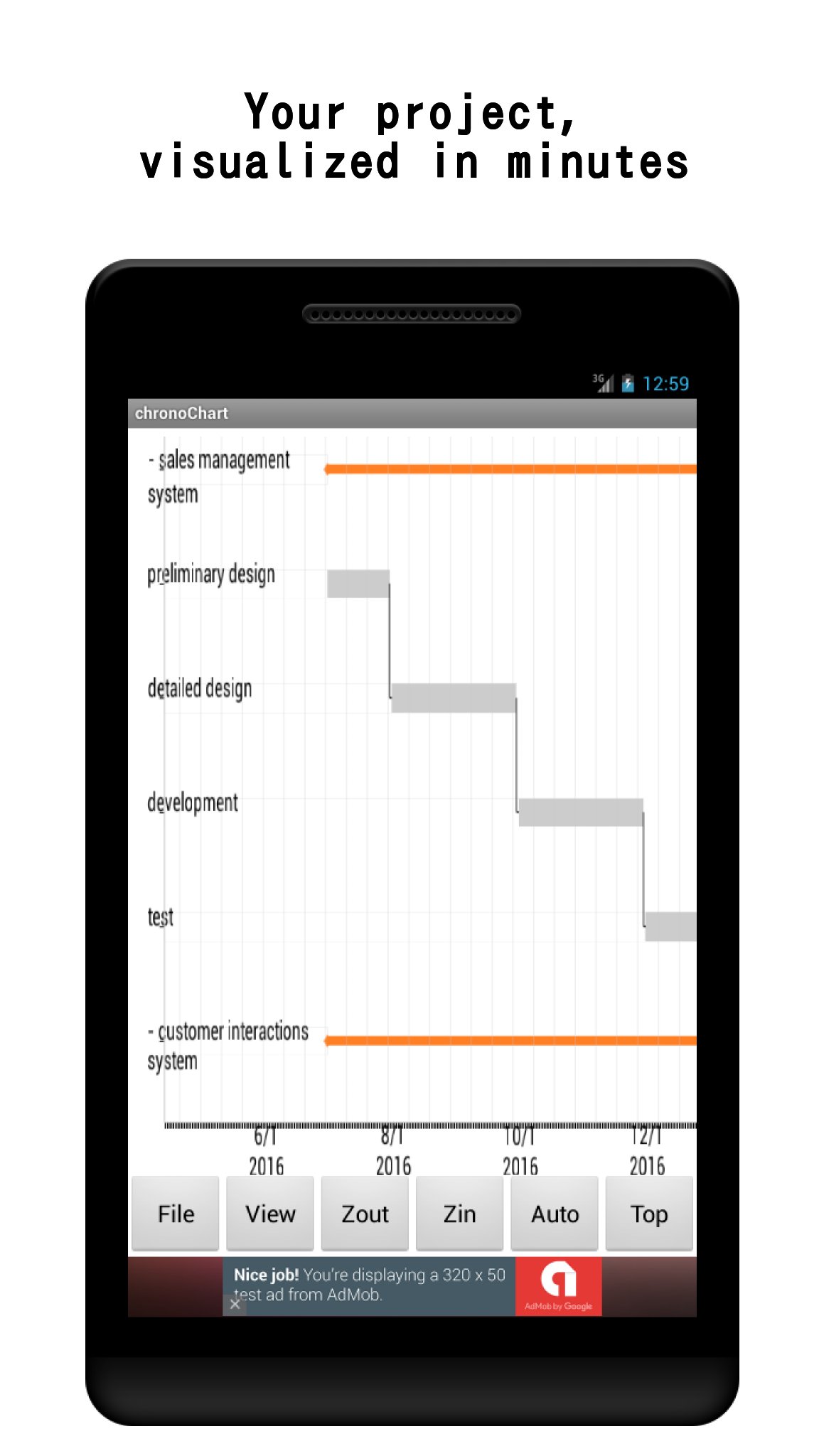
Turn your task list into a clear visual schedule — right on your phone or tablet.
Gantt Chart is a lightweight project planner for anyone who needs a WBS on the go: engineers, students, freelancers, and small teams. Sketch out a plan in minutes, track progress day by day, and share the result as a PDF or through the cloud.
WHY GANTT CHART?
- Fast to start — create a project, add tasks, and see the chart immediately. No account needed for local use.
- Everything in one place — Gantt chart, task list, To-Do list, and memo pad, so planning and daily execution live together.
- Works offline — your projects are stored on your device. Cloud sharing is optional.
PLAN VISUALLY
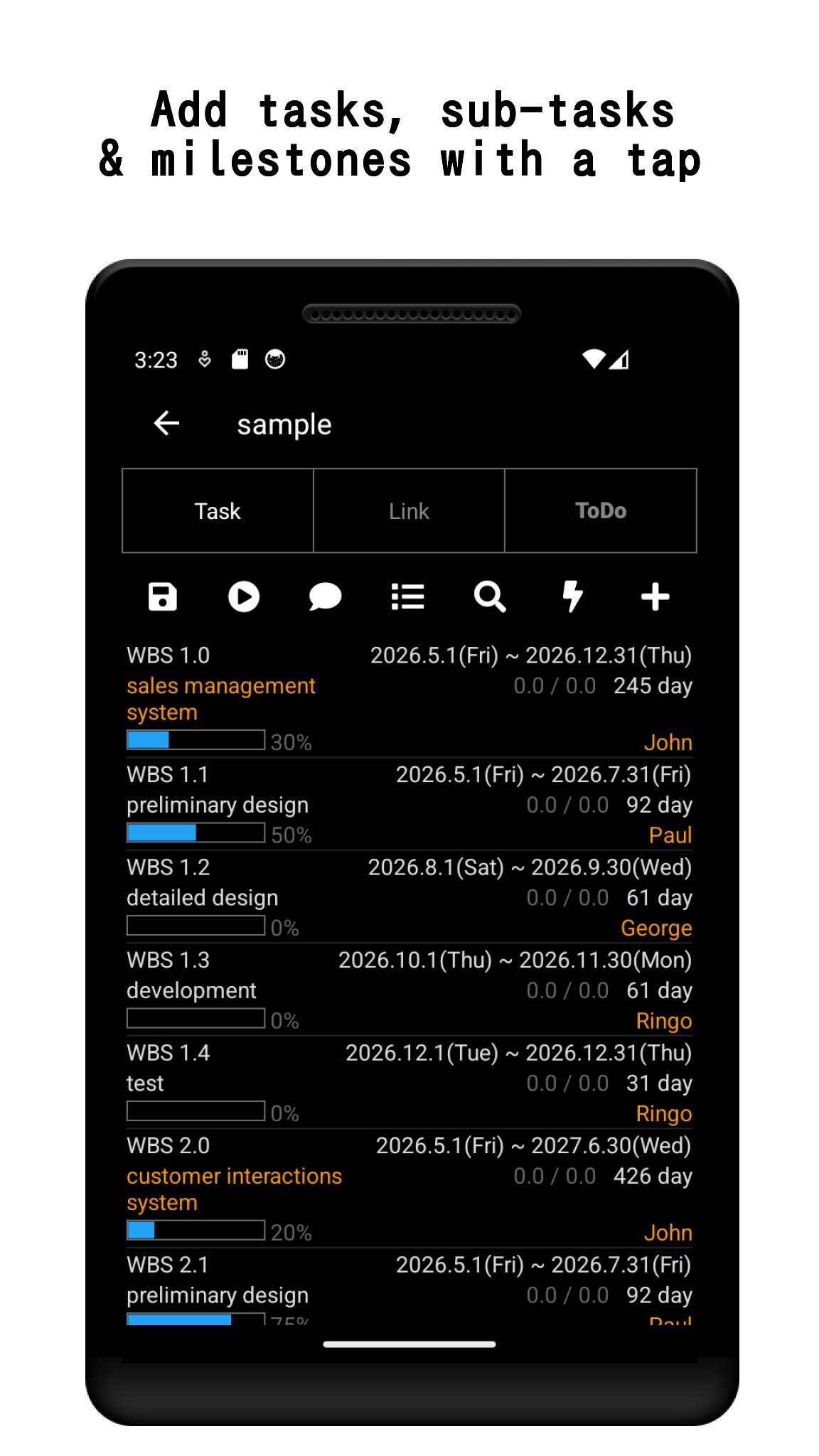
- Create tasks, sub-tasks, and milestones, and arrange them on the timeline.
- Draw dependency links between tasks. Invalid links are highlighted in red so schedule conflicts are easy to spot.
- Pinch to zoom, swipe to scroll, and fold sub-tasks to keep large projects readable.
- Parent task progress can sync automatically from its sub-tasks.
TRACK & FILTER
- Update progress (%) per task and see it reflected on the chart.
- Filter tasks by date, progress, or assignee to focus on what matters today.
- A summary table gives you an overview of all tasks and links at a glance.
SHARE YOUR PLAN
- Export the chart as a PDF to send to teammates or clients.
- Receive shared projects from other users via the cloud service (registration required only for cloud features). With Premium, you can also upload your own projects to the cloud.
- Set push-notification reminders so deadlines never sneak up on you.
STAY ORGANIZED DAY TO DAY
- Built-in To-Do list with one-tap status switching.
- Memo pad for meeting notes and ideas, kept alongside your project.
FREE VERSION & PREMIUM
The free version includes all planning features, with up to 3 projects and cloud download (read-only sharing).
A one-time Premium purchase unlocks:
- Unlimited projects
- Uploading your projects to the cloud
- No ads
—
This app uses AChartEngine (Apache 2.0 License).
http://www.apache.org/licenses/LICENSE-2.0
پیش نظارہ
ٹیگز
پیداواری صلاحیتمعلومات
ڈویلپر
narusat
تازہ ترین ورژن
12.3
آخری تازہ کاری
2026-08-29
قسم
پیداواری صلاحیت
پر دستیاب ہے۔
Google Play
مزید دکھائیں
پی سی پر گیم لوپ کے ساتھ Gantt Chart – WBS Planner کیسے کھیلا جائے۔
1. آفیشل ویب سائٹ سے گیم لوپ ڈاؤن لوڈ کریں، پھر گیم لوپ انسٹال کرنے کے لیے exe فائل چلائیں۔
2. گیم لوپ کھولیں اور "Gantt Chart – WBS Planner" تلاش کریں، تلاش کے نتائج میں Gantt Chart – WBS Planner تلاش کریں اور "انسٹال کریں" پر کلک کریں۔
3. گیم لوپ پر Gantt Chart – WBS Planner کھیلنے کا لطف اٹھائیں۔
Minimum requirements
OS
Windows 8.1 64-bit or Windows 10 64-bit
GPU
GTX 1050
CPU
i3-8300
Memory
8GB RAM
Storage
1GB available space
Recommended requirements
OS
Windows 8.1 64-bit or Windows 10 64-bit
GPU
GTX 1050
CPU
i3-9320
Memory
16GB RAM
Storage
1GB available space