
Sketch Camera - Pencil Sketch PC
DeepStudio
گیم لوپ ایمولیٹر کے ساتھ PC پر Sketch Camera - Pencil Sketch ڈاؤن لوڈ کریں۔
پی سی پر Sketch Camera - Pencil Sketch
Sketch Camera - Pencil Sketch، جو ڈویلپر DeepStudio سے آرہا ہے، ماضی میں اینڈرائیڈ سسٹم پر چل رہا ہے۔
اب، آپ پی سی پر Sketch Camera - Pencil Sketch آسانی سے GameLoop کے ساتھ چلا سکتے ہیں۔
اسے GameLoop لائبریری یا تلاش کے نتائج میں ڈاؤن لوڈ کریں۔ مزید غلط وقت پر بیٹری یا مایوس کن کالوں پر نظر نہیں ڈالی جائے گی۔
بس بڑی سکرین پر Sketch Camera - Pencil Sketch PC کا مفت میں لطف اٹھائیں!
Sketch Camera - Pencil Sketch تعارف
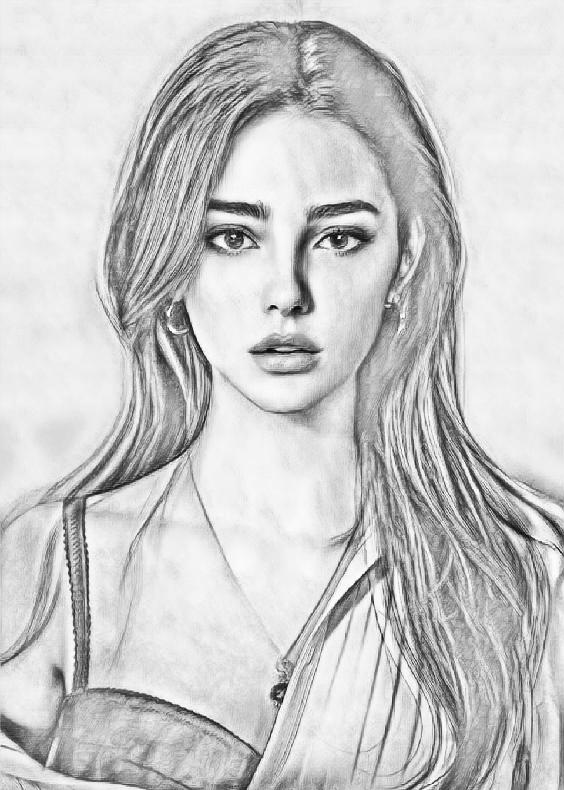
Sketch Camera is an easy-to-use photo editor to make you an artist by creating Sketch Photos from your photos!
You can pick a picture from your gallery or capture one with your camera to generate the sketch. Both black-white and color photo sketch can be easily created by just one button click.
Sketch Camera provides four styles: "Pencil", "Sketch", "Cartoon" and "Comic". "Pencil" style creates Sketch Cameraes with smooth edges and curves, which is a perfect choice if you like handmade drawings and paintings. "Sketch" style creates photo sketch with accurate contour.
It works great for portrait photos taken from your selfie camera, and you will get a lot of extra attention after posting them to your social channels. "Comic" style works generally on any kind of photos, as it is a simple style which generates comic-book style images.
Sketch Camera is also a powerful all-in-one photo editor and drawing tool. Sketch Camera is the best way to transform your photos into works of art and to express your creativity with the world.
Features in photo editor:
- One-tap auto enhance
- Gorgeous photo effects, filters and frames
- Fun stickers
- Adjust exposure, contrast, color temperature, and saturation
- Photo sharpness
- Draw and add text
Saving photo sketch can be done easily by a single touch of a button. Sharing your edited photo is also supported. Sketch and cartoon photos can be shared from Facebook, Twitter, E-mail, Message, etc.
All the photo editing tools are available offline, so you don't need network connection in order to use this app.
پیش نظارہ

ٹیگز
فوٹوگرافیمعلومات
ڈویلپر
DeepStudio
تازہ ترین ورژن
1.4
آخری تازہ کاری
2022-09-29
قسم
فوٹوگرافی
پر دستیاب ہے۔
Google Play
مزید دکھائیں
پی سی پر گیم لوپ کے ساتھ Sketch Camera - Pencil Sketch کیسے کھیلا جائے۔
1. آفیشل ویب سائٹ سے گیم لوپ ڈاؤن لوڈ کریں، پھر گیم لوپ انسٹال کرنے کے لیے exe فائل چلائیں۔
2. گیم لوپ کھولیں اور "Sketch Camera - Pencil Sketch" تلاش کریں، تلاش کے نتائج میں Sketch Camera - Pencil Sketch تلاش کریں اور "انسٹال کریں" پر کلک کریں۔
3. گیم لوپ پر Sketch Camera - Pencil Sketch کھیلنے کا لطف اٹھائیں۔
Minimum requirements
OS
Windows 8.1 64-bit or Windows 10 64-bit
GPU
GTX 1050
CPU
i3-8300
Memory
8GB RAM
Storage
1GB available space
Recommended requirements
OS
Windows 8.1 64-bit or Windows 10 64-bit
GPU
GTX 1050
CPU
i3-9320
Memory
16GB RAM
Storage
1GB available space