
PZPIC Pan & Zoom Effect Video PC
PHOTO3DLAB
گیم لوپ ایمولیٹر کے ساتھ PC پر PZPIC Pan & Zoom Effect Video ڈاؤن لوڈ کریں۔
پی سی پر PZPIC Pan & Zoom Effect Video
PZPIC Pan & Zoom Effect Video، جو ڈویلپر PHOTO3DLAB سے آرہا ہے، ماضی میں اینڈرائیڈ سسٹم پر چل رہا ہے۔
اب، آپ پی سی پر PZPIC Pan & Zoom Effect Video آسانی سے GameLoop کے ساتھ چلا سکتے ہیں۔
اسے GameLoop لائبریری یا تلاش کے نتائج میں ڈاؤن لوڈ کریں۔ مزید غلط وقت پر بیٹری یا مایوس کن کالوں پر نظر نہیں ڈالی جائے گی۔
بس بڑی سکرین پر PZPIC Pan & Zoom Effect Video PC کا مفت میں لطف اٹھائیں!
PZPIC Pan & Zoom Effect Video تعارف
What is PZPIC?
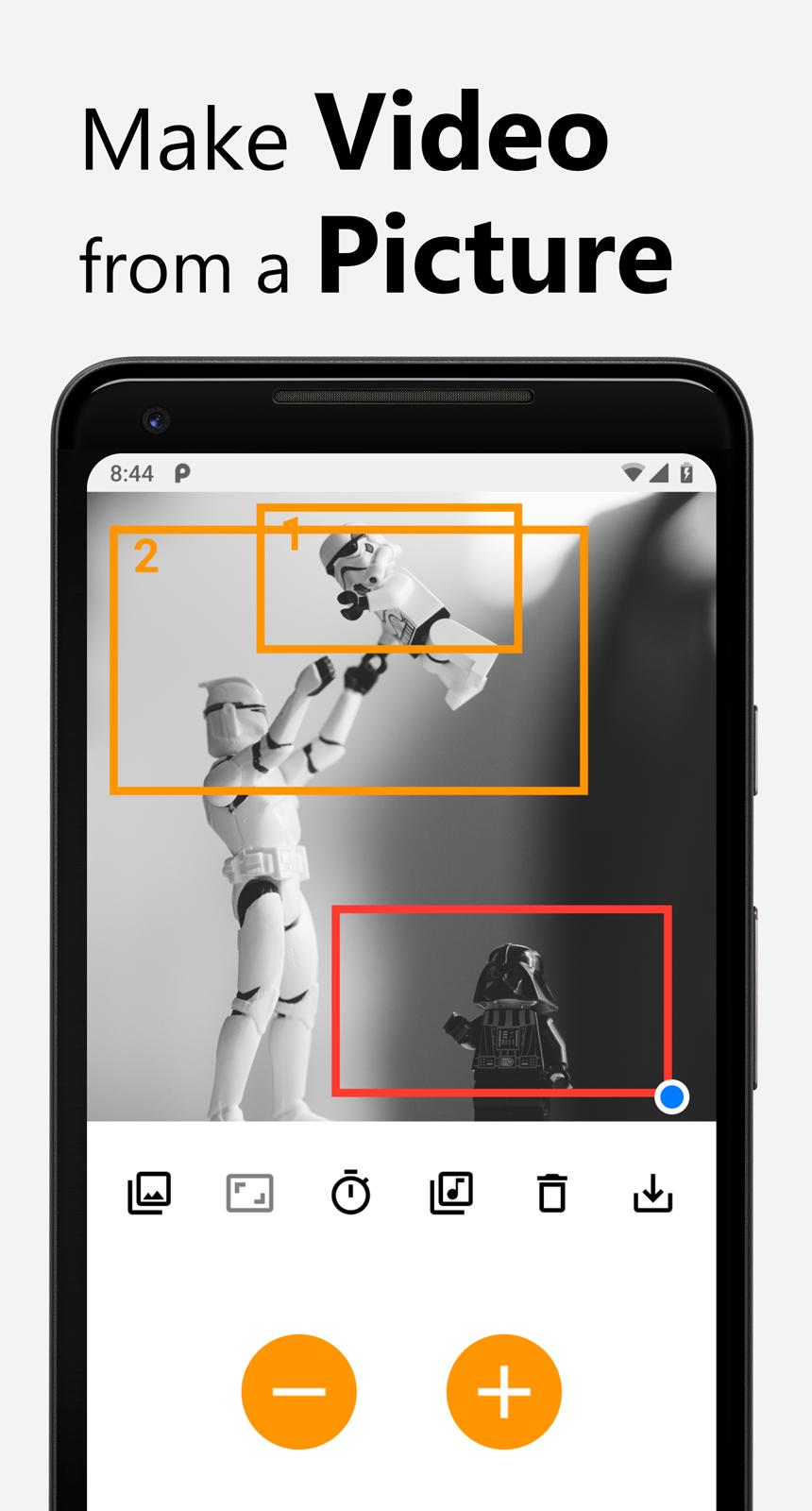
PZPIC is a video maker that lets you make beautiful videos from a single picture by adding pan and zoom effect (known as the Ken Burns effect).
What is the Ken Burns effect?
The Ken Burns effect, also known as "animatics", is panning and zooming effect used in motion picture production from a still photograph. The Ken Burns effect uses slow zooming and panning motion effect to a static image.
Bring Your Photos to Life with PZPIC: Pan, Zoom & Create Stunning Videos!
Transform your static images into captivating stories with PZPIC, the ultimate video maker for photos.
Unleash your creativity
▪ Pan & Zoom: Simulate the cinematic "Ken Burns effect" by adding panning and zooming movements to your photos
▪ Face Zoom: Highlight emotions and details with smooth facial zooming
▪ Panoramic Effect (Pano Effect): Create a sweeping panorama feel from a single picture
▪ Scrolling Picture & Scrolling Story: Breathe life into landscapes, paintings, or illustrations with a scrolling effect
▪ Displace Effect: Add a dynamic touch with subtle warping and movement
Effortless storytelling
▪ Aspect Ratio & Crop Ratio: Choose the perfect frame size for your video, from Instagram-ready squares to widescreen landscapes
▪ Music & Audio: Add a soundtrack to enhance the atmosphere of your creation
▪ Save as MP4: Export your masterpiece in high-quality MP4 format, ready to share on social media or anywhere you desire
PZPIC is perfect for
▪ Photographers
▪ Artists
▪ Storytellers
▪ Anyone who wants to add magic to their photos!
Download PZPIC today and start creating stunning videos that will amaze your audience!
Why PZPIC?
PZPIC is more than just a photo editing app. It's a storytelling tool that allows you to capture and share your memories in a way that's both beautiful and engaging. With its powerful features and easy-to-use interface, PZPIC is perfect for anyone looking to create stunning panoramic images and stories.
Unleash your creativity with PZPIC, the ultimate app for transforming your photos into captivating panoramic stories. Whether you're an artist, photographer, or simply someone who loves telling stories through pictures, PZPIC is designed for you.
How does PZPIC work?
Using PZPIC is easy, intuitive and fun.
1. Select a picture from gallery
2. Select an aspect ratio of your video to be made
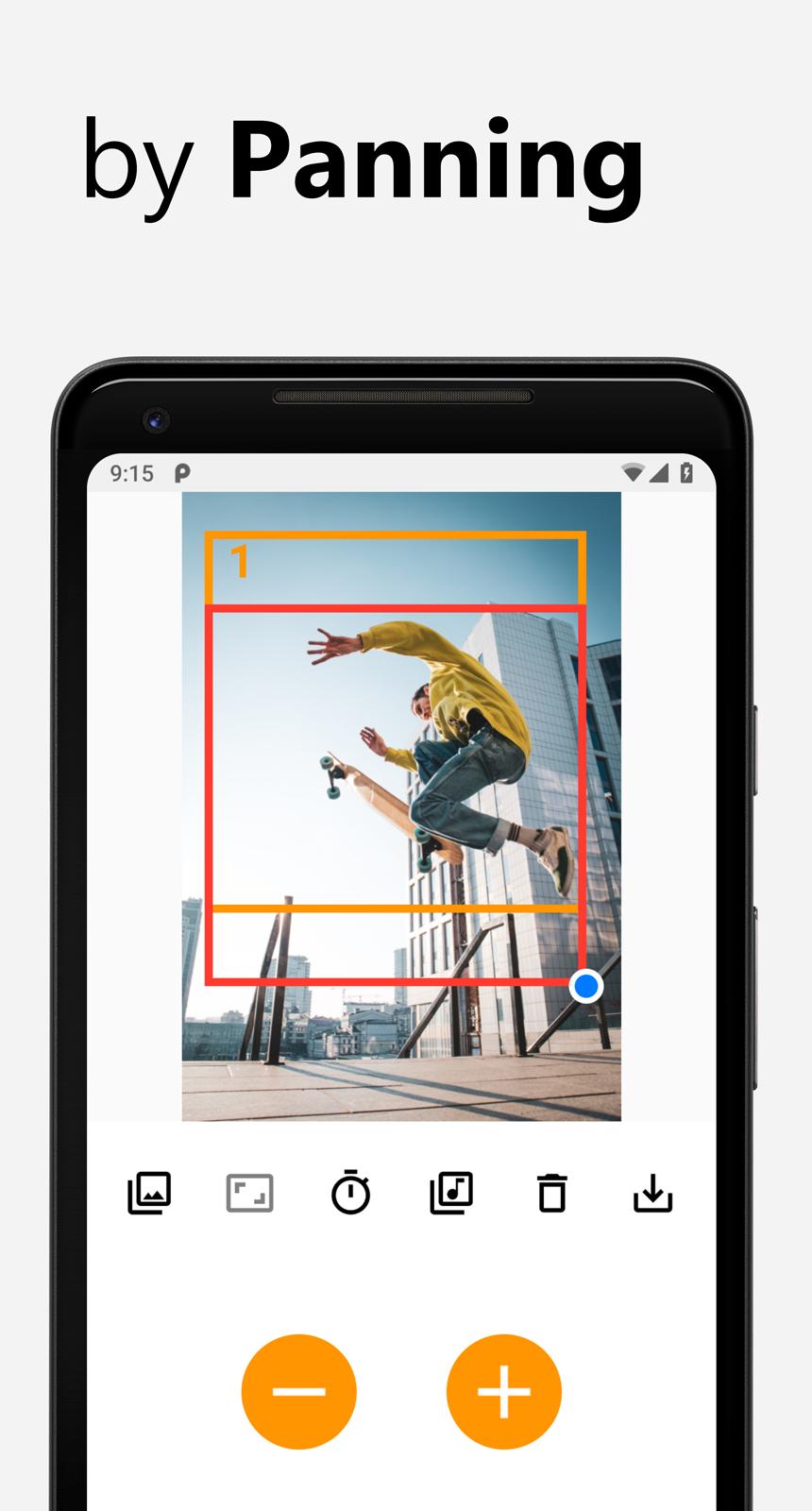
3. Select keyframes in the picture by panning & zooming the red rectangle
4. Press plus ➕ button to add the keyframe (press Minus ➖ button to remove added keyframe)
5. Select delay for the keyframes (delay for keyframes and moving speed between keyframes)
6. (optional) Select music for the video
7. Save as MP4
Buttons
▪ Gallery: open gallery to select an image
▪ Aspect ratio: select 4:3, 16:9, 1:1 square (Instagram feed), 3:4, 4:5, or 9:16 for Instagram Story, Reels, YouTube Shorts, Snapchat, and TikTok
▪ Timer: select delay
▪ Music: select music for your video
▪ Trash can: delete all keyframes / remove current picture
▪ Save: save the video as mp4
▪ Plus ➕ button: add a keyframe
▪ Minus ➖ button: remove a keyframe
Premium
▪ No watermark
▪ No Ads
▪ HD 1080p
▪ Bicubic interpolation
#PZPIC
Make sure add the hashtag #pzpic or tag @pzpicapp to your Instagram post for your chance to be featured on our Instagram.
پیش نظارہ
ٹیگز
فوٹوگرافیمعلومات
ڈویلپر
PHOTO3DLAB
تازہ ترین ورژن
1.12.1
آخری تازہ کاری
2025-10-12
قسم
فوٹوگرافی
پر دستیاب ہے۔
Google Play
مزید دکھائیں
پی سی پر گیم لوپ کے ساتھ PZPIC Pan & Zoom Effect Video کیسے کھیلا جائے۔
1. آفیشل ویب سائٹ سے گیم لوپ ڈاؤن لوڈ کریں، پھر گیم لوپ انسٹال کرنے کے لیے exe فائل چلائیں۔
2. گیم لوپ کھولیں اور "PZPIC Pan & Zoom Effect Video" تلاش کریں، تلاش کے نتائج میں PZPIC Pan & Zoom Effect Video تلاش کریں اور "انسٹال کریں" پر کلک کریں۔
3. گیم لوپ پر PZPIC Pan & Zoom Effect Video کھیلنے کا لطف اٹھائیں۔
Minimum requirements
OS
Windows 8.1 64-bit or Windows 10 64-bit
GPU
GTX 1050
CPU
i3-8300
Memory
8GB RAM
Storage
1GB available space
Recommended requirements
OS
Windows 8.1 64-bit or Windows 10 64-bit
GPU
GTX 1050
CPU
i3-9320
Memory
16GB RAM
Storage
1GB available space