Auto Photo Stamper PC
SFV Infotech
گیم لوپ ایمولیٹر کے ساتھ PC پر Auto Photo Stamper ڈاؤن لوڈ کریں۔
پی سی پر Auto Photo Stamper
Auto Photo Stamper، جو ڈویلپر SFV Infotech سے آرہا ہے، ماضی میں اینڈرائیڈ سسٹم پر چل رہا ہے۔
اب، آپ پی سی پر Auto Photo Stamper آسانی سے GameLoop کے ساتھ چلا سکتے ہیں۔
اسے GameLoop لائبریری یا تلاش کے نتائج میں ڈاؤن لوڈ کریں۔ مزید غلط وقت پر بیٹری یا مایوس کن کالوں پر نظر نہیں ڈالی جائے گی۔
بس بڑی سکرین پر Auto Photo Stamper PC کا مفت میں لطف اٹھائیں!
Auto Photo Stamper تعارف
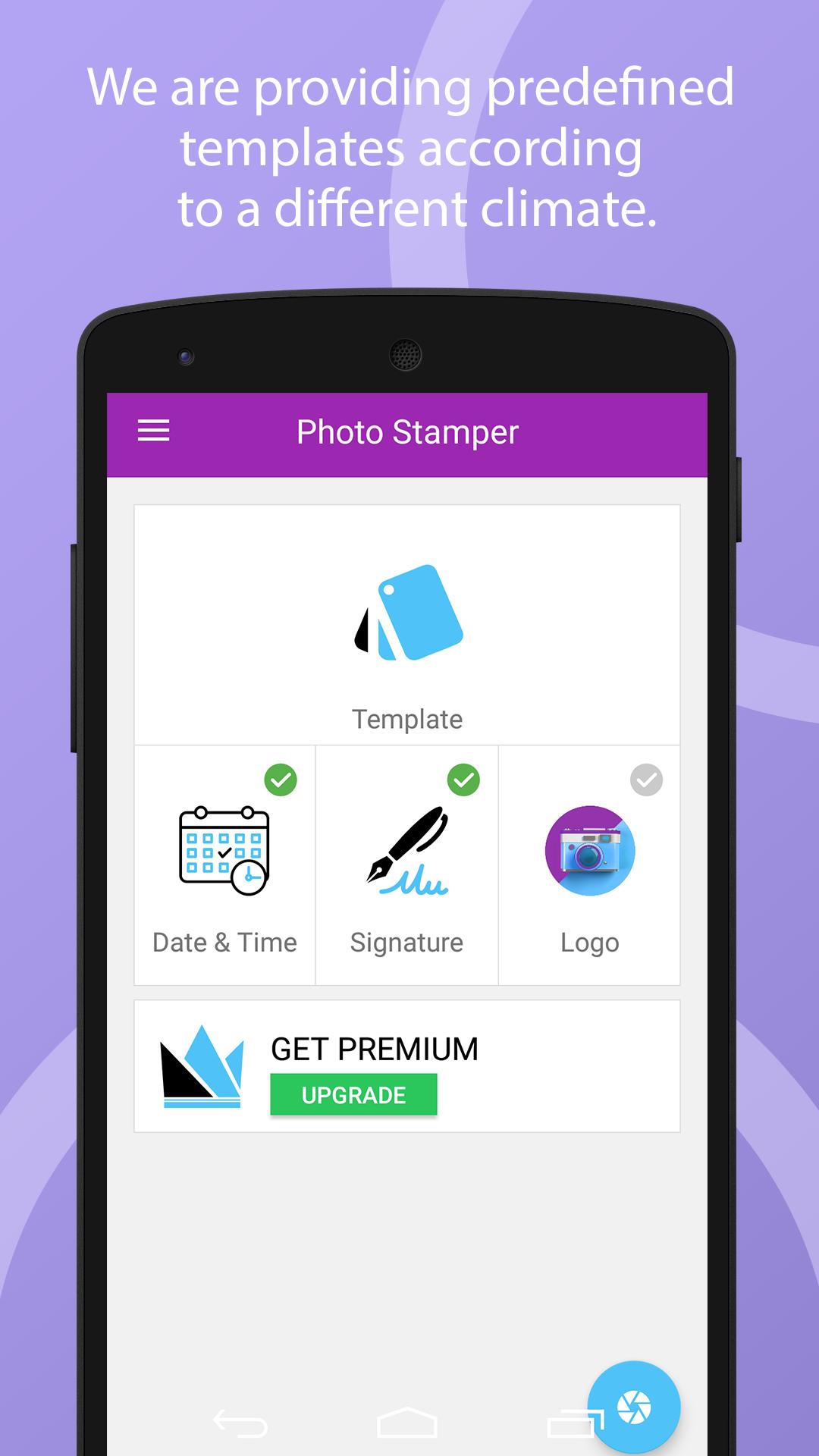
Photo Stamper app helps you to add Date & Time, Signature and Logo to your camera images with providing a hassle-free environment.
Date & Time
• You can add Date & Time with customization of the following parameter.
• You can customize Date & Time formats.
• You can show either Date or Time also.
• You can customize font size depending on your requirements.
• You can change font style with the use of predefined font style list.
• You can change the position as per your requirement.
• You can change the Date & Time colour as per your current climate.
Signature
• You can add Signature with customization of the following parameter.
• You can manually input signature text.
• You can customize the signature font size depending on your requirements.
• You can change the signature font style with the use of a predefined font style list.
• You can change the signature position as per your requirement.
• you can change the signature colour as per your current climate.
Logo
• You can add Logo with customization of the following parameter.
• You can manually set the logo from your gallery.
• Cropping is also provided if you need to crop the gallery image for the logo.
• You can change the logo position as per your requirement.
• You can change the logo size as per your requirement.
Template (Themes)
• In Template, We are providing predefined templates according to a different climate.
• The predefined template climates are listed below.
Snowfalls View,
Beaches View,
Greenery View,
Sunset View,
Night View,
Mountain View,
Sea View etc.
• you can easily change the template with one click as per your climate.
پیش نظارہ
ٹیگز
فوٹوگرافیمعلومات
ڈویلپر
SFV Infotech
تازہ ترین ورژن
1.5
آخری تازہ کاری
2019-09-07
قسم
فوٹوگرافی
پر دستیاب ہے۔
Google Play
مزید دکھائیں
پی سی پر گیم لوپ کے ساتھ Auto Photo Stamper کیسے کھیلا جائے۔
1. آفیشل ویب سائٹ سے گیم لوپ ڈاؤن لوڈ کریں، پھر گیم لوپ انسٹال کرنے کے لیے exe فائل چلائیں۔
2. گیم لوپ کھولیں اور "Auto Photo Stamper" تلاش کریں، تلاش کے نتائج میں Auto Photo Stamper تلاش کریں اور "انسٹال کریں" پر کلک کریں۔
3. گیم لوپ پر Auto Photo Stamper کھیلنے کا لطف اٹھائیں۔
Minimum requirements
OS
Windows 8.1 64-bit or Windows 10 64-bit
GPU
GTX 1050
CPU
i3-8300
Memory
8GB RAM
Storage
1GB available space
Recommended requirements
OS
Windows 8.1 64-bit or Windows 10 64-bit
GPU
GTX 1050
CPU
i3-9320
Memory
16GB RAM
Storage
1GB available space