
TAXImet - Taximeter PC
TAXImet
گیم لوپ ایمولیٹر کے ساتھ PC پر TAXImet - Taximeter ڈاؤن لوڈ کریں۔
پی سی پر TAXImet - Taximeter
TAXImet - Taximeter، جو ڈویلپر TAXImet سے آرہا ہے، ماضی میں اینڈرائیڈ سسٹم پر چل رہا ہے۔
اب، آپ پی سی پر TAXImet - Taximeter آسانی سے GameLoop کے ساتھ چلا سکتے ہیں۔
اسے GameLoop لائبریری یا تلاش کے نتائج میں ڈاؤن لوڈ کریں۔ مزید غلط وقت پر بیٹری یا مایوس کن کالوں پر نظر نہیں ڈالی جائے گی۔
بس بڑی سکرین پر TAXImet - Taximeter PC کا مفت میں لطف اٹھائیں!
TAXImet - Taximeter تعارف
Notice: For newest Android version please do following setting in your phone:
Settings -> Apps -> Taximet -> Battery -> Battery optimization -> All apps -> Taximet -> Don't optimize.
Main features:
* Distance charge calculation
* Waiting charge calculation
* Configurable tariffs
* No internet requirement
* Easy to operate
* Print bill
* e-bill, SMS bill
* List of previous journeys
* Summary of journeys
* Tax computation
* Connect with customer app
* Security lock with a password
* Fare Announcement
Start using the App:
Place your mobile phone on Taxi dashboard.
Open the app, it will ask to enable the GPS Location.
Press Ok to proceed.
Taximeter Start button will be activated when good GPS signal is received.
Press Start button to start the Taximeter.
Press End button to stop the Taximeter.
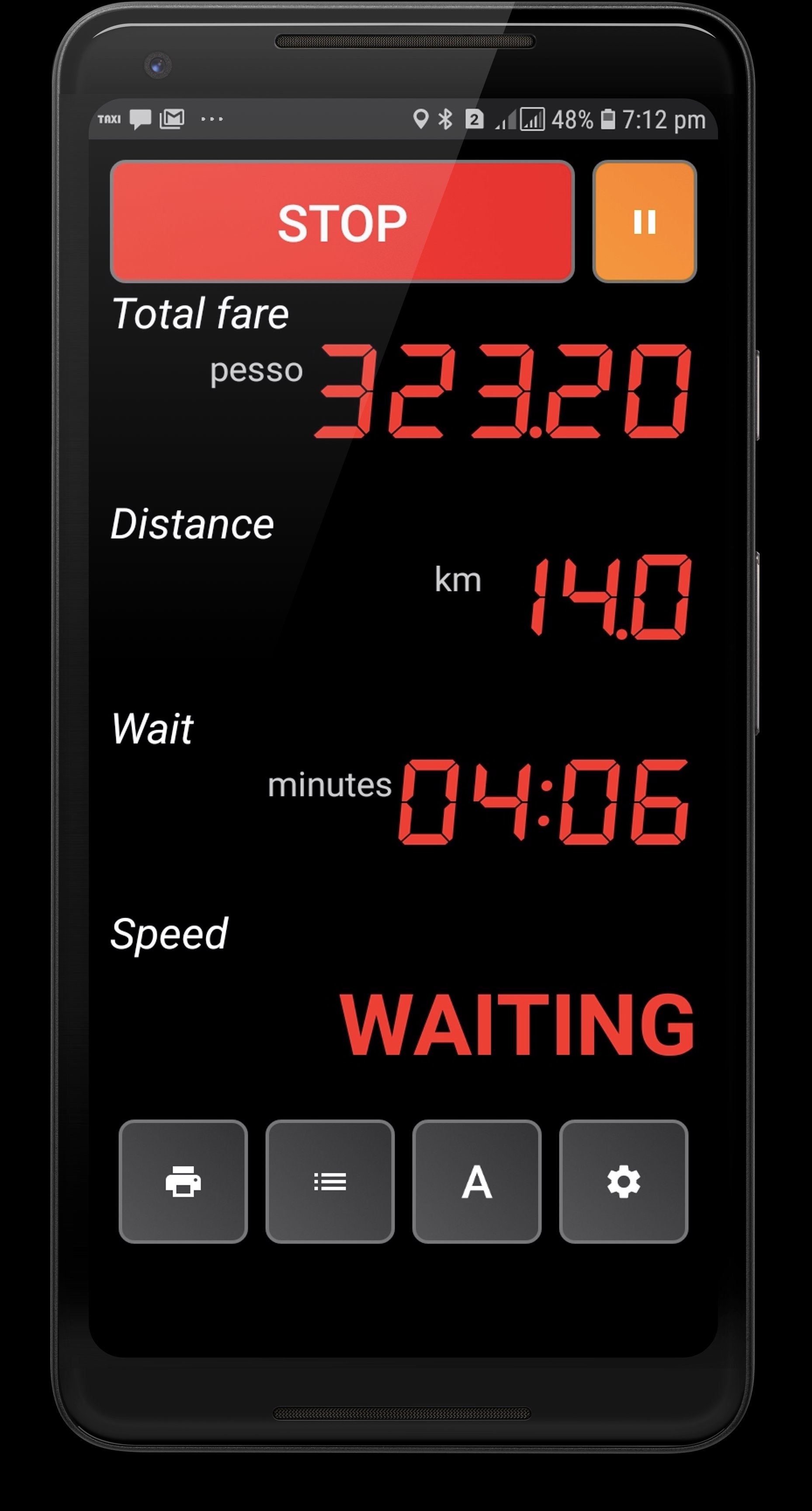
You can Pause or Resume the taximeter where necessary.
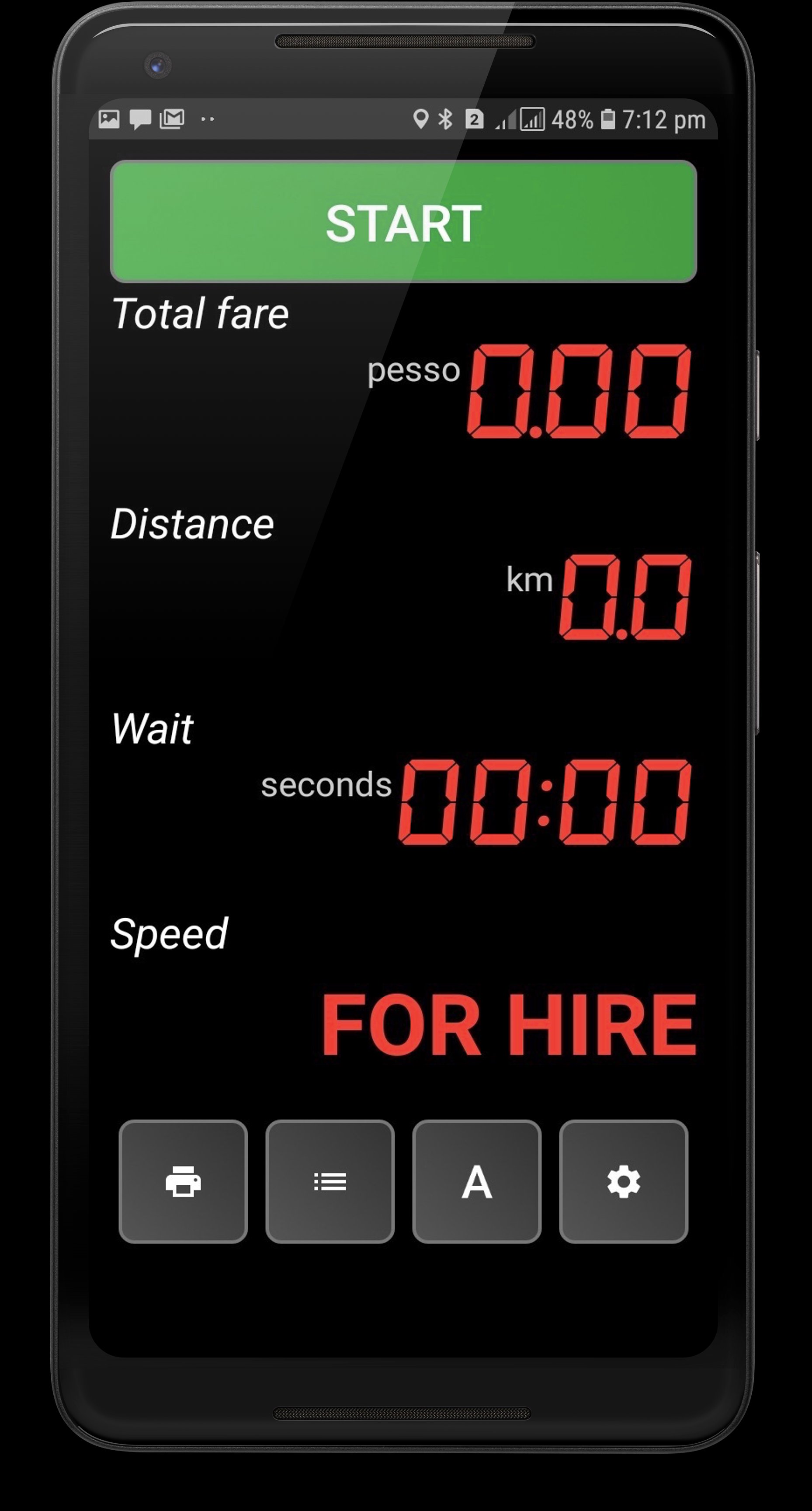
You can see the total fare, distance, time and taximeter status on the display.
There are four buttons at the bottom of the screen. Those are Print button, History button, Tariff change button and Settings button.
At Settings, you can adjust the currency, color theme, print settings, charging rates according to your area.
How to print a bill?
Turn on your portable Bluetooth thermal printer.
(Supported model: 58mm mini wireless Bluetooth thermal receipt printer support ESC/POS for Android mobile printer).
Turn on phone's Bluetooth. You must pair the Bluetooth printer with phone on the first run.
Press the print button on the taximeter app.
Press Connect Printer button.
From the list of Bluetooth devices, select your printer name or MAC address.
Printer will be added.
If successful, press Print button to start printing.
At Preview you can modify the invoice before printing.
How to view History (previous rides)?
Press the History List button on the taximeter app.
List of past rides will appear. The latest ride will be shown at the top.
Click on a ride to view the PDF bill.
You can delete a ride by long click on it.
There is a print button to provide print the selected trip.
Rides list can be filtered by time by specifying required time range.
Select the Summary check box to calculate the totals for selected period.
How to connect with customer app?
Visit Account Settings from settings menu
Register with your taxi and contact details.
Enable "Show taxi location" on the registration page
Ask your customers to install "TAXImet - Call Taxi" App
They can find your location and status and directly call to your phone number.
To remove Ads:
Enable internet them visit Purchases
Select Ads Removal. Complete the payment to remove ads.
To enable tracking:
Enable internet the visit Purchases
Select Tracking. Subscribe to enable frequent updates on the customer app.
App will run the background during calls or while using other apps.
For best results, we recommend to keep the phone on dashboard and keep the app open.
Please contact the developer for support or feature requests.
Attention: This app operates similar to a taximeter. Please check whether it satisfies your country's taxi regulations.
Important Notice: for Android 10 and above devices, Taximeter App could be closed by the OS when it is running in the background. To avoid this you may disable the Battery Optimization for the App.
Phone Settings -> Optimize battery usage> All apps -> TAXImet -> Disable optimize
پیش نظارہ
ٹیگز
Maps-&معلومات
ڈویلپر
TAXImet
تازہ ترین ورژن
5.4
آخری تازہ کاری
2025-11-11
قسم
Maps-navigation
پر دستیاب ہے۔
Google Play
مزید دکھائیں
پی سی پر گیم لوپ کے ساتھ TAXImet - Taximeter کیسے کھیلا جائے۔
1. آفیشل ویب سائٹ سے گیم لوپ ڈاؤن لوڈ کریں، پھر گیم لوپ انسٹال کرنے کے لیے exe فائل چلائیں۔
2. گیم لوپ کھولیں اور "TAXImet - Taximeter" تلاش کریں، تلاش کے نتائج میں TAXImet - Taximeter تلاش کریں اور "انسٹال کریں" پر کلک کریں۔
3. گیم لوپ پر TAXImet - Taximeter کھیلنے کا لطف اٹھائیں۔
Minimum requirements
OS
Windows 8.1 64-bit or Windows 10 64-bit
GPU
GTX 1050
CPU
i3-8300
Memory
8GB RAM
Storage
1GB available space
Recommended requirements
OS
Windows 8.1 64-bit or Windows 10 64-bit
GPU
GTX 1050
CPU
i3-9320
Memory
16GB RAM
Storage
1GB available space