
Sonetel Classic PC
Sonetel
گیم لوپ ایمولیٹر کے ساتھ PC پر Sonetel Classic ڈاؤن لوڈ کریں۔
پی سی پر Sonetel Classic
Sonetel Classic، جو ڈویلپر Sonetel سے آرہا ہے، ماضی میں اینڈرائیڈ سسٹم پر چل رہا ہے۔
اب، آپ پی سی پر Sonetel Classic آسانی سے GameLoop کے ساتھ چلا سکتے ہیں۔
اسے GameLoop لائبریری یا تلاش کے نتائج میں ڈاؤن لوڈ کریں۔ مزید غلط وقت پر بیٹری یا مایوس کن کالوں پر نظر نہیں ڈالی جائے گی۔
بس بڑی سکرین پر Sonetel Classic PC کا مفت میں لطف اٹھائیں!
Sonetel Classic تعارف
Make international business calls at the cost of local calls.
Your regular mobile number is shown to the people you call.
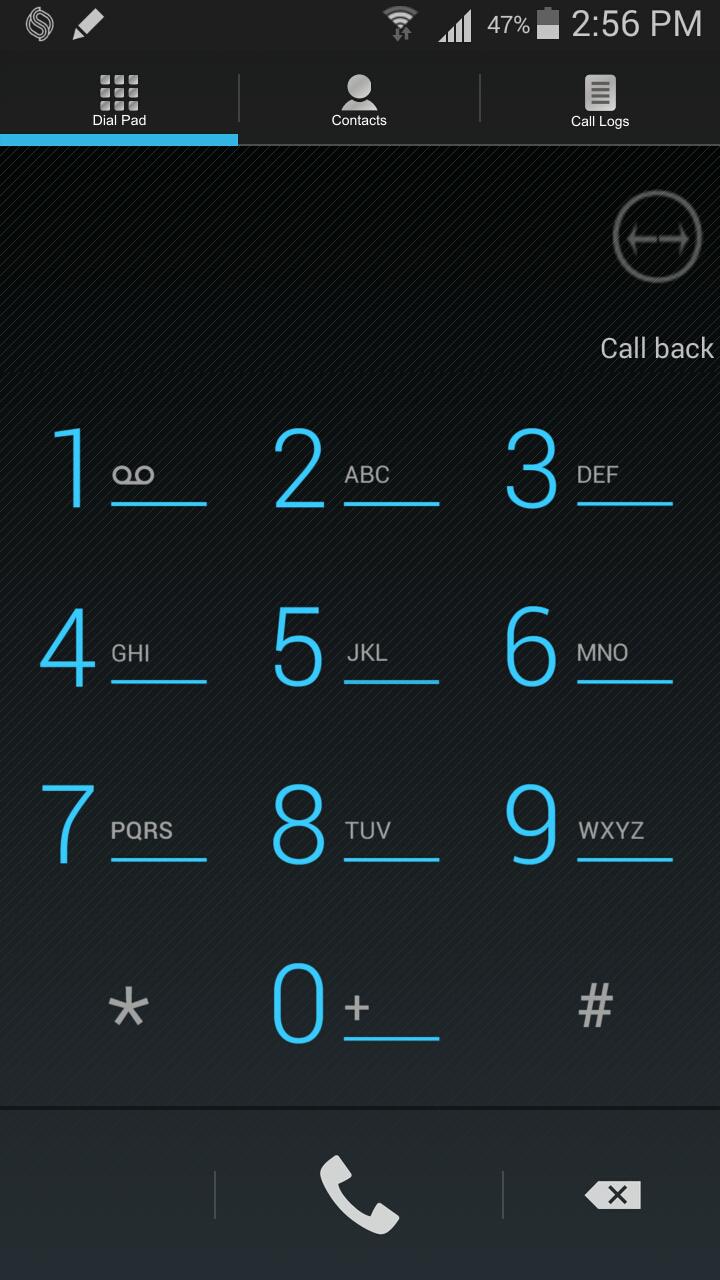
The app supports three methods for making calls.
1. CALL THRU. The app calls Sonetel's local access number in your country.
The call is then connected onward via Sonetel to the destination.
Cost: The mobile call to Sonetel's local number + The local call in the country that you are calling to.
2. CALL BACK. Sonetel calls both your mobile number and the destination you called - and then connects the two calls. You pay Sonetel for 2 local calls.
3. VOIP (IP-telephony). Your call is connected via your WiFi or 3G data connection to Sonetel.
You pay Sonetel for the local call at the destination.
You may also be charged for the mobile data usage by your mobile provider.
We recommend CALL THRU and CALL BACK since this delivers the best audio quality.
CALL BACK and VOIP works worldwide.
CALL THRU works in more than 50 countries; Algeria, Argentina, Australia, Austria, Bahrain, Belgium, Brazil, Bulgaria, Canada, Chile, Cyprus, Czech republic, Denmark, Dominican Republic , El Salvador, Estonia, Finland, France, Georgia, Greece, Hong Kong, Ireland, Israel, Italy, Japan, Latvia, Liechtenstein, Lithuania, Luxembourg, Malta, Mexico, Netherlands, New Zealand, Panama, Peru, Poland, Portugal, Puerto Rico, Romania, Russia, Singapore, Slovakia, Slovenia, South Africa, Spain, Sweden, Switzerland, Thailand, Ukraine, United Kingdom, United States.
The default - when calling with CALL THRU or CALL BACK is that the person you call sees your mobile number.
Optionally you can buy a local phone number in any preferred city and country from Sonetel and show that instead. Incoming calls on these phone numbers can be forwarded to your mobile number or answered in the app with VOIP (not recommended since mobile broadband is not dependable for VOIP calls).
Read more at http://www.sonetel.com
More information about the app: http://sonetel.com/en/help/help-topics/android-app/
پیش نظارہ
ٹیگز
مواصلاتمعلومات
ڈویلپر
Sonetel
تازہ ترین ورژن
2.3.97
آخری تازہ کاری
2019-04-01
قسم
مواصلات
پر دستیاب ہے۔
Google Play
مزید دکھائیں
پی سی پر گیم لوپ کے ساتھ Sonetel Classic کیسے کھیلا جائے۔
1. آفیشل ویب سائٹ سے گیم لوپ ڈاؤن لوڈ کریں، پھر گیم لوپ انسٹال کرنے کے لیے exe فائل چلائیں۔
2. گیم لوپ کھولیں اور "Sonetel Classic" تلاش کریں، تلاش کے نتائج میں Sonetel Classic تلاش کریں اور "انسٹال کریں" پر کلک کریں۔
3. گیم لوپ پر Sonetel Classic کھیلنے کا لطف اٹھائیں۔
Minimum requirements
OS
Windows 8.1 64-bit or Windows 10 64-bit
GPU
GTX 1050
CPU
i3-8300
Memory
8GB RAM
Storage
1GB available space
Recommended requirements
OS
Windows 8.1 64-bit or Windows 10 64-bit
GPU
GTX 1050
CPU
i3-9320
Memory
16GB RAM
Storage
1GB available space