
T9 Keyboard PC
www.SmartWalkie.com
Download T9 Keyboard on PC With GameLoop Emulator
T9 Keyboard sa PC
Ang T9 Keyboard, na nagmumula sa developer na www.SmartWalkie.com, ay tumatakbo sa Android systerm sa nakaraan.
Ngayon, maaari mong laruin ang T9 Keyboard sa PC gamit ang GameLoop nang maayos.
I-download ito sa GameLoop library o mga resulta ng paghahanap. Hindi na tumitingin sa baterya o nakakadismaya na mga tawag sa maling oras.
I-enjoy lang ang T9 Keyboard PC sa malaking screen nang libre!
T9 Keyboard Panimula
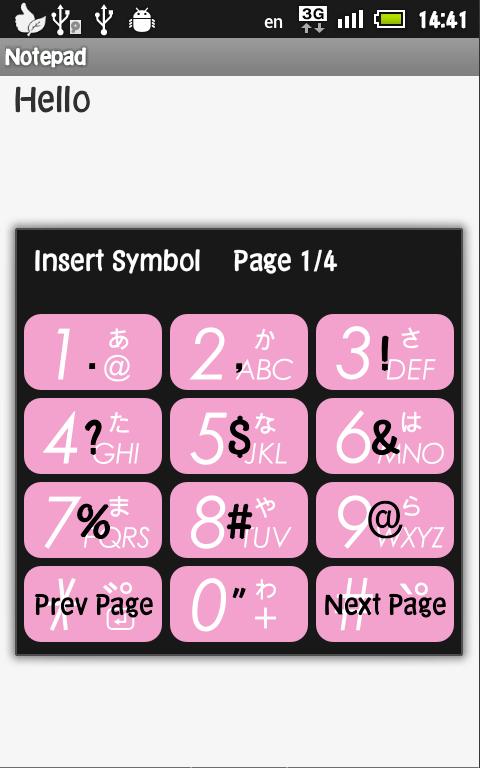
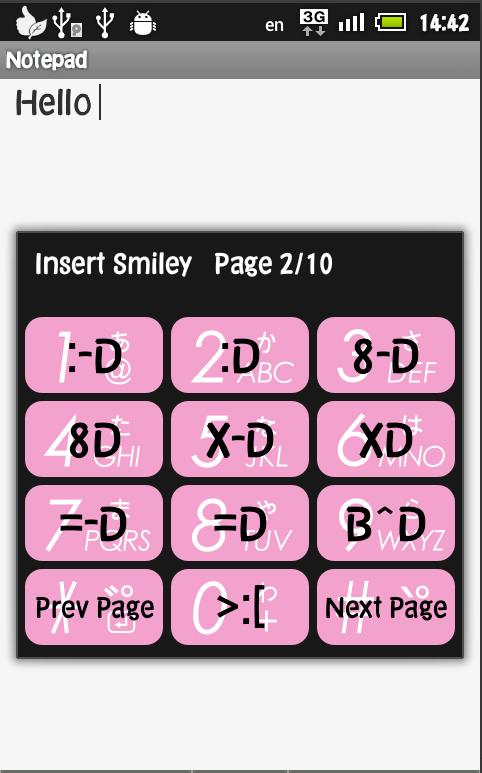
This app allows you to use your VoicePing P-one's hardware keypad to type with T9 mode or speech-to-text mode.
⚠️ ONLY works for Voiceping devices only.
⚠️ Please do not attempt to install on a non-Voiceping device. This app will not work.
⚠️ This app is not usable if your device does not have a keypad.
T9 is a predictive text technology for mobile phones (specifically those that contain a 3×4 numeric keypad). T9 stands for Text on 9 keys.
T9 combines the groups of letters on each phone key with a fast-access dictionary of words. It will then look up in the dictionary all words corresponding to the sequence of keypresses and order them by frequency of use. As T9 "gains familiarity" with the words and phrases the user commonly uses, it speeds up the process by offering the most frequently used words first and then letting the user access other choices with one or more presses of a predefined "Next" key.
The dictionary is expandable. After introducing a new word, the next time the user tries to produce that word, T9 adds it to the predictive dictionary. The user database (UDB) can be expanded via multi-tap. The implementation of the user database is dependent on the version of T9 and how T9 is actually integrated into the device. Some phone manufacturers supply a permanent user database, while others do so for the duration of the session.
Updates to the app shall be provided for any bugs and fixes.
Preview
Tags
ToolsInformation
Developer
www.SmartWalkie.com
Latest Version
1.4.1
Last Updated
2022-04-26
Category
Tools
Available on
Google Play
Show More
How to play T9 Keyboard with GameLoop on PC
1. Download GameLoop from the official website, then run the exe file to install GameLoop
2. Open GameLoop and search for “T9 Keyboard” , find T9 Keyboard in the search results and click “Install”
3. Enjoy playing T9 Keyboard on GameLoop
Minimum requirements
OS
Windows 8.1 64-bit or Windows 10 64-bit
GPU
GTX 1050
CPU
i3-8300
Memory
8GB RAM
Storage
1GB available space
Recommended requirements
OS
Windows 8.1 64-bit or Windows 10 64-bit
GPU
GTX 1050
CPU
i3-9320
Memory
16GB RAM
Storage
1GB available space