Voice Recorder: Record Audio PC
Digitalchemy, LLC
Download Voice Recorder: Record Audio on PC With GameLoop Emulator
Voice Recorder: Record Audio sa PC
Ang Voice Recorder: Record Audio, na nagmumula sa developer na Digitalchemy, LLC, ay tumatakbo sa Android systerm sa nakaraan.
Ngayon, maaari mong laruin ang Voice Recorder: Record Audio sa PC gamit ang GameLoop nang maayos.
I-download ito sa GameLoop library o mga resulta ng paghahanap. Hindi na tumitingin sa baterya o nakakadismaya na mga tawag sa maling oras.
I-enjoy lang ang Voice Recorder: Record Audio PC sa malaking screen nang libre!
Voice Recorder: Record Audio Panimula
Voice Recorder: Record Audio is a free voice recorder and sound recorder free for clear, reliable sound recording. This free voice recording app helps you record voice memos, meetings, interviews, lectures, music, singing, podcasts, language practice, and everyday sounds. Whether you need an audio recorder free for study or a voice recorder free for everyday ideas, Voice Recorder: Record Audio makes recordings simple and easy to manage.
Transcribe recordings into text, organize sound in folders, edit recordings, create backups, and easily share your sound recordings.
📝 Voice Memos, Journaling & Ideas
Capture thoughts before they disappear. Use this free voice recorder and dictaphone for voice memos, personal notes, journaling, reminders, and creative ideas. With this voice recorder free, you can record sound in seconds and transcribe spoken thoughts into text when you need them in written form.
💼 Meetings, Interviews & Conversations
Record conversation, meetings, interviews, discussions, and important workplace moments. Use this sound recorder free to preserve important details, replay recordings later, or transcribe sound into text. The free voice recording app is useful for meetings, interviews, presentations, and everyday business communication.
🎓 Lectures, Classes & Study
Record lectures, seminars, presentations, classes, and study notes with an audio recorder free for learning. Replay recordings while studying or transcribe lectures into text for easier review. This free voice recorder also lets you organize recordings by course or subject, keeping learning materials easy to find.
🎵 Music, Singing & Musical Ideas
Capture singing, vocals, instruments, rehearsals, lessons, auditions, melodies, and spontaneous song ideas. The free voice recording app makes it easy to capture new ideas whenever inspiration strikes.
🎙 Podcasts & Audio Content
Record podcasts, interviews, monologues, voice content, and new audio ideas. Use this audio recorder free to capture sound, organize recordings, edit files, and share your content when it's ready. Voice Recorder: Record Audio gives creators a simple way to manage recordings in one place.
🌿 Everyday & Ambient Sounds
Capture more than voice. Record nature, birds, ambient sounds, memorable events, soundscapes, and interesting sounds around you. Use the sound recorder free to preserve the sounds of everyday life.
🛠 Key Features of Voice Recorder: Record Audio
✔ High-Quality Recording:
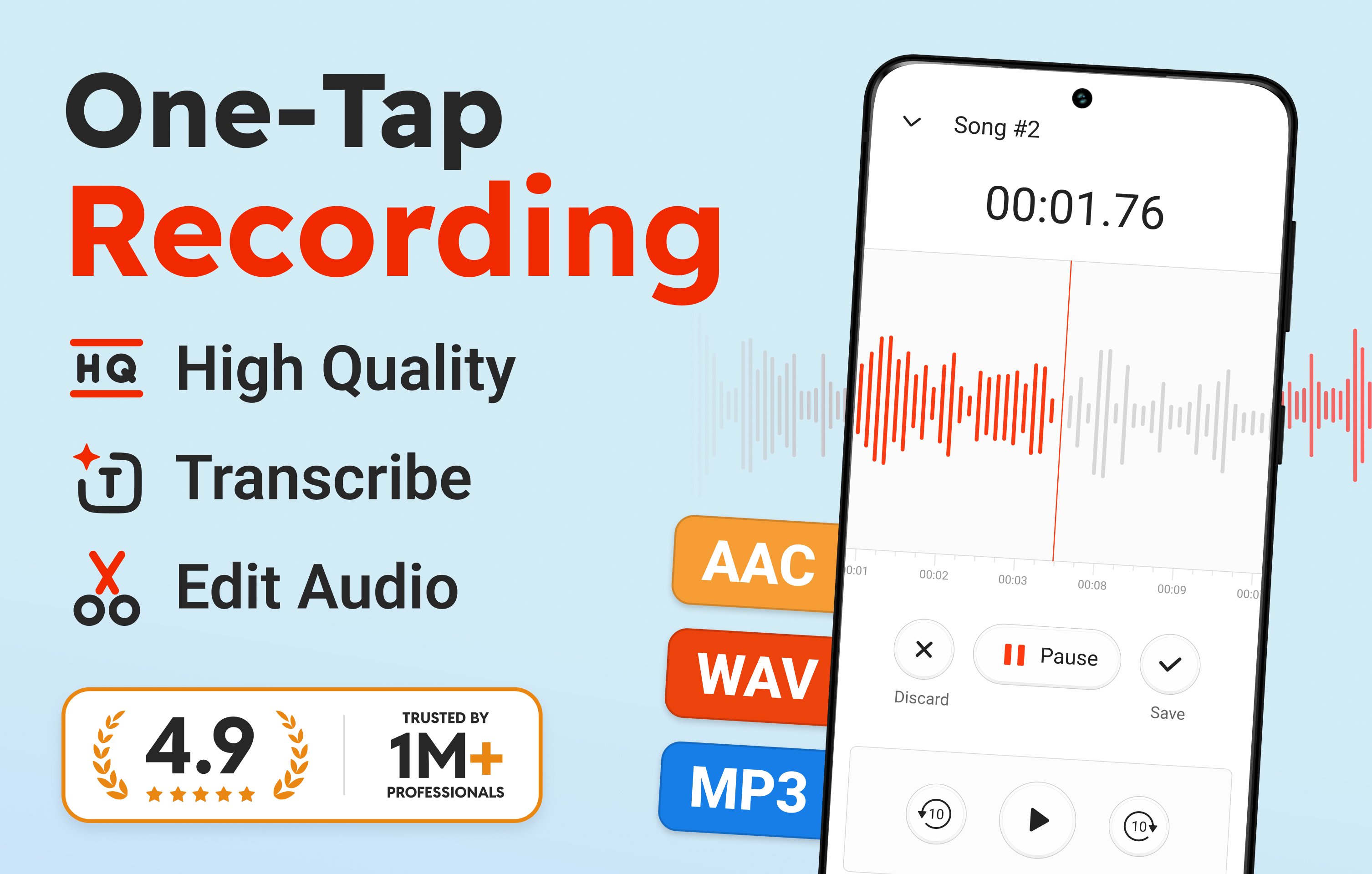
Capture clear sound for voice memos, conversations, lectures, music, and other recordings. This free voice recorder delivers reliable recording for work, study, creativity, and everyday use.
✔ Speech-to-Text Transcription:
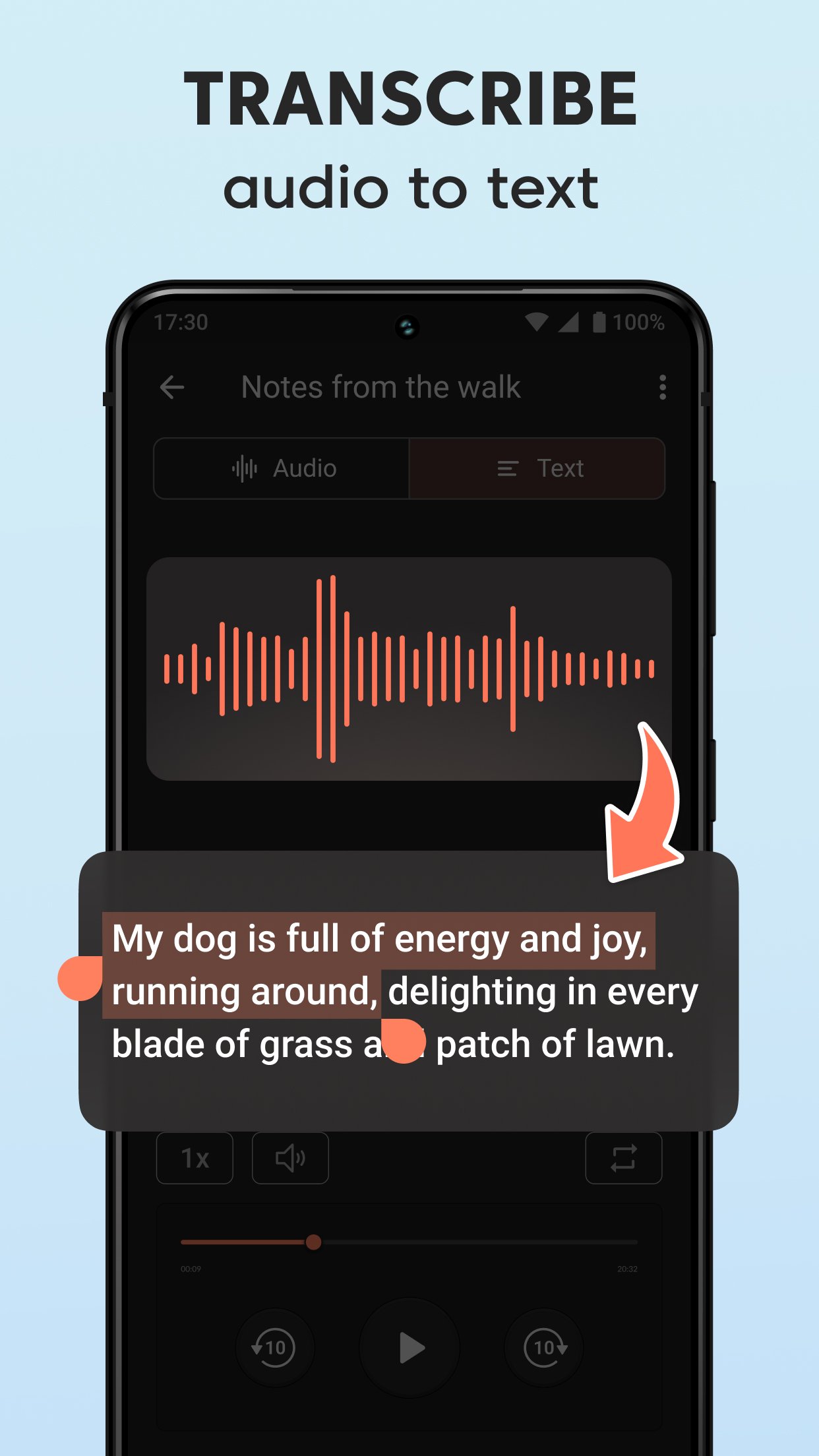
Transcribe recordings into text with voice recognition technology. The free voice recording app can turn meetings, interviews, lectures, voice notes, and other recorded sound into readable text.
✔ Folders & Organization:
Organize recordings in custom folders and quickly find meetings, lectures, voice memos, music, or personal sound.
✔ Reliable Backup:
Protect important recordings against accidental loss and keep your sound safely backed up.
✔ Audio Editing:
Use the audio recorder free to split and merge recordings with simple editing tools and keep the sound you need.
Why use Voice Recorder: Record Audio?
🎼 Easily share recordings with friends, colleagues, classmates, or your audience.
📁 Keep recordings organized with custom folders.
📱 Record, pause, save, edit, and share with a simple interface.
✂️ Manage sound with transcription, editing, backup, and sharing tools.
Voice Recorder: Record Audio is more than a simple dictaphone. It's a voice recorder free for voice memos, meetings, interviews, lectures, music, language learning, podcasts, and everyday sounds. Choose an audio recorder free that helps you capture, organize, and manage the recordings that matter.
Preview
Tags
ToolsMusic-&Information
Developer
Digitalchemy, LLC
Latest Version
1.14.16
Last Updated
2026-11-20
Category
Tools
Available on
Google Play
Show More
How to play Voice Recorder: Record Audio with GameLoop on PC
1. Download GameLoop from the official website, then run the exe file to install GameLoop
2. Open GameLoop and search for “Voice Recorder: Record Audio” , find Voice Recorder: Record Audio in the search results and click “Install”
3. Enjoy playing Voice Recorder: Record Audio on GameLoop
Minimum requirements
OS
Windows 8.1 64-bit or Windows 10 64-bit
GPU
GTX 1050
CPU
i3-8300
Memory
8GB RAM
Storage
1GB available space
Recommended requirements
OS
Windows 8.1 64-bit or Windows 10 64-bit
GPU
GTX 1050
CPU
i3-9320
Memory
16GB RAM
Storage
1GB available space