Chargy – Battery Health PC
Văn Ưởng
Download Chargy – Battery Health on PC With GameLoop Emulator
Chargy – Battery Health sa PC
Ang Chargy – Battery Health, na nagmumula sa developer na Văn Ưởng, ay tumatakbo sa Android systerm sa nakaraan.
Ngayon, maaari mong laruin ang Chargy – Battery Health sa PC gamit ang GameLoop nang maayos.
I-download ito sa GameLoop library o mga resulta ng paghahanap. Hindi na tumitingin sa baterya o nakakadismaya na mga tawag sa maling oras.
I-enjoy lang ang Chargy – Battery Health PC sa malaking screen nang libre!
Chargy – Battery Health Panimula
🔋 Chargy – Battery Health
Chargy – Battery Health helps you monitor detailed battery information on your Android device in real time.
The app provides reference-based battery data to help you understand your battery condition and charging behavior during daily usage.
Key Features
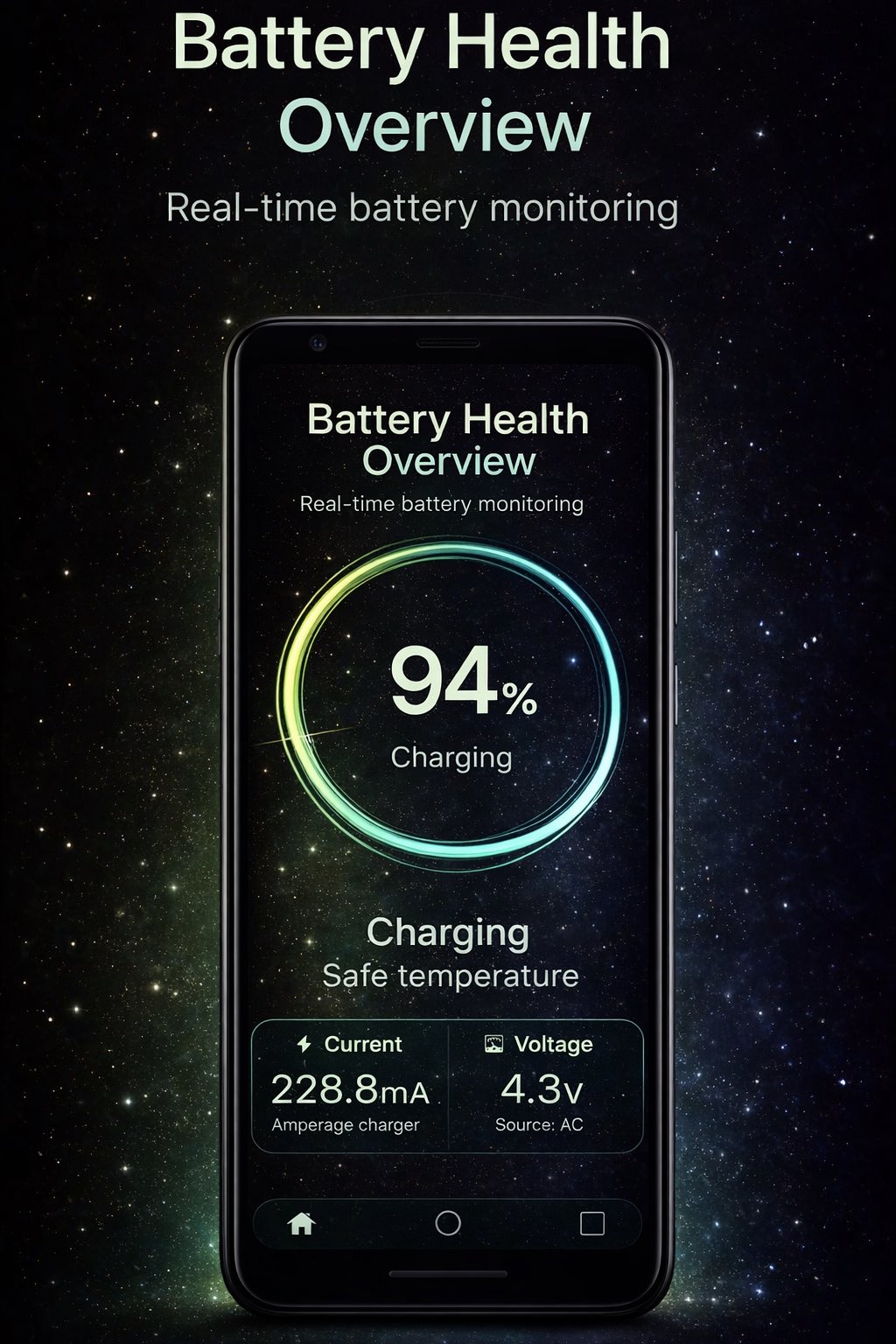
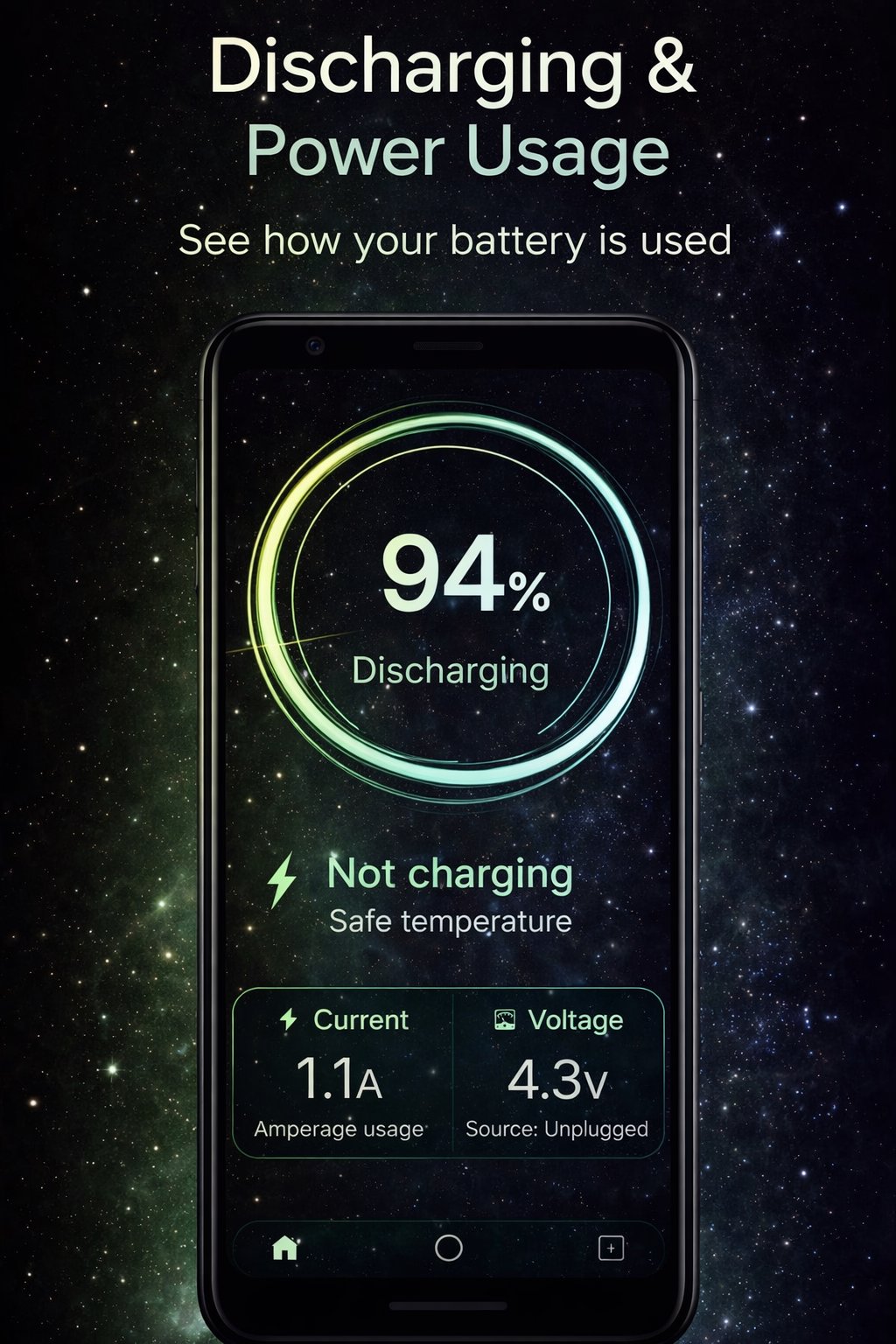
• Battery information: level, voltage, temperature, and charging status
• Battery health overview (reference-based)
• Real-time charging and discharging current monitoring
• Charging graph to observe current stability and fluctuations
• Power source detection: Battery, USB, AC, or Wireless
• Optional persistent notification for quick access
• Lightweight, clean, and easy-to-use interface
How It Works
When the device is not charging, Chargy displays the battery discharge current.
When charging, it shows the net charging current based on Android system readings.
Battery values may vary depending on:
• Charger type and cable quality
• Device hardware and firmware
• Screen usage, network activity, and background processes
Technical Notes
• Battery data is estimated using information provided by the Android system
• Battery health values are for reference only
• Not all devices support accurate battery measurement
• Some devices may return limited or averaged values due to hardware or firmware restrictions
Important Disclaimer
Chargy – Battery Health is a monitoring and reference tool only.
It does NOT modify, repair, or improve battery performance or health.
All displayed values are for informational purposes and should not be considered exact or diagnostic measurements.
The app does not collect or share any personal data.
Preview
Tags
ToolsInformation
Developer
Văn Ưởng
Latest Version
2.2
Last Updated
2026-02-06
Category
Tools
Available on
Google Play
Show More
How to play Chargy – Battery Health with GameLoop on PC
1. Download GameLoop from the official website, then run the exe file to install GameLoop
2. Open GameLoop and search for “Chargy – Battery Health” , find Chargy – Battery Health in the search results and click “Install”
3. Enjoy playing Chargy – Battery Health on GameLoop
Minimum requirements
OS
Windows 8.1 64-bit or Windows 10 64-bit
GPU
GTX 1050
CPU
i3-8300
Memory
8GB RAM
Storage
1GB available space
Recommended requirements
OS
Windows 8.1 64-bit or Windows 10 64-bit
GPU
GTX 1050
CPU
i3-9320
Memory
16GB RAM
Storage
1GB available space