
Always visible volume button PC
OK soft
Download Always visible volume button on PC With GameLoop Emulator
Always visible volume button sa PC
Ang Always visible volume button, na nagmumula sa developer na OK soft, ay tumatakbo sa Android systerm sa nakaraan.
Ngayon, maaari mong laruin ang Always visible volume button sa PC gamit ang GameLoop nang maayos.
I-download ito sa GameLoop library o mga resulta ng paghahanap. Hindi na tumitingin sa baterya o nakakadismaya na mga tawag sa maling oras.
I-enjoy lang ang Always visible volume button PC sa malaking screen nang libre!
Always visible volume button Panimula
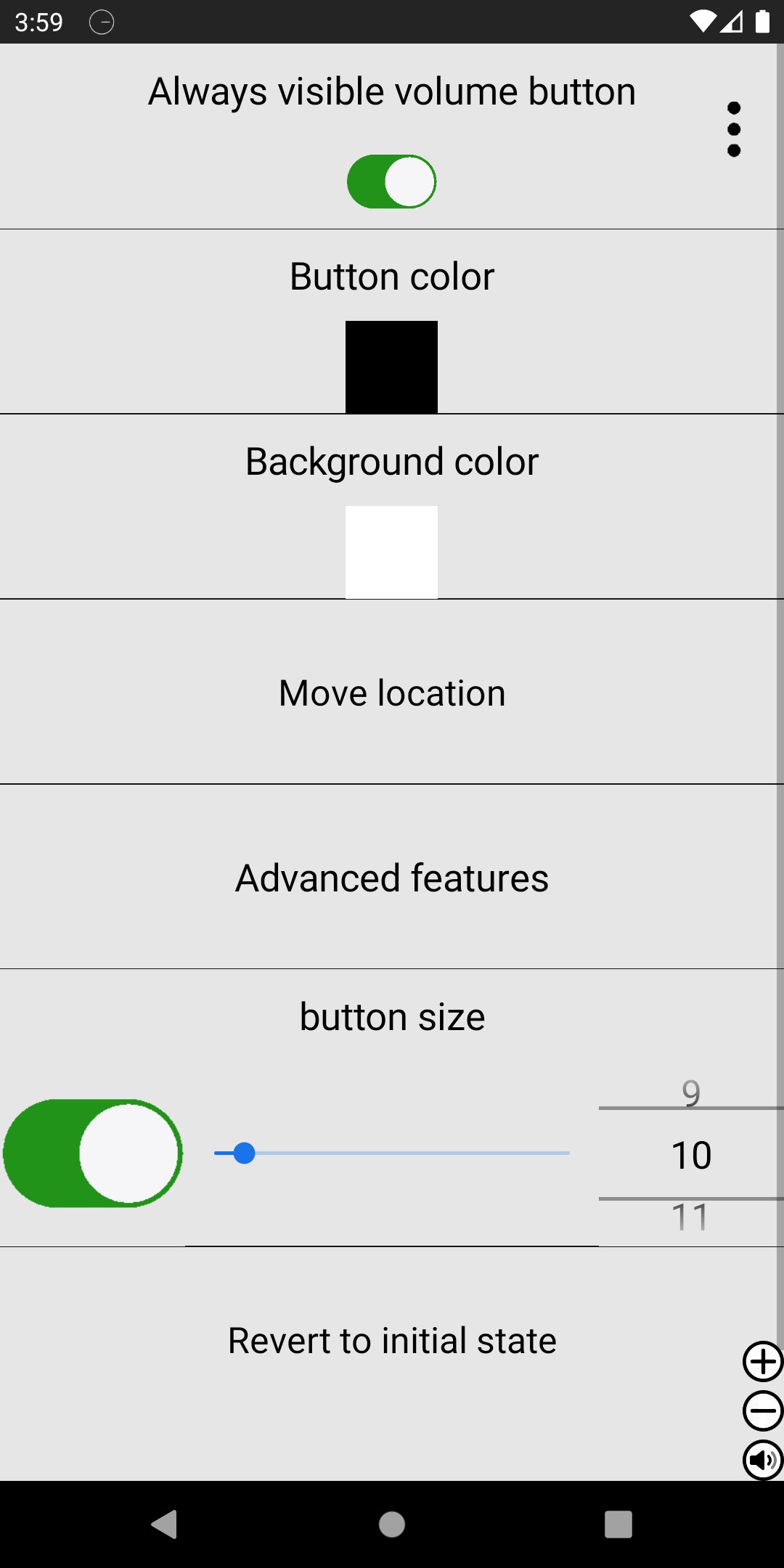
Take full control of your device’s volume with a customizable floating volume button that stays on screen while you use other apps.
This smart volume controller lets you adjust media, call, ringtone, and alarm volumes anytime — without opening system settings. Designed for convenience, speed, and flexibility.
🔊 Control All Volume Types
Media volume
Call volume
Ringtone volume
Alarm volume
Save preferred volume type per app
🎛 Smart Floating Volume Button
Always visible over other apps
Show only when music is playing
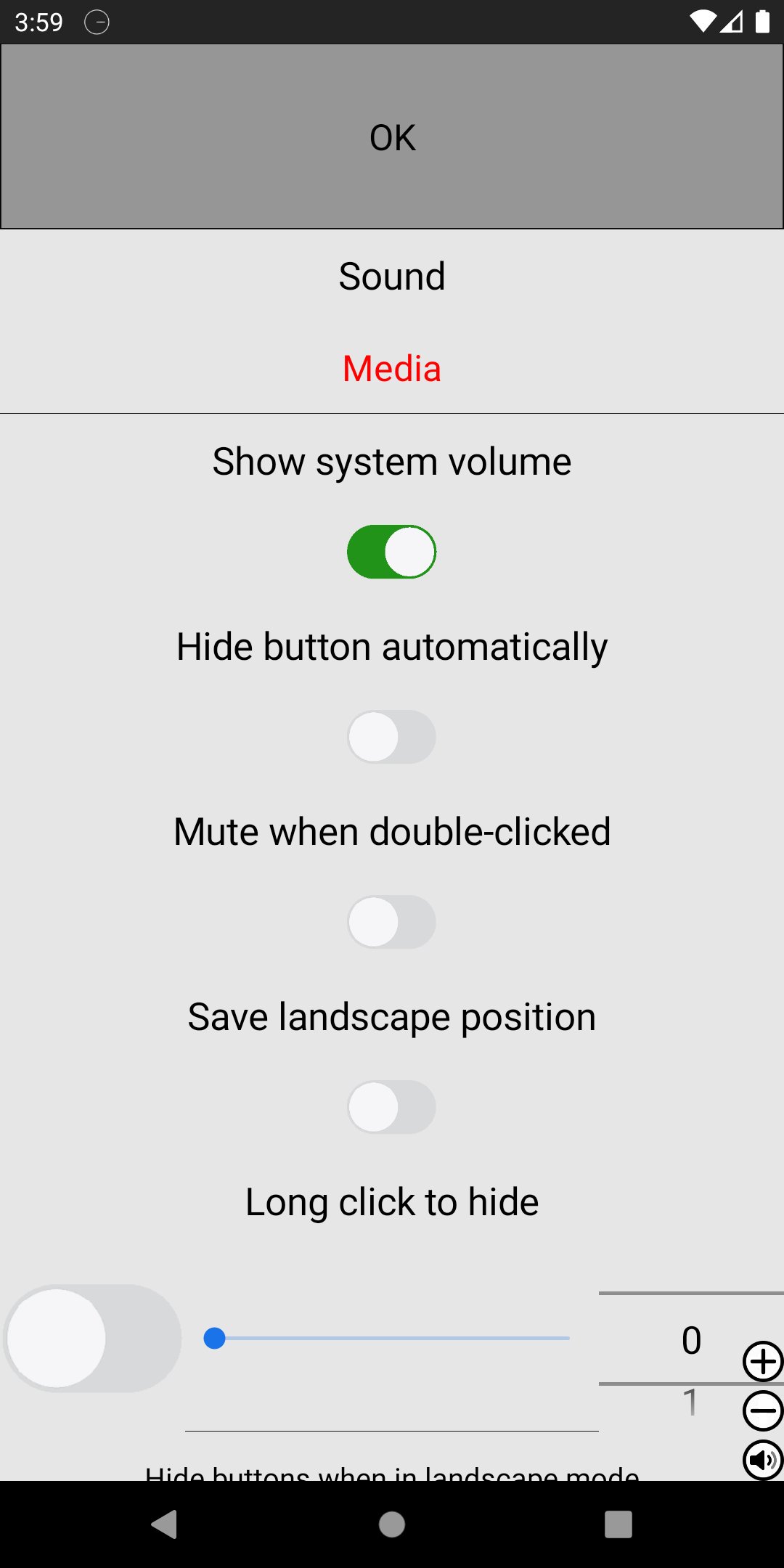
Hide automatically when muted during playback
Lock volume within custom minimum and maximum range
Separate volume lock for speaker and earphones
🎚 Advanced Button Controls
Single tap action
Double tap to mute or enable Do Not Disturb
Dedicated + / – buttons
Scroll bar control
Show or hide each button independently
🎨 Full Customization
Change button color
Use custom button images
Adjust size and position freely
Customize layout visibility
⚙ Designed for Everyday Use
Quickly mute during meetings
Prevent accidental max volume
Keep volume within safe listening range
Instantly access controls while gaming, browsing, or watching videos
Simple, powerful, and fully customizable — this floating volume controller gives you faster access and smarter volume management.
Download now and take control of your sound.
Preview
Tags
ToolsInformation
Developer
OK soft
Latest Version
4.94
Last Updated
2026-06-02
Category
Tools
Available on
Google Play
Show More
How to play Always visible volume button with GameLoop on PC
1. Download GameLoop from the official website, then run the exe file to install GameLoop
2. Open GameLoop and search for “Always visible volume button” , find Always visible volume button in the search results and click “Install”
3. Enjoy playing Always visible volume button on GameLoop
Minimum requirements
OS
Windows 8.1 64-bit or Windows 10 64-bit
GPU
GTX 1050
CPU
i3-8300
Memory
8GB RAM
Storage
1GB available space
Recommended requirements
OS
Windows 8.1 64-bit or Windows 10 64-bit
GPU
GTX 1050
CPU
i3-9320
Memory
16GB RAM
Storage
1GB available space