
Smarter Time - Time Management PC
Smarter Time
Download Smarter Time - Time Management on PC With GameLoop Emulator
Smarter Time - Time Management sa PC
Ang Smarter Time - Time Management, na nagmumula sa developer na Smarter Time, ay tumatakbo sa Android systerm sa nakaraan.
Ngayon, maaari mong laruin ang Smarter Time - Time Management sa PC gamit ang GameLoop nang maayos.
I-download ito sa GameLoop library o mga resulta ng paghahanap. Hindi na tumitingin sa baterya o nakakadismaya na mga tawag sa maling oras.
I-enjoy lang ang Smarter Time - Time Management PC sa malaking screen nang libre!
Smarter Time - Time Management Panimula
Update: in addition to Windows and Mac computer clients, we have now added a Linux client for our open software users!
Boost your time management. Strike the right work-life balance. Control your phone time, improve your focus and your productivity.
Effective time tracking is the best way to get your productivity, your focus and your happiness back. Smarter Time tracks your time around the clock, and adapts to your personal goals and needs.
We all lack time. Knowing ourselves isn't easy and time management doesn't come naturally to us. Bad time management leads to stress, burnout and bad work-life balance!
Smarter Time is an automatic time tracker for all your time management needs.
It’s a productivity app.
It's a phone time control and focus implement.
It’s a self-improvement tool.
It’s your new personal assistant.
How it works:
1. Our learning brain guesses where you are and what you do.
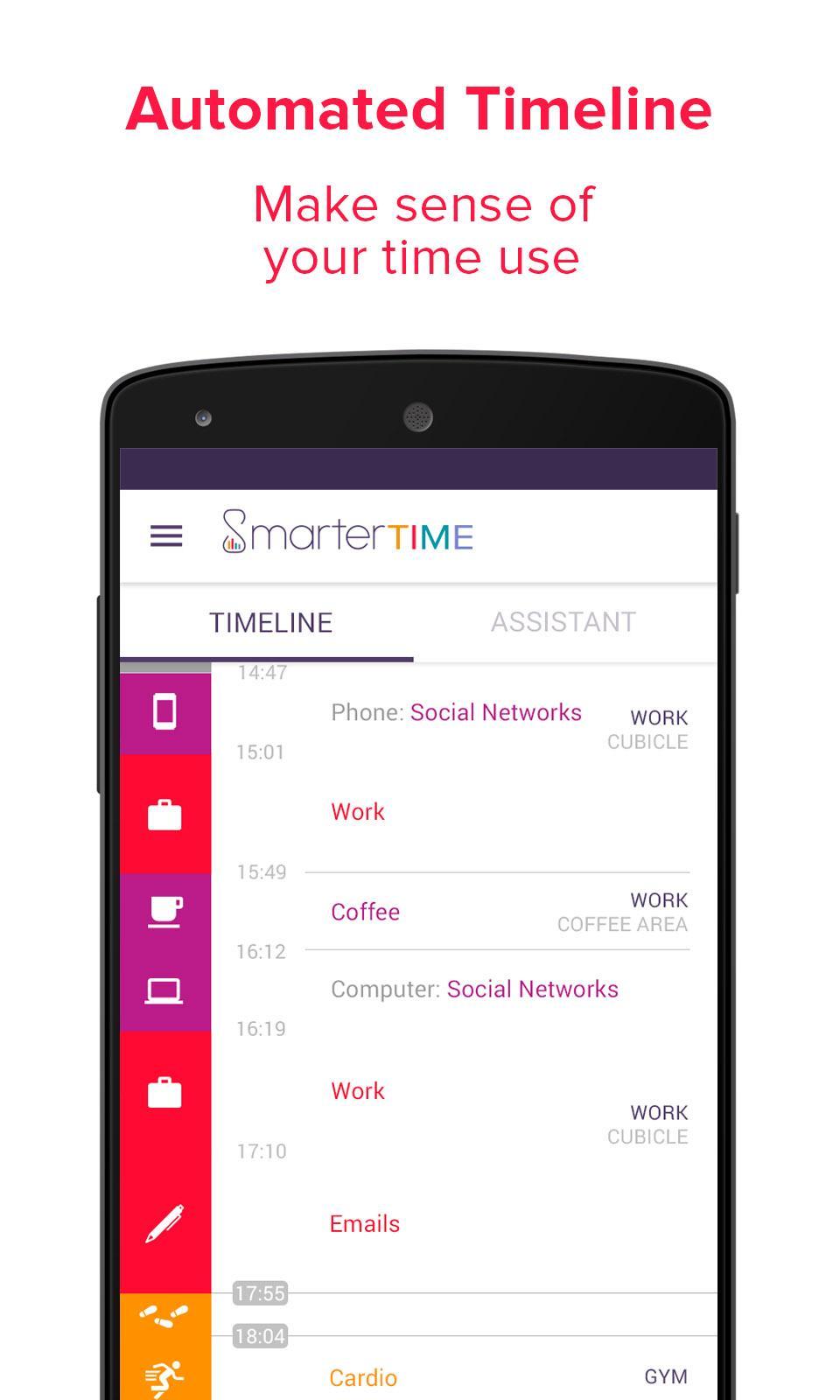
2. It creates a detailed time log of all your activities, whether you're reading, sleeping, showering or watching TV.
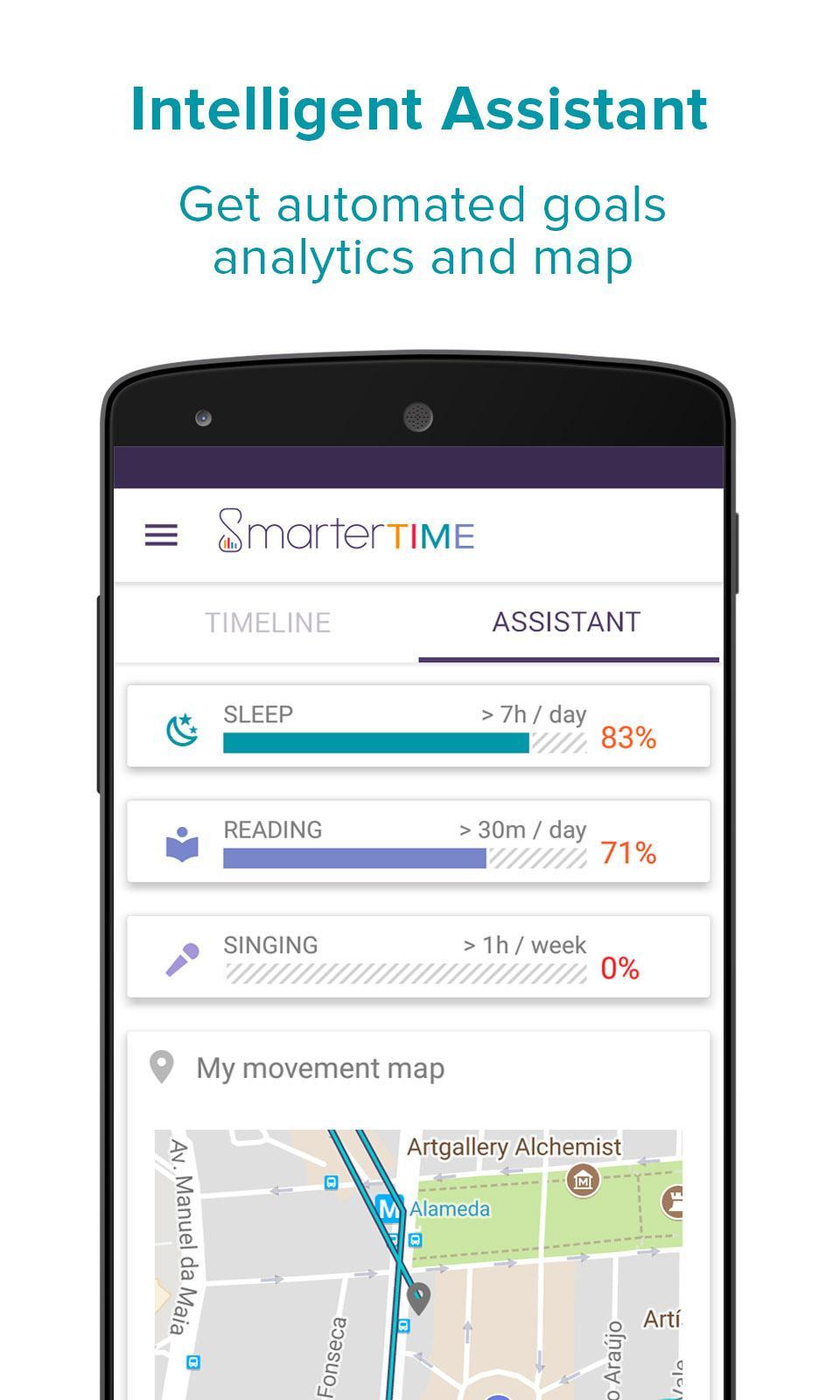
3. You get precise analytics of your time use; a comprehensive, automatic time tracker at your fingertips.
Some of the ways you can use Smarter Time:
★ A time log of your daily schedule.
★ A phone time control tool to keep your focus in check.
★ Big picture analytics to properly understand your time use.
★ A productivity app to track the distractions that eat away at your focus.
★ A goal setter to build better habits.
★ A self-improvement tool to achieve proper work-life balance.
★ A time manager for your personal and professional projects.
★ A sleep tracker to make sure you always get the rest you need.
★ A time tracker to get back in touch with yourself.
It’s smarter time tracking and smarter time management for a smarter life!
Our privacy promise
Your privacy is very important to us. By default, all your data is kept on your phone, not on our servers, and if you don't activate the save/restore feature, it will never leave your device. Your time is the most private thing you have, and we intend for it to stand that way!
-- Lite version features --
- Automatic time tracking of all activities
- Comprehensive minute-level time log
- Detailed habit learning
- Place detection
- Movements and physical activity recording
- Google calendar integration
- Phone time control
- Time spent on computer
- Thorough analytics
- Weekly reports
- Goals
- Map view
-- Plus version features --
Everything in the Lite version, Plus:
- Detailed computer usage
- Room detection
- Custom category and activity classification
- Data save and restore
- Unlimited assistant usage
-- Known issues --
- Some Android 5.0 LG and Samsung phones do not give access to app usage stats
- Some phones (mostly Samsung, Huawei and Honor, Xiaomi) may kill the app frequently. You can add Smarter Time to a list of protected apps to keep the automatic time tracking working in the background.
-- Help us improve --
We're very keen on hearing from our users, and always ready to take their feedback on board! If you have anything you want to tell us, or any question you'd like to ask us, about automatic time tracking, time management or work-life balance in general, please drop us a line at hello@smartertime.com
Preview
Tags
ProductivityInformation
Developer
Smarter Time
Latest Version
Android 1.174
Last Updated
2021-01-29
Category
Productivity
Available on
Google Play
Show More
How to play Smarter Time - Time Management with GameLoop on PC
1. Download GameLoop from the official website, then run the exe file to install GameLoop
2. Open GameLoop and search for “Smarter Time - Time Management” , find Smarter Time - Time Management in the search results and click “Install”
3. Enjoy playing Smarter Time - Time Management on GameLoop
Minimum requirements
OS
Windows 8.1 64-bit or Windows 10 64-bit
GPU
GTX 1050
CPU
i3-8300
Memory
8GB RAM
Storage
1GB available space
Recommended requirements
OS
Windows 8.1 64-bit or Windows 10 64-bit
GPU
GTX 1050
CPU
i3-9320
Memory
16GB RAM
Storage
1GB available space