My Phone Time - App usage trac PC
Smarter Time
Download My Phone Time - App usage trac on PC With GameLoop Emulator
My Phone Time - App usage trac sa PC
Ang My Phone Time - App usage trac, na nagmumula sa developer na Smarter Time, ay tumatakbo sa Android systerm sa nakaraan.
Ngayon, maaari mong laruin ang My Phone Time - App usage trac sa PC gamit ang GameLoop nang maayos.
I-download ito sa GameLoop library o mga resulta ng paghahanap. Hindi na tumitingin sa baterya o nakakadismaya na mga tawag sa maling oras.
I-enjoy lang ang My Phone Time - App usage trac PC sa malaking screen nang libre!
My Phone Time - App usage trac Panimula
My Phone Time: limit your phone time, take control of your life! Boost your focus and your productivity, get your personal relationships back on track.
Did you know that people spend on average 3 hours and 30 min on their phone every day? That's enough time to skyrocket your productivity, slowly learn 14 languages, watch one whole movie - or spend time with your loved ones.
Even worse, we use our phones for short interruptions all the time, which takes a toll on our focus, our work quality and productivity, and our personal relationships.
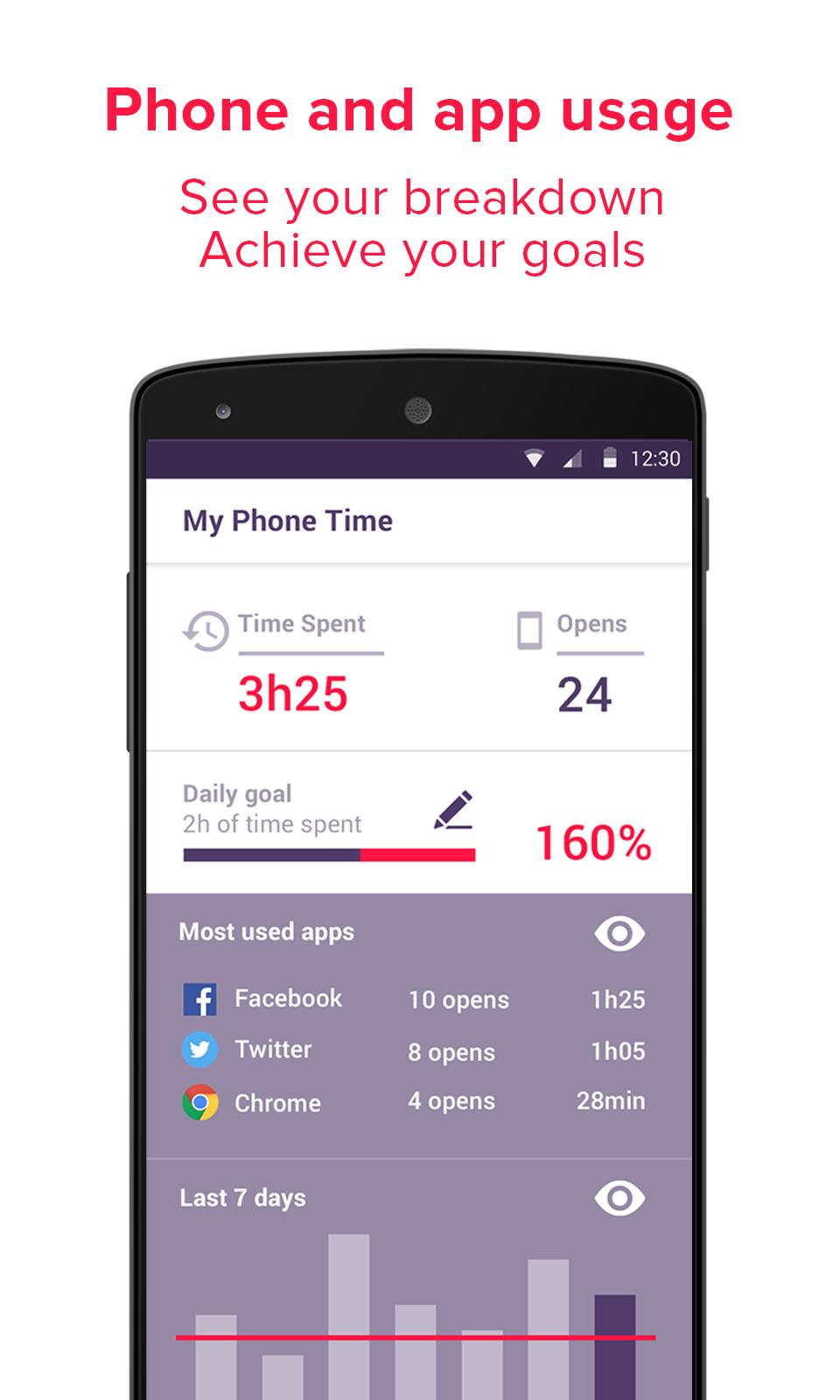
My Phone Time helps you measure and control how long you spend on your phone. It tells you which apps you're using, and allows you to block some of them so you can make sure you focus on the task at hand!
★ See your phone usage and your app usage breakdown.
★ Set yourself a daily goal.
★ Block the most distracting apps.
★ (But keep a whitelist for those important communications.)
★ Get detailed overtime analytics of your phone usage
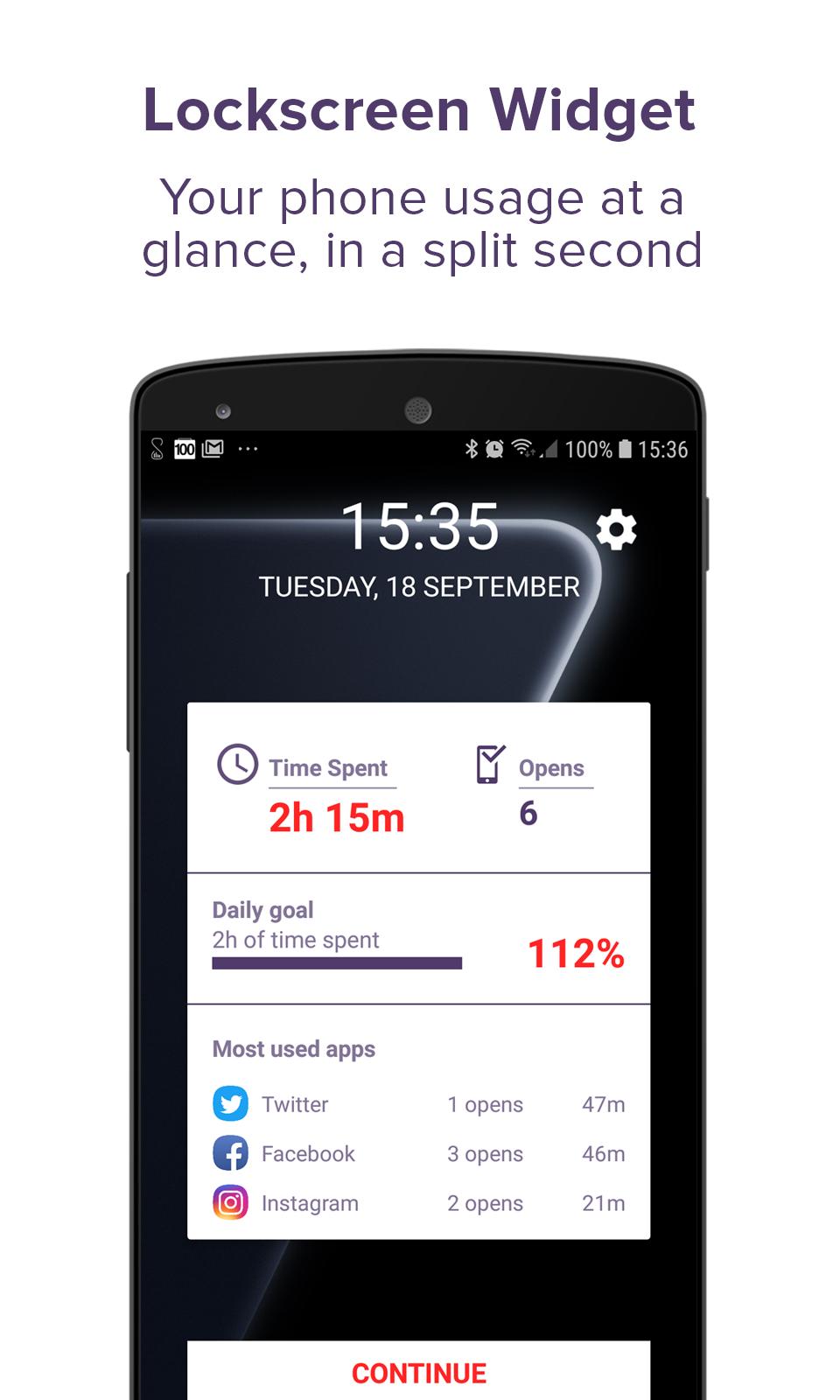
★ Track your progress on your lockscreen at a glance!
All this without any time or effort on your side!
My Phone Time is more than just an app usage tracker: it's a productivity tool, and your personal helper when it comes to cutting your phone usage back.
Here's a list of My Phone Time features:
★ Phone usage tracker
★ App usage tracker
★ Daily usage goal setting
★ Phone usage and app usage analytics over time
★ App usage blacklist and whitelist system
★ Lockscreen widget
Preview
Tags
ProductivityInformation
Developer
Smarter Time
Latest Version
1.015
Last Updated
2020-10-12
Category
Productivity
Available on
Google Play
Show More
How to play My Phone Time - App usage trac with GameLoop on PC
1. Download GameLoop from the official website, then run the exe file to install GameLoop
2. Open GameLoop and search for “My Phone Time - App usage trac” , find My Phone Time - App usage trac in the search results and click “Install”
3. Enjoy playing My Phone Time - App usage trac on GameLoop
Minimum requirements
OS
Windows 8.1 64-bit or Windows 10 64-bit
GPU
GTX 1050
CPU
i3-8300
Memory
8GB RAM
Storage
1GB available space
Recommended requirements
OS
Windows 8.1 64-bit or Windows 10 64-bit
GPU
GTX 1050
CPU
i3-9320
Memory
16GB RAM
Storage
1GB available space