
Gantt Chart – WBS Planner PC
narusat
Download Gantt Chart – WBS Planner on PC With GameLoop Emulator
Gantt Chart – WBS Planner sa PC
Ang Gantt Chart – WBS Planner, na nagmumula sa developer na narusat, ay tumatakbo sa Android systerm sa nakaraan.
Ngayon, maaari mong laruin ang Gantt Chart – WBS Planner sa PC gamit ang GameLoop nang maayos.
I-download ito sa GameLoop library o mga resulta ng paghahanap. Hindi na tumitingin sa baterya o nakakadismaya na mga tawag sa maling oras.
I-enjoy lang ang Gantt Chart – WBS Planner PC sa malaking screen nang libre!
Gantt Chart – WBS Planner Panimula
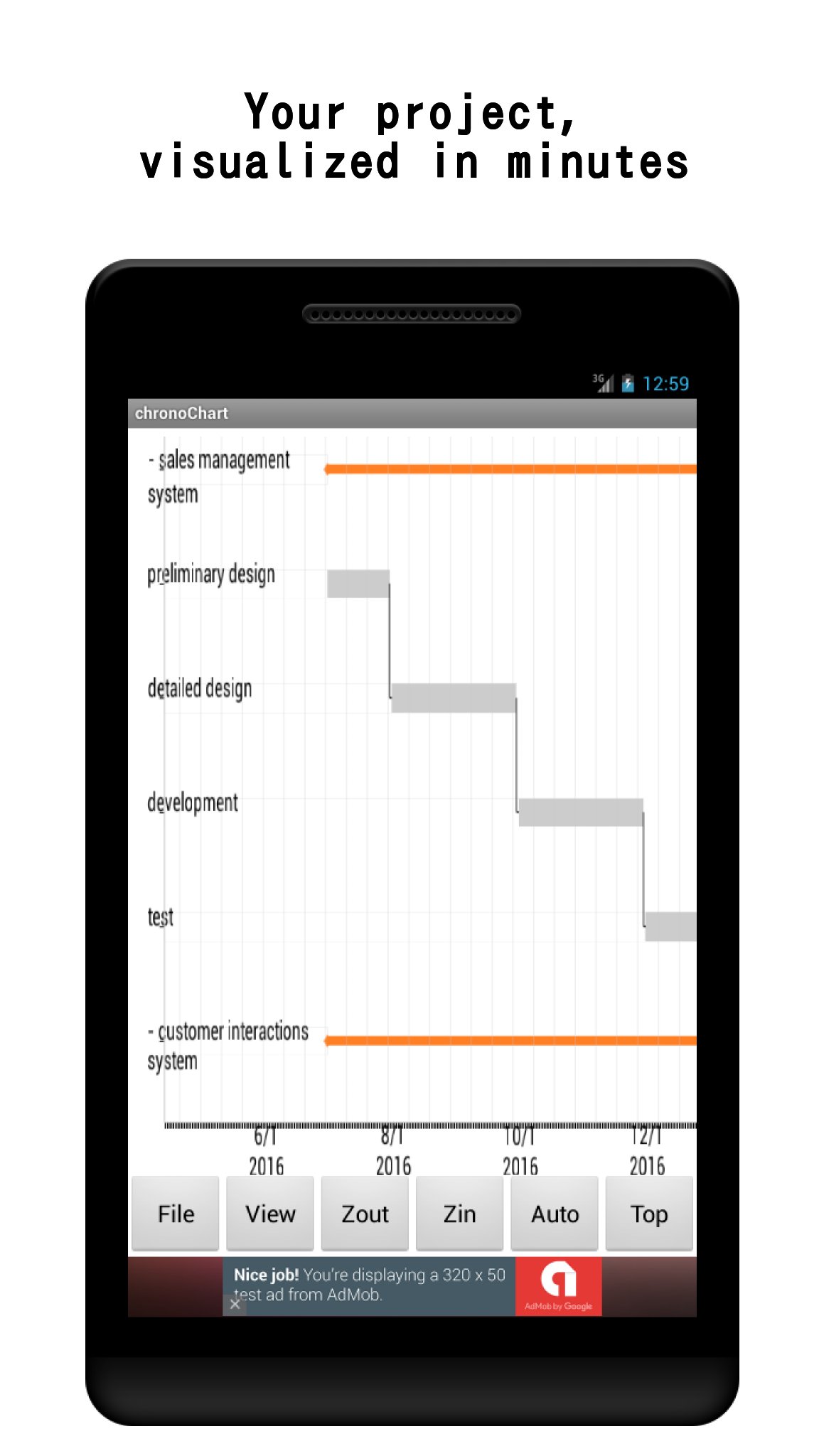
Turn your task list into a clear visual schedule — right on your phone or tablet.
Gantt Chart is a lightweight project planner for anyone who needs a WBS on the go: engineers, students, freelancers, and small teams. Sketch out a plan in minutes, track progress day by day, and share the result as a PDF or through the cloud.
WHY GANTT CHART?
- Fast to start — create a project, add tasks, and see the chart immediately. No account needed for local use.
- Everything in one place — Gantt chart, task list, To-Do list, and memo pad, so planning and daily execution live together.
- Works offline — your projects are stored on your device. Cloud sharing is optional.
PLAN VISUALLY
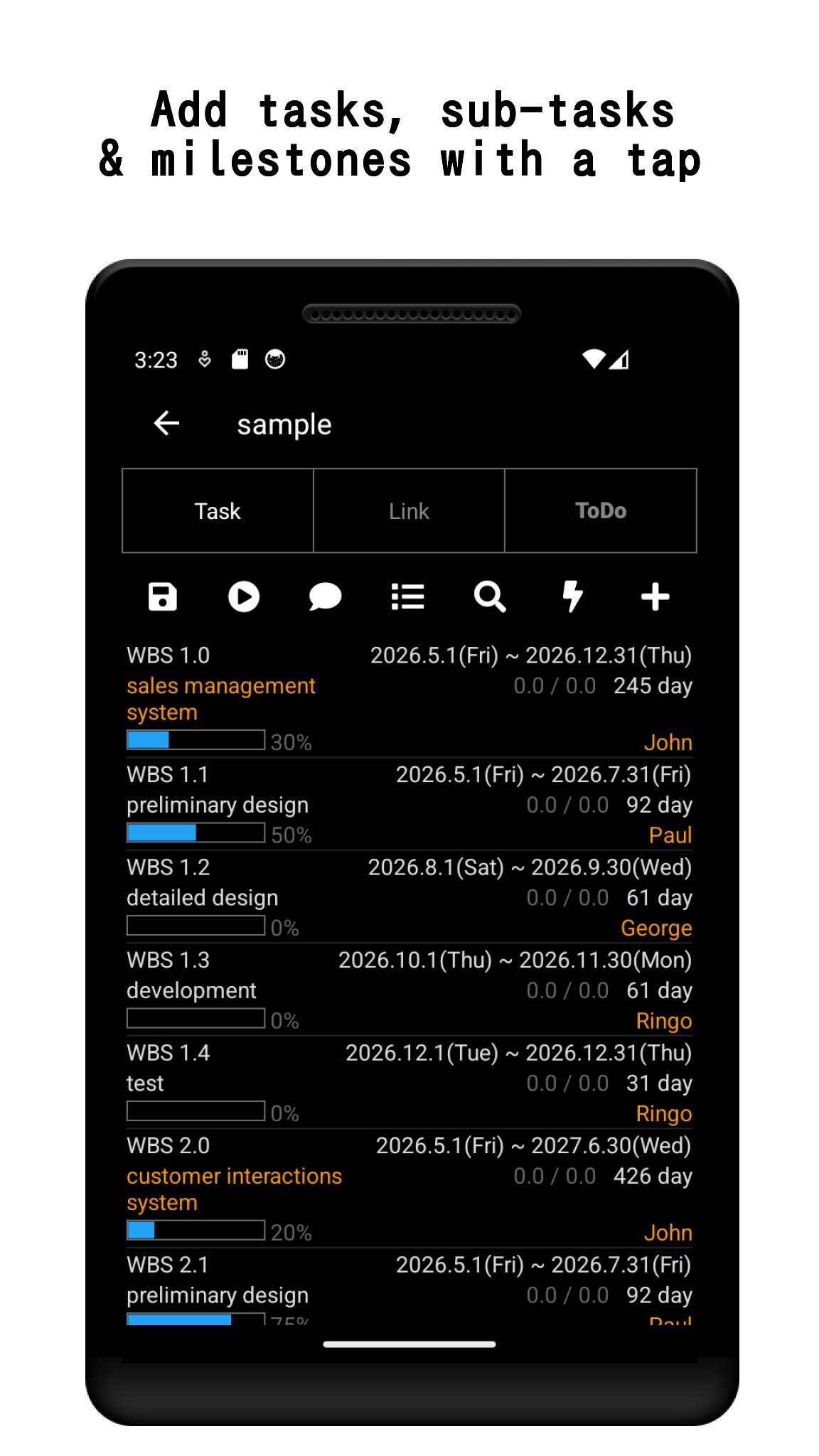
- Create tasks, sub-tasks, and milestones, and arrange them on the timeline.
- Draw dependency links between tasks. Invalid links are highlighted in red so schedule conflicts are easy to spot.
- Pinch to zoom, swipe to scroll, and fold sub-tasks to keep large projects readable.
- Parent task progress can sync automatically from its sub-tasks.
TRACK & FILTER
- Update progress (%) per task and see it reflected on the chart.
- Filter tasks by date, progress, or assignee to focus on what matters today.
- A summary table gives you an overview of all tasks and links at a glance.
SHARE YOUR PLAN
- Export the chart as a PDF to send to teammates or clients.
- Receive shared projects from other users via the cloud service (registration required only for cloud features). With Premium, you can also upload your own projects to the cloud.
- Set push-notification reminders so deadlines never sneak up on you.
STAY ORGANIZED DAY TO DAY
- Built-in To-Do list with one-tap status switching.
- Memo pad for meeting notes and ideas, kept alongside your project.
FREE VERSION & PREMIUM
The free version includes all planning features, with up to 3 projects and cloud download (read-only sharing).
A one-time Premium purchase unlocks:
- Unlimited projects
- Uploading your projects to the cloud
- No ads
—
This app uses AChartEngine (Apache 2.0 License).
http://www.apache.org/licenses/LICENSE-2.0
Preview
Tags
ProductivityInformation
Developer
narusat
Latest Version
12.3
Last Updated
2026-08-29
Category
Productivity
Available on
Google Play
Show More
How to play Gantt Chart – WBS Planner with GameLoop on PC
1. Download GameLoop from the official website, then run the exe file to install GameLoop
2. Open GameLoop and search for “Gantt Chart – WBS Planner” , find Gantt Chart – WBS Planner in the search results and click “Install”
3. Enjoy playing Gantt Chart – WBS Planner on GameLoop
Minimum requirements
OS
Windows 8.1 64-bit or Windows 10 64-bit
GPU
GTX 1050
CPU
i3-8300
Memory
8GB RAM
Storage
1GB available space
Recommended requirements
OS
Windows 8.1 64-bit or Windows 10 64-bit
GPU
GTX 1050
CPU
i3-9320
Memory
16GB RAM
Storage
1GB available space