
BIG Notifications PC
BIG Launcher
Download BIG Notifications on PC With GameLoop Emulator
BIG Notifications sa PC
Ang BIG Notifications, na nagmumula sa developer na BIG Launcher, ay tumatakbo sa Android systerm sa nakaraan.
Ngayon, maaari mong laruin ang BIG Notifications sa PC gamit ang GameLoop nang maayos.
I-download ito sa GameLoop library o mga resulta ng paghahanap. Hindi na tumitingin sa baterya o nakakadismaya na mga tawag sa maling oras.
I-enjoy lang ang BIG Notifications PC sa malaking screen nang libre!
BIG Notifications Panimula
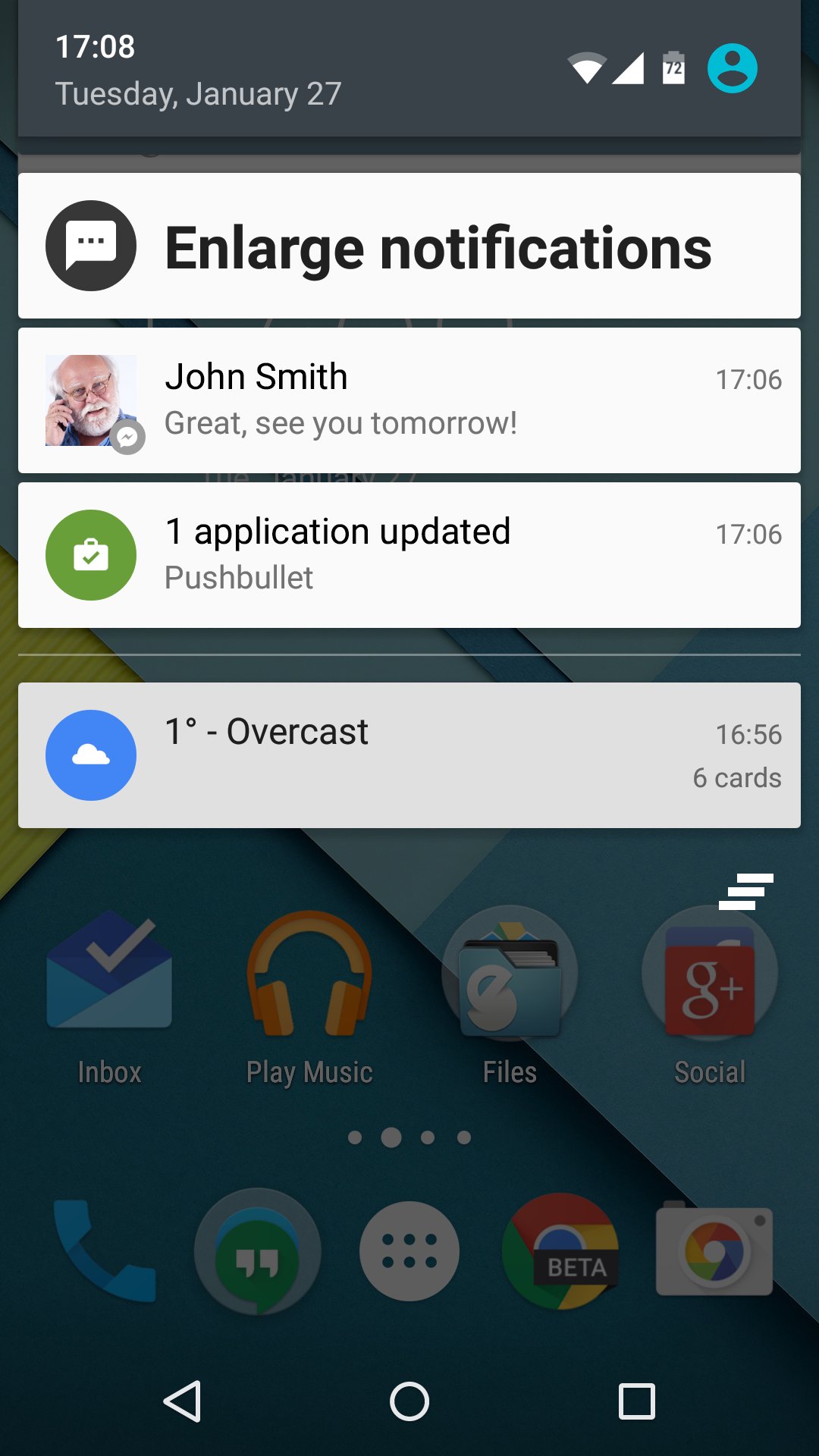
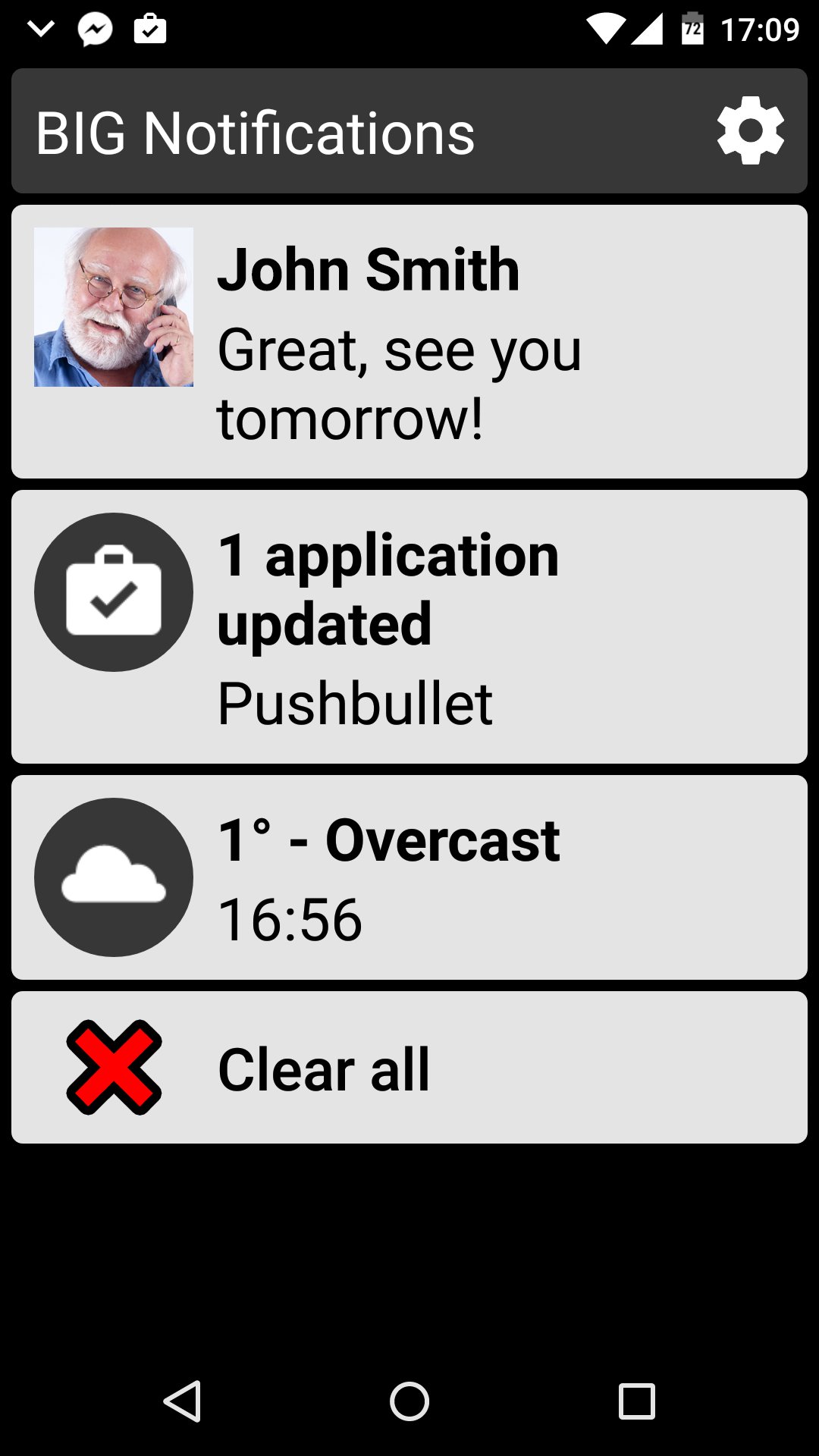
A great companion app to the award winning BIG Launcher interface. Can also be used separately. Specially designed for seniors and people with vision problems. Compatible with Android 4.3 and newer.
✓ Zoom the system notifications and display them full-screen with big font
✓ Show them automatically or via the shortcut in the top notification area
✓ Use enlarged notification actions directly without opening the original app
✓ Easy to control - no hidden gestures
✓ Large buttons with one tap control
Paid version allows you to configure many options.
✓ Variable text size - optional exceptionally large text for visually impaired users
✓ Full TalkBack screen reader support - suitable for legally blind
✓ Password protected app settings - great for seniors
✓ Automatic vibration on every notification
✓ Disable BIG Notifications temporarily when you do not wish to be disturbed
Be sure to try BIG Launcher if you have problems with your vision. Visit http://biglauncher.com for more information.
Preview
Tags
ProductivityInformation
Developer
BIG Launcher
Latest Version
2.0.3
Last Updated
2026-03-12
Category
Productivity
Available on
Google Play
Show More
How to play BIG Notifications with GameLoop on PC
1. Download GameLoop from the official website, then run the exe file to install GameLoop
2. Open GameLoop and search for “BIG Notifications” , find BIG Notifications in the search results and click “Install”
3. Enjoy playing BIG Notifications on GameLoop
Minimum requirements
OS
Windows 8.1 64-bit or Windows 10 64-bit
GPU
GTX 1050
CPU
i3-8300
Memory
8GB RAM
Storage
1GB available space
Recommended requirements
OS
Windows 8.1 64-bit or Windows 10 64-bit
GPU
GTX 1050
CPU
i3-9320
Memory
16GB RAM
Storage
1GB available space