Story Art Maker - Story Saver PC
Farley Technologies
Download Story Art Maker - Story Saver on PC With GameLoop Emulator
Story Art Maker - Story Saver sa PC
Ang Story Art Maker - Story Saver, na nagmumula sa developer na Farley Technologies, ay tumatakbo sa Android systerm sa nakaraan.
Ngayon, maaari mong laruin ang Story Art Maker - Story Saver sa PC gamit ang GameLoop nang maayos.
I-download ito sa GameLoop library o mga resulta ng paghahanap. Hindi na tumitingin sa baterya o nakakadismaya na mga tawag sa maling oras.
I-enjoy lang ang Story Art Maker - Story Saver PC sa malaking screen nang libre!
Story Art Maker - Story Saver Panimula
Are you looking for a tool to create likable and striking social media stories? Do you want an app to create them for you? If yes then download the story maker app instantly without having any second thought!
The Story Maker: Story Art & Editor App is an interesting app that allows users, influencers, companies, and businesses to create captivating and appealing social media stories for them. Stories can drive traffic back to your post. It increases engagement of the post as well. Social media stories tend to improve brand visibility and transparency. It reaches more people and helps to interact with a large number of audiences.
In the case of businesses, social media stories generate leads. The user can get instant feedback for their new products. Finally, social media stories increase engagement and stay top of mind of your target audience. You can also run Insta stories ads for a bigger reach. Story maker writing app free allows the user to use the bulk of free templates. By using story maker users can edit any image from their mobile phone memory or any template from the app. user can create attractive and catchy social media stories using this story maker app.
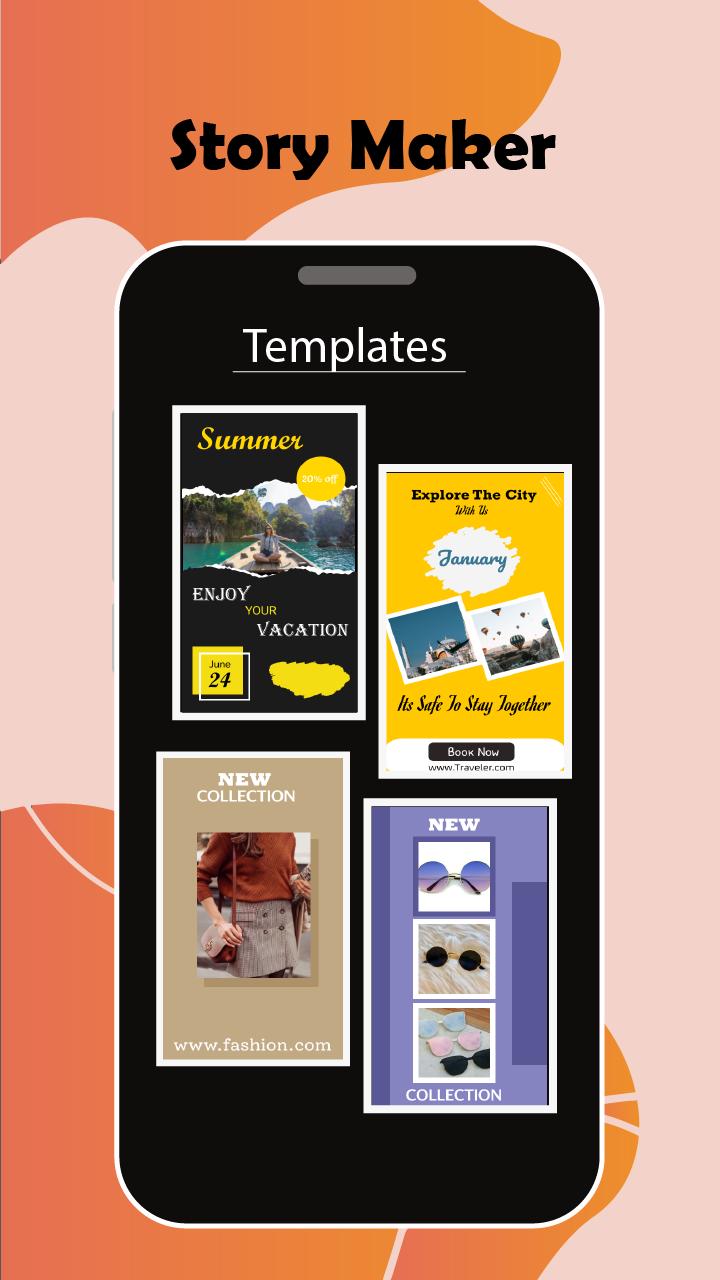
Story Maker: Story Art & Editor App equipped with 9 different categories containing the number of beautiful attractive frames used to create attractive social media stories. You can add your image on frames and can write about that image on a story frame describing what the image is representing to others.
Features of Story maker: Story Art & Editor App
1. Story collage: Insta story maker provides several templates to create amazing stories.
2. Story art maker provides More than 8 different categories with the number of story frames to apply to your image.
3. You can add your pictures to the template and can caption the story by adding text to the image.
4. Story maker: Story collage allows you to save created stories and share them on social media to boost your post.
5. You can customize the template by adding your image and writing a text on the image using story maker.
How to Use Story maker: Story Art & Editor App
1. Click on the template tab to view different templates available of various categories in the story maker: story art app.
2. Click to collection button to get access to 9 different categories having multiple story frames to apply using story maker: story art and editor app.
3. Select any category from the collection and you will see the number of frames related to the category you have selected.
4. Choose any frame of your like and click to open editing window on which you can add your image and write any text you want to caption that story using story maker to my name app.
5. You can view saved stories by clicking on my story tab. You can share, delete or view your saved story from story maker app.
Preview

Tags
PhotographyInformation
Developer
Farley Technologies
Latest Version
1.0.1
Last Updated
2022-01-17
Category
Photography
Available on
Google Play
Show More
How to play Story Art Maker - Story Saver with GameLoop on PC
1. Download GameLoop from the official website, then run the exe file to install GameLoop
2. Open GameLoop and search for “Story Art Maker - Story Saver” , find Story Art Maker - Story Saver in the search results and click “Install”
3. Enjoy playing Story Art Maker - Story Saver on GameLoop
Minimum requirements
OS
Windows 8.1 64-bit or Windows 10 64-bit
GPU
GTX 1050
CPU
i3-8300
Memory
8GB RAM
Storage
1GB available space
Recommended requirements
OS
Windows 8.1 64-bit or Windows 10 64-bit
GPU
GTX 1050
CPU
i3-9320
Memory
16GB RAM
Storage
1GB available space