Photo Effects - Photo Editor PC
Jazzy Worlds
Download Photo Effects - Photo Editor on PC With GameLoop Emulator
Photo Effects - Photo Editor sa PC
Ang Photo Effects - Photo Editor, na nagmumula sa developer na Jazzy Worlds, ay tumatakbo sa Android systerm sa nakaraan.
Ngayon, maaari mong laruin ang Photo Effects - Photo Editor sa PC gamit ang GameLoop nang maayos.
I-download ito sa GameLoop library o mga resulta ng paghahanap. Hindi na tumitingin sa baterya o nakakadismaya na mga tawag sa maling oras.
I-enjoy lang ang Photo Effects - Photo Editor PC sa malaking screen nang libre!
Photo Effects - Photo Editor Panimula
Are you looking for best Photo Effect & Editor app?
Then you in right place. We are launching this app for you.
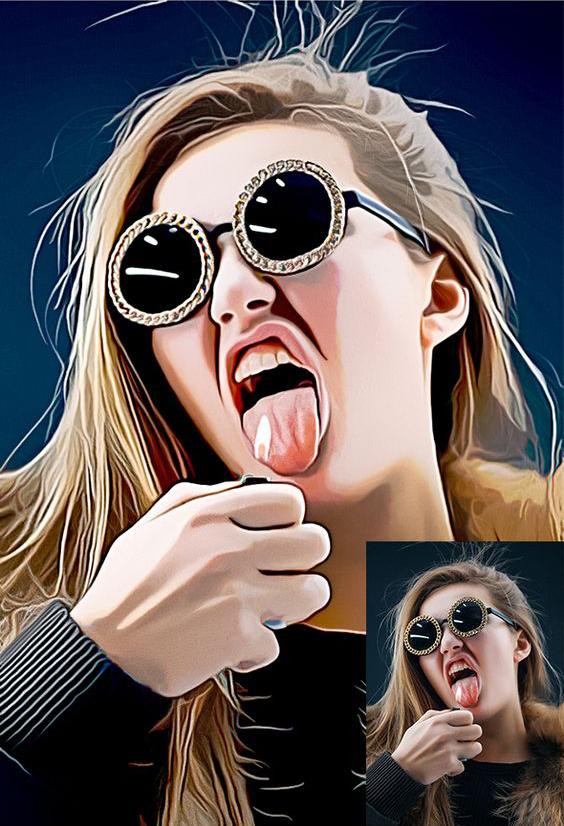
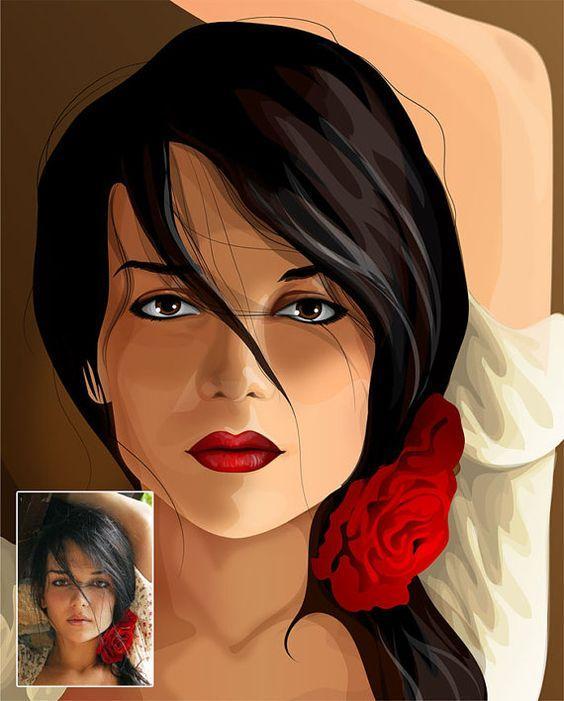
Photo Effect is a powerful photo editor with many amazing effects and filters! Pic Photo Art has everything you need to make every picture awesome. It makes your photos beautiful with easy and powerful editing tools. Pic effects is an effective photo editor with some stunning photo effects and various photo editing options.
Edit your photo instantly with this Awesome powerful Photo Editor app, which is one of the best photo editing tool in android. Get the best photography art in your photos with large number of amazing photo effects.
Just select one picture or take it from camera and get large varieties of photo effects to beautify your picture. And also manage effects using Increase & Decrease progress bar. You can make your selfie best using this Effects.
So Make your picture look creative in seconds "One Tap" without using a professional editor & Effects and set it as a contact icon, a wallpaper, send a signed virtual postcard to a friend or share it to any social network.
Awesome Features:
★ 100+ Beautiful photo effect & art
★ One-tap auto enhance
★ HDR, photo effects & layer editing
★ Drawing paint tools
★ Focus your picture with Curly Hair, Illegal Beauty, Mononoke, Realistic effects
★ Make your own meme
★ Manage effect using Increase & Decrease progress bar
★ Use photos from your gallery and camera
★ View, edit, or delete your edited Image. Also re-edit that image
★ Save your final result to your gallery and on your SD card
★ Sharing with your friends, family and followers on Facebook, Twitter, Flickr, Instagram and more social apps
★ Save images in Ultra HD 4K resolution (device dependent)
We would love to hear your suggestions & feedback. Send feedback on parmarfalguni2255@gmail.com
Preview
Tags
PhotographyInformation
Developer
Jazzy Worlds
Latest Version
7.0
Last Updated
2023-06-07
Category
Photography
Available on
Google Play
Show More
How to play Photo Effects - Photo Editor with GameLoop on PC
1. Download GameLoop from the official website, then run the exe file to install GameLoop
2. Open GameLoop and search for “Photo Effects - Photo Editor” , find Photo Effects - Photo Editor in the search results and click “Install”
3. Enjoy playing Photo Effects - Photo Editor on GameLoop
Minimum requirements
OS
Windows 8.1 64-bit or Windows 10 64-bit
GPU
GTX 1050
CPU
i3-8300
Memory
8GB RAM
Storage
1GB available space
Recommended requirements
OS
Windows 8.1 64-bit or Windows 10 64-bit
GPU
GTX 1050
CPU
i3-9320
Memory
16GB RAM
Storage
1GB available space