Magic Art - Photo Effects Pro PC
Jazzy Worlds
Download Magic Art - Photo Effects Pro on PC With GameLoop Emulator
Magic Art - Photo Effects Pro sa PC
Ang Magic Art - Photo Effects Pro, na nagmumula sa developer na Jazzy Worlds, ay tumatakbo sa Android systerm sa nakaraan.
Ngayon, maaari mong laruin ang Magic Art - Photo Effects Pro sa PC gamit ang GameLoop nang maayos.
I-download ito sa GameLoop library o mga resulta ng paghahanap. Hindi na tumitingin sa baterya o nakakadismaya na mga tawag sa maling oras.
I-enjoy lang ang Magic Art - Photo Effects Pro PC sa malaking screen nang libre!
Magic Art - Photo Effects Pro Panimula
Glitter Magic Carbon Photo Lab app is a creative tool that lets you turn ordinary photos into masterpieces. Perfect for your phone and tablet! Magic Photo Lab is the most inspiring photo editor!
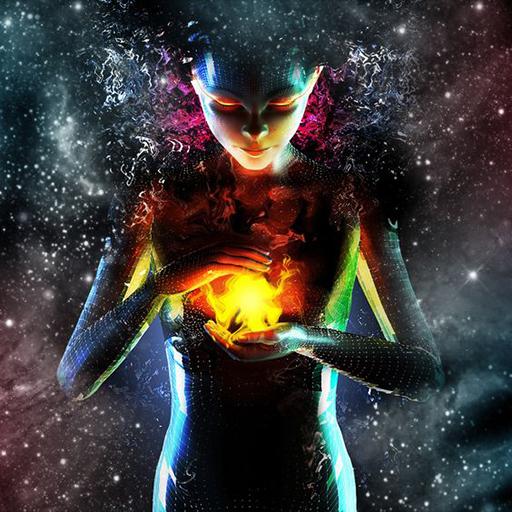
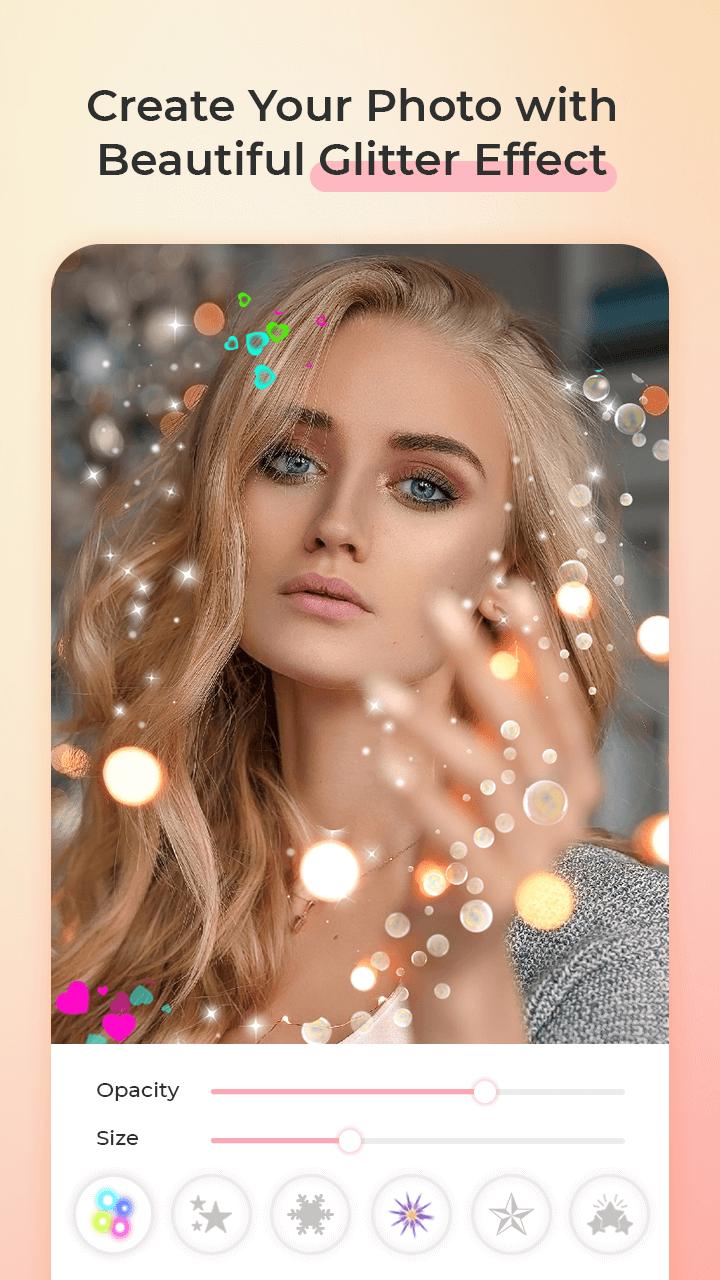
Create wonderful pixel dispersion effect pictures OR create sparkling glitter effect pictures and share them on social media directly from the app.
App having 9+ most useful and amazing categories that you would like most:
1) Glitter Effect: Use your fingertips and make your own art with different glitter designs.
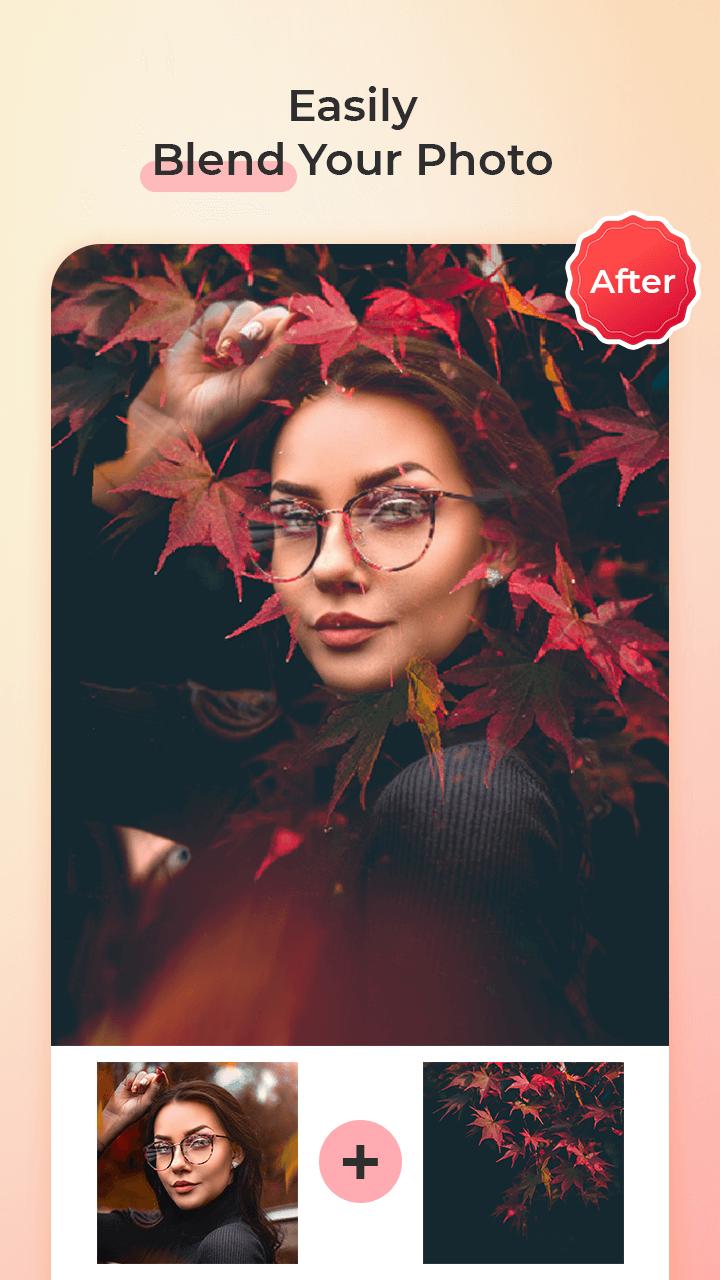
2) Blend / Double Exposure Effect: It will give your photo to awesome blend art with multiple background.
3) Mosaic Effect: Select unlimited photos & see how mosaic create magic on your photos. Also try to change modes like LIGHTEN, SCREEN, OVERLAY, OVERLAY, DARKEN, MULTIPLY to get most attractive arts. You can adjust opacity or Blur.
4) Change Background/ Remove background/ Blur Background: Change any picture’s background from gallery or our outstanding background with multiple categories like wall, road, autumn, animal, abstract, unique, etc. You can also blur your background.
5) Neon Shape Effect: Just add your photo and get amazing magic neon art effect. You can add multiple text & Stickers in any effects.
6) Spiral Effect: Get best photo effect in Spiral art. Also, you can change background of your photo.
7) Wings art effect: Add different types of wings in between your body and background. It looks amazing.
8) Profile DP Border art: Create your beautiful DP with our 5000+ amazing Profile borders.
9) Article Photo Frame: Add awesome art frame in your photo. Also, you can change background as like as frame. More then 5000+ frames available.
Glitter Magic Photo Carbon Lab boasts one of the vastest collections of stylish and funny photo effects: more than 800 effects to date! Fantastic face photo montages, photo frames, animated effects, and photo filters are here for you to enjoy.
Using Glitter Magic Carbon Photo Effect couldn’t be more simple – all of the tools are easily available at your fingertips and all editing happens in real-time. Use the brushes to freely edit your photos with stunning effects and apply some of the world’s most beautifully designed filters and borders. It gives you the creative editing tools you have always wanted. Once you've finished, save and share your photos to your favourite services.
Key Features:
★ 9+ best photo effect categories
★ 30+ handcrafted effect brushes to edit any part of your photo with a finger. Amazing set of Animated, Decoration, Effect, Color and Artistic brushes to add unique touch to your photos
★ More than 50 Flower Crown sticker, Heart Crown sticker, cat face sticker, dog face sticker and heart/bird effect
★ 16 carefully designed filters, including amazing spotlight filters
★ Gradient fills tools (linear, radial)
★ Add Stickers with decorative art & Add text in your effected photo
★ Auto particle dispersion tool for any photo using Standard Templates
★ 3D Pixel and Shattering photo effects & layer editing
★ Hand draw effects on your picture from multiple glitter dust effect patterns
★ Choose your Pixel Effect Shapes
★ Hand draw to create pixel effects
★ All direction particle dispersion effect
★ Full layer controls with 18 layer blending modes
★ Easy to change Pixel colors
★ Fast and robust adjustments tool let you easily bring out the best in your photos
★ Direct access to all the albums as well as photos in Facebook
★ Studio-grade technology and intuitive interface to inspire new levels of creativity
★ Sharing with your friends, family and followers on Facebook, Twitter, Snapchat, Instagram, Whats app and more social apps
We would love to hear your suggestions & feedback. Send feedback on parmarfalguni2255@gmail.com
Preview
Tags
PhotographyInformation
Developer
Jazzy Worlds
Latest Version
7.0
Last Updated
2023-06-07
Category
Photography
Available on
Google Play
Show More
How to play Magic Art - Photo Effects Pro with GameLoop on PC
1. Download GameLoop from the official website, then run the exe file to install GameLoop
2. Open GameLoop and search for “Magic Art - Photo Effects Pro” , find Magic Art - Photo Effects Pro in the search results and click “Install”
3. Enjoy playing Magic Art - Photo Effects Pro on GameLoop
Minimum requirements
OS
Windows 8.1 64-bit or Windows 10 64-bit
GPU
GTX 1050
CPU
i3-8300
Memory
8GB RAM
Storage
1GB available space
Recommended requirements
OS
Windows 8.1 64-bit or Windows 10 64-bit
GPU
GTX 1050
CPU
i3-9320
Memory
16GB RAM
Storage
1GB available space