
Timelapse Calculator PC
Ioannis Ioannou
Download Timelapse Calculator on PC With GameLoop Emulator
Timelapse Calculator sa PC
Ang Timelapse Calculator, na nagmumula sa developer na Ioannis Ioannou, ay tumatakbo sa Android systerm sa nakaraan.
Ngayon, maaari mong laruin ang Timelapse Calculator sa PC gamit ang GameLoop nang maayos.
I-download ito sa GameLoop library o mga resulta ng paghahanap. Hindi na tumitingin sa baterya o nakakadismaya na mga tawag sa maling oras.
I-enjoy lang ang Timelapse Calculator PC sa malaking screen nang libre!
Timelapse Calculator Panimula
🎬 Timelapse Calculator Pro – Your Complete Timelapse Planning Solution
Transform your timelapse photography with our all-in-one calculator app for photographers, videographers, and content creators. Whether you're capturing sunsets, cityscapes, or nature scenes, get precise results every time with professional-grade tools.
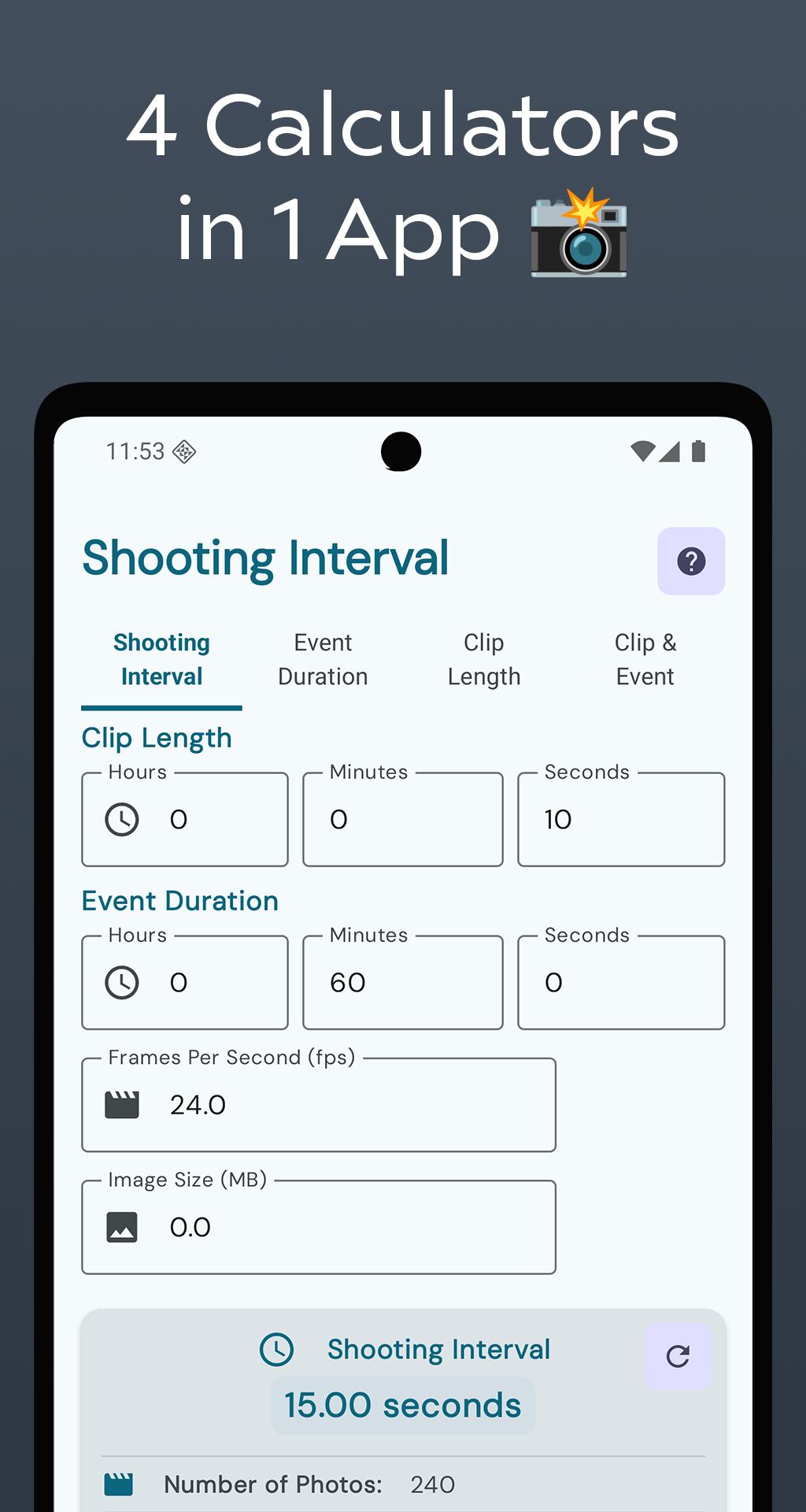
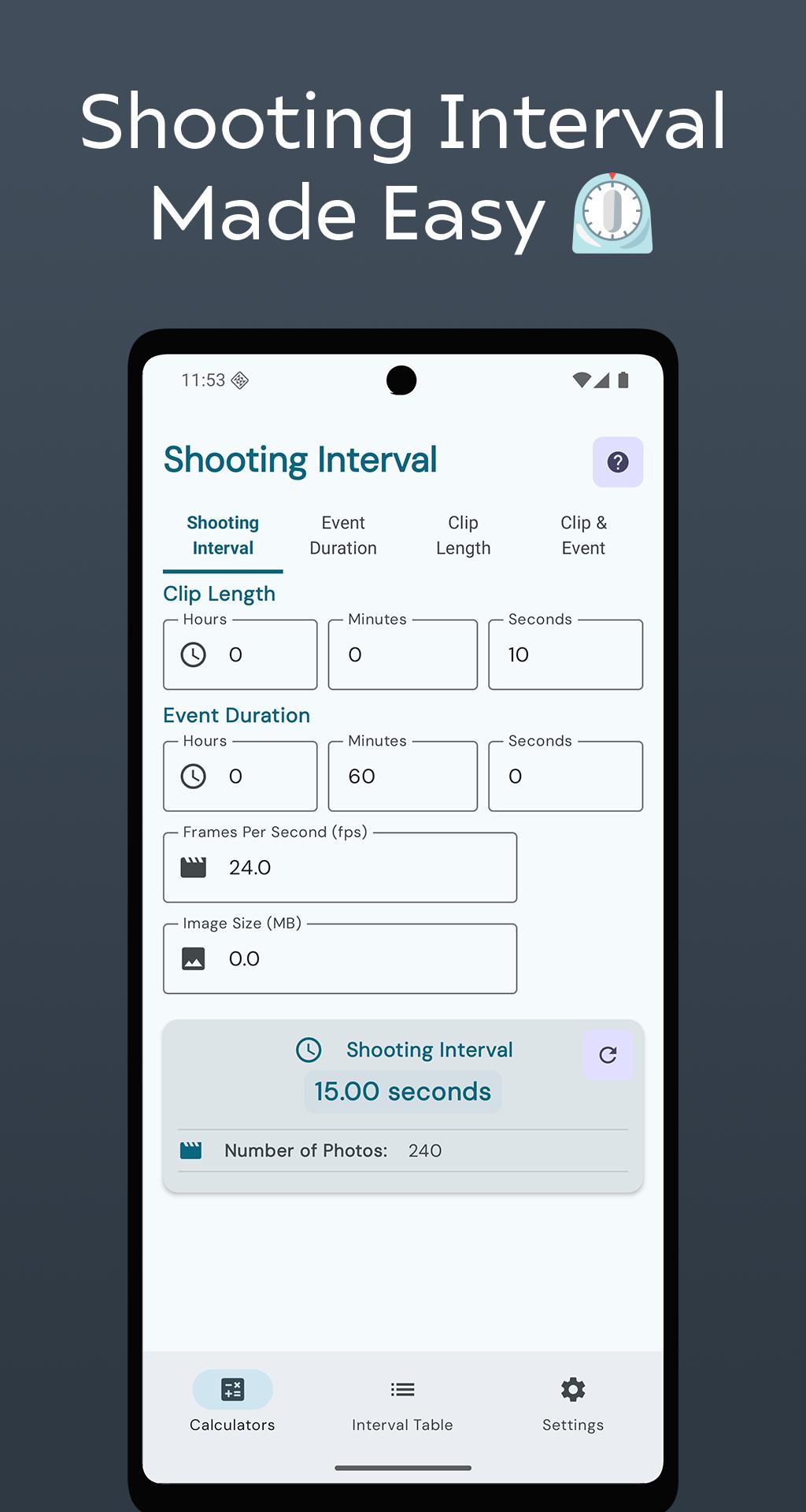
📱 4 Powerful Calculators:
• Shooting Interval: Calculate the ideal interval based on clip length, event duration, frame rate, and image size.
• Event Duration: Find out how long you need to shoot to hit your target clip length — great for planning under time constraints.
• Clip Length: Preview the final video length based on your shooting interval and event duration.
• Clip & Event: Estimate both clip length and shooting time in one step — perfect for quick planning.
📊 Interval Table:
Plan and manage multiple shoots, add custom intervals using natural language, and track sessions with ease. Built with a modern Material 3 design for speed and clarity.
✨ Key Features:
• Real-time calculations
• Memory usage and photo count estimates
• Clean, responsive interface with light and dark modes
• Works fully offline
• Privacy-first with no tracking or login
• Optimized for all screen sizes
🎯 Ideal For:
Photographers, filmmakers, vloggers, content creators, landscape and architecture shooters, students, and hobbyists.
💡 Pro Tips:
Use the Interval Table to manage complex shoots. Try different FPS settings (24, 30, 60) to explore style options. Always consider image size for storage planning. Save favorite calculations for later use.
Download Timelapse Calculator Pro and take full control of your timelapse workflow — precision, speed, and simplicity in one app.
Preview
Tags
PhotographyInformation
Developer
Ioannis Ioannou
Latest Version
6.2025.07.13
Last Updated
2025-07-14
Category
Photography
Available on
Google Play
Show More
How to play Timelapse Calculator with GameLoop on PC
1. Download GameLoop from the official website, then run the exe file to install GameLoop
2. Open GameLoop and search for “Timelapse Calculator” , find Timelapse Calculator in the search results and click “Install”
3. Enjoy playing Timelapse Calculator on GameLoop
Minimum requirements
OS
Windows 8.1 64-bit or Windows 10 64-bit
GPU
GTX 1050
CPU
i3-8300
Memory
8GB RAM
Storage
1GB available space
Recommended requirements
OS
Windows 8.1 64-bit or Windows 10 64-bit
GPU
GTX 1050
CPU
i3-9320
Memory
16GB RAM
Storage
1GB available space