
Bg Eraser - Automatic Backgrou PC
Vertexshare Software Ltd
Download Bg Eraser - Automatic Backgrou on PC With GameLoop Emulator
Bg Eraser - Automatic Backgrou sa PC
Ang Bg Eraser - Automatic Backgrou, na nagmumula sa developer na Vertexshare Software Ltd, ay tumatakbo sa Android systerm sa nakaraan.
Ngayon, maaari mong laruin ang Bg Eraser - Automatic Backgrou sa PC gamit ang GameLoop nang maayos.
I-download ito sa GameLoop library o mga resulta ng paghahanap. Hindi na tumitingin sa baterya o nakakadismaya na mga tawag sa maling oras.
I-enjoy lang ang Bg Eraser - Automatic Backgrou PC sa malaking screen nang libre!
Bg Eraser - Automatic Backgrou Panimula
For the current free version, you can download the Preview Image with a low definition(700px*700px) automatically. Subscribe to our Pro member to download the full photos!
Bg Eraser is a clean background eraser app with no ads included.
*********Description*********
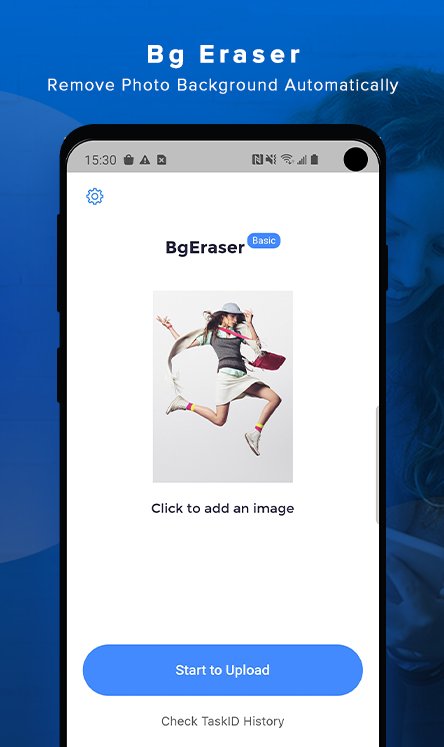
Bg Eraser is a professional and AI-powered app that is capable of removing background automatically. By using advanced algorithms and strategies, our app could recognize the human, animals, products, and objects in the uploaded photo. Cut them out, and make the background transparent.
*********Main Features*********
Support removing image/photo background automatically.
Support the batch process to improve your productivity.
Support zooming in or zooming out the objects you have cut out from the photo.
Support rotating the objects you have cut out from the photo.
Support changing image background with only one click.
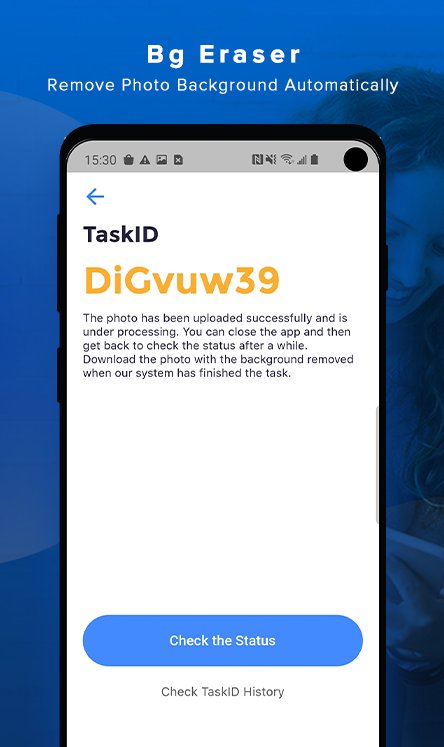
Provide 5 taskIDs and check the status.
*********How to use Bg Eraser*********
The process is quite simple.
#1 Select the photo or image you want to colorize
#2 Upload and you will get a task ID.
#3 Check the task ID. Once it shows "success", you can preview or download the colorized photo/image.
#4 You can click “Preview” to change the background color.
*********Privacy Protect*********
We remove all uploaded photos every 24 hours.
*********Subscription Plan*********
Monthly Plan: As low as $2.99 for each month. Download the photos with transparent background. Unlimited Access.
*********Other Products*********
You may also interested in our other products. Try them below:
AI Image Enlarger: Upscale image size and resolution without losing quality;
Image Colorizer: Colorize black and white photos automatically.
*********Contact*********
Have questions? Please contact support@bgeraser.com
PrivacyPolicy: https://bgeraser.com/privacy-policy.html
Terms: https://bgeraser.com/terms.html
Preview
Tags
PhotographyInformation
Developer
Vertexshare Software Ltd
Latest Version
1.1.1
Last Updated
2020-08-12
Category
Photography
Available on
Google Play
Show More
How to play Bg Eraser - Automatic Backgrou with GameLoop on PC
1. Download GameLoop from the official website, then run the exe file to install GameLoop
2. Open GameLoop and search for “Bg Eraser - Automatic Backgrou” , find Bg Eraser - Automatic Backgrou in the search results and click “Install”
3. Enjoy playing Bg Eraser - Automatic Backgrou on GameLoop
Minimum requirements
OS
Windows 8.1 64-bit or Windows 10 64-bit
GPU
GTX 1050
CPU
i3-8300
Memory
8GB RAM
Storage
1GB available space
Recommended requirements
OS
Windows 8.1 64-bit or Windows 10 64-bit
GPU
GTX 1050
CPU
i3-9320
Memory
16GB RAM
Storage
1GB available space