
Custom Search Bar Widget CSBW PC
Nate Wren Design
Download Custom Search Bar Widget CSBW on PC With GameLoop Emulator
Custom Search Bar Widget CSBW sa PC
Ang Custom Search Bar Widget CSBW, na nagmumula sa developer na Nate Wren Design, ay tumatakbo sa Android systerm sa nakaraan.
Ngayon, maaari mong laruin ang Custom Search Bar Widget CSBW sa PC gamit ang GameLoop nang maayos.
I-download ito sa GameLoop library o mga resulta ng paghahanap. Hindi na tumitingin sa baterya o nakakadismaya na mga tawag sa maling oras.
I-enjoy lang ang Custom Search Bar Widget CSBW PC sa malaking screen nang libre!
Custom Search Bar Widget CSBW Panimula
Gizmodo Review: http://fieldguide.gizmodo.com/how-to-save-a-ton-of-time-with-custom-searches-on-andro-1788952238
"It’s one of the best options we’ve seen for bringing alternative searches to the Android home screen."
The Next Web Review: https://thenextweb.com/apps/2016/10/14/this-swiss-knife-of-search-widgets-is-a-must-have-for-android-users/
"This Swiss knife of search widgets is a must-have for Android users"
NOTE: This app will change the appearance of the 'CSBW' search bar widget; NOT the appearance of your stock launcher's search bar. Add the CSBW widget to your home screen to apply changes.
GUIDE HERE: http://natewren.com/csbw-getting-started/
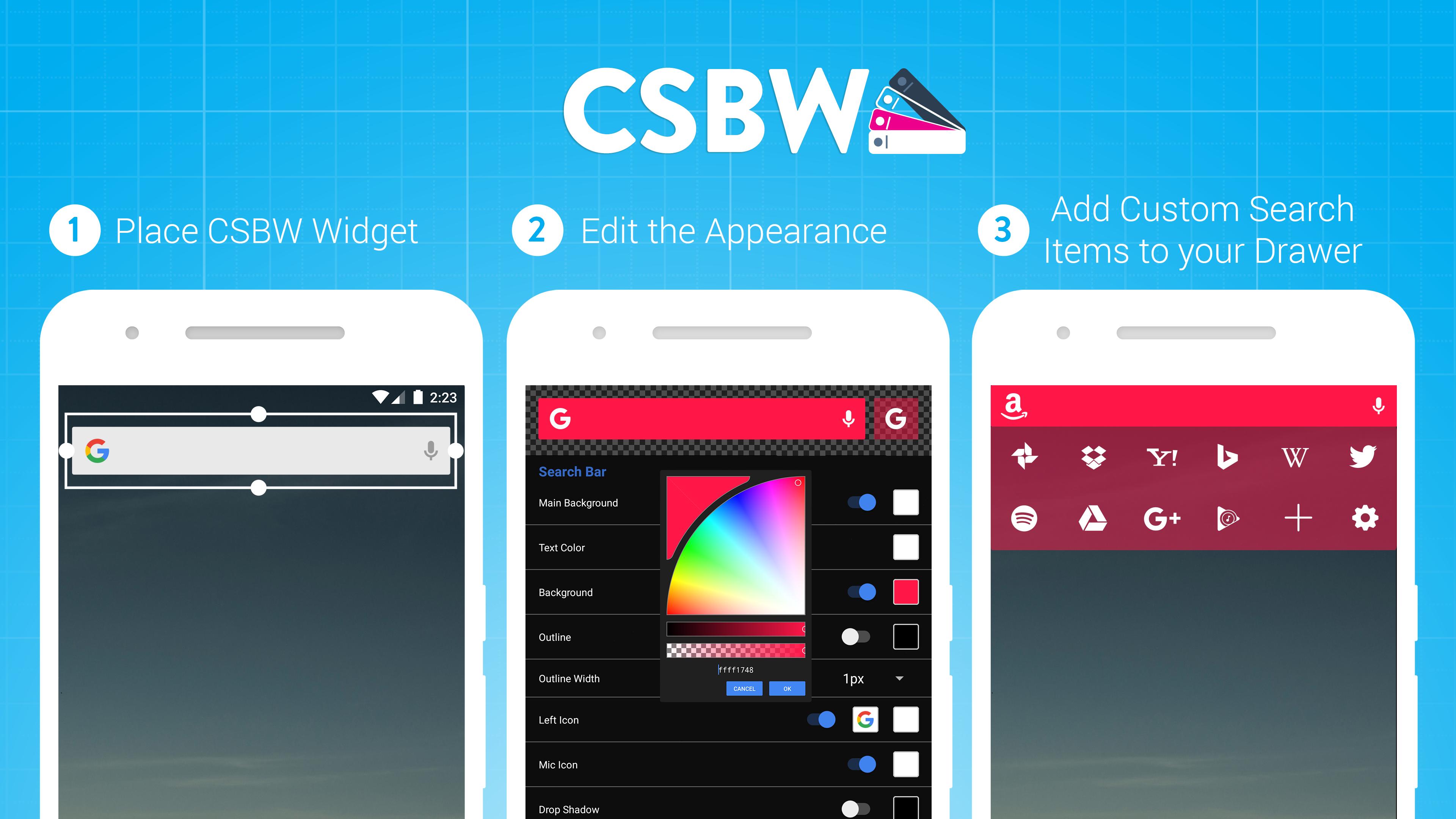
Custom Search Bar Widget (CSBW) is a fully editable search bar widget with a custom icon drawer. The widget can be changed in multiple ways to match your device's current theme. The drawer includes editable icons that can switch search engines, provide quick links to apps, or apply functions such as copy and paste.
FEATURES
• Fully customize all aspects of the search bar widget and icon drawer.
• Save search bar themes and load them later.
• Keyword search suggestions.
• Set-up search for installed apps instead of Google.
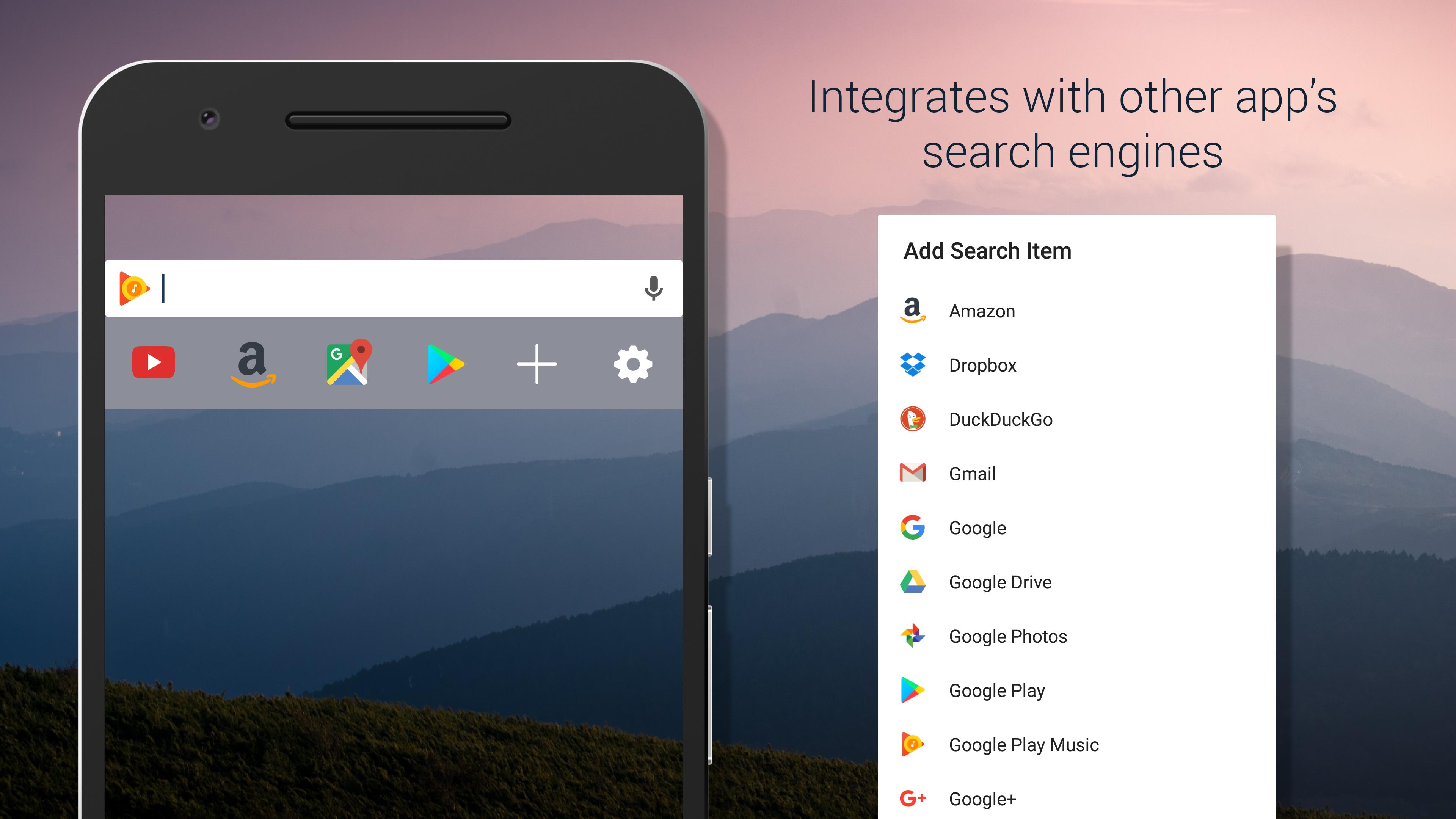
• Switch between search engines or apps such as Play Music, Spotify, Wikipedia, Amazon, etc.
• Add new search engines, or add new apps to search to the included icon drawer.
• Pre-made themes included for quickly applying theme to search bar.
PRO VERSION
• Customizeable Pixel Launcher Search Bar.
• Date option for Pixel Search bar.
• More customization options.
• Option to add icon drawer to home screen widget.
Note: If you see a gap on the side of the pixel widget, press and hold on the widget and select "Remove Padding" (Some launchers don't have this option. Nova Launcher is recommended.)
GOOGLE NOW vs GOOGLE WEB SEARCH
- Text searches default to Google web search
- Microphone Searches default to Google Now (Android 4.1+)
- These settings can be changed in Appearance>Edit Widget
CUSTOM SEARCH ITEMS
You can add a custom website's search by copying and pasting the results page URL into the custom field in CSBW.
In Add>Search Item>Custom:
1. Copy the URL of the search results page from the site you want to add.
For Example: http://www.imdb.com/find?q=cassablanca
2. Replace "cassablanca" with "%s" in the input field.The "%s" is a placeholder for the text you will enter into the CSBW search bar.
3. The URL you will add to CSBW Custom search item: http://www.imdb.com/find?q=%s
Preview
Tags
PersonalizationInformation
Developer
Nate Wren Design
Latest Version
2.1.5
Last Updated
2023-08-21
Category
Personalization
Available on
Google Play
Show More
How to play Custom Search Bar Widget CSBW with GameLoop on PC
1. Download GameLoop from the official website, then run the exe file to install GameLoop
2. Open GameLoop and search for “Custom Search Bar Widget CSBW” , find Custom Search Bar Widget CSBW in the search results and click “Install”
3. Enjoy playing Custom Search Bar Widget CSBW on GameLoop
Minimum requirements
OS
Windows 8.1 64-bit or Windows 10 64-bit
GPU
GTX 1050
CPU
i3-8300
Memory
8GB RAM
Storage
1GB available space
Recommended requirements
OS
Windows 8.1 64-bit or Windows 10 64-bit
GPU
GTX 1050
CPU
i3-9320
Memory
16GB RAM
Storage
1GB available space